Dinosaur D
| size: | |
|---|---|
| tempered glass thickness: | |
| resolution: | |
| view angles: | |
| display color: | |
| contrast: | |
| lifespan: | |
| Availability: | |
| Quantity: | |
Key Features & Benefits
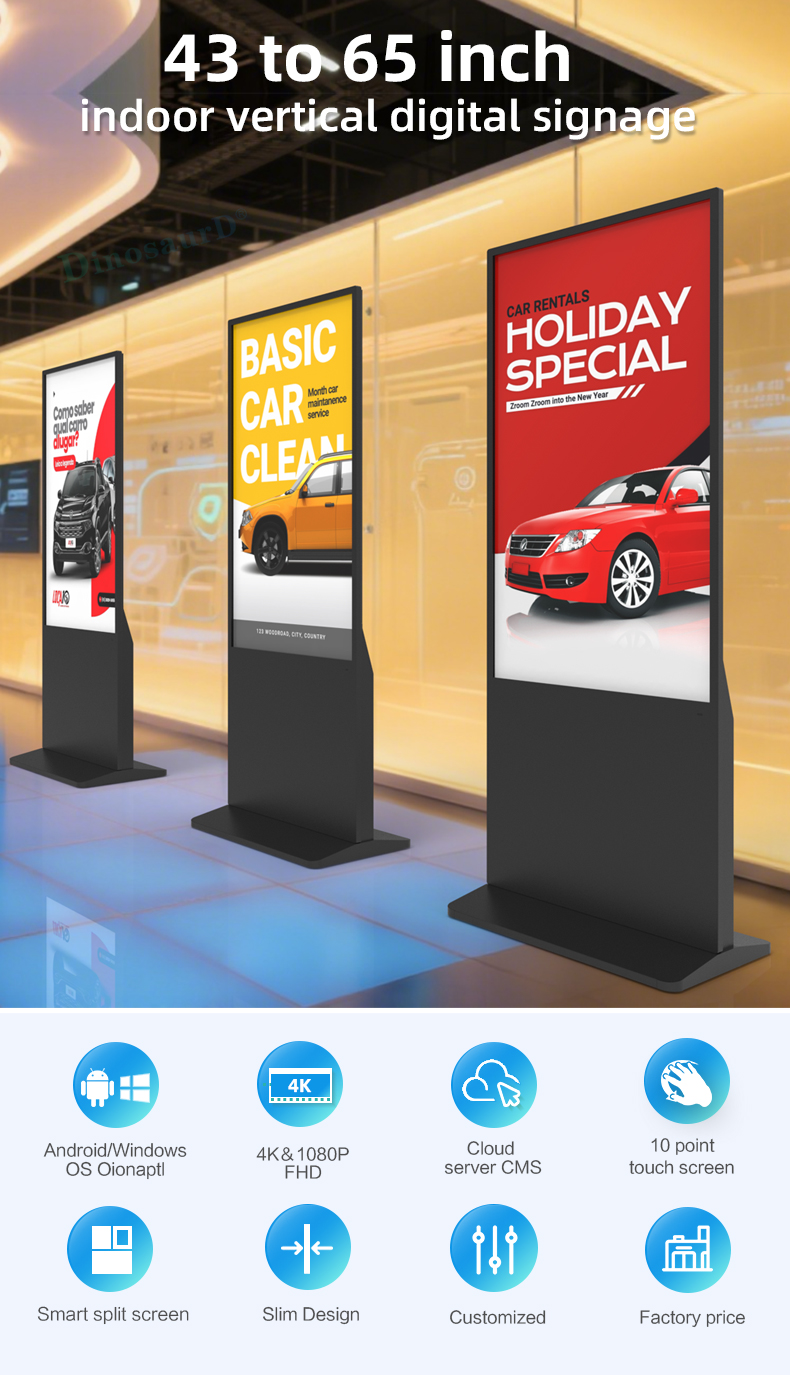
Immersive 55-Inch Touch Screen: A vibrant, high-resolution vertical LCD display offers expansive visual real estate, perfect for capturing attention with stunning graphics, high-definition videos, and interactive content. Its large size ensures visibility from a distance while providing an engaging up-close user experience.
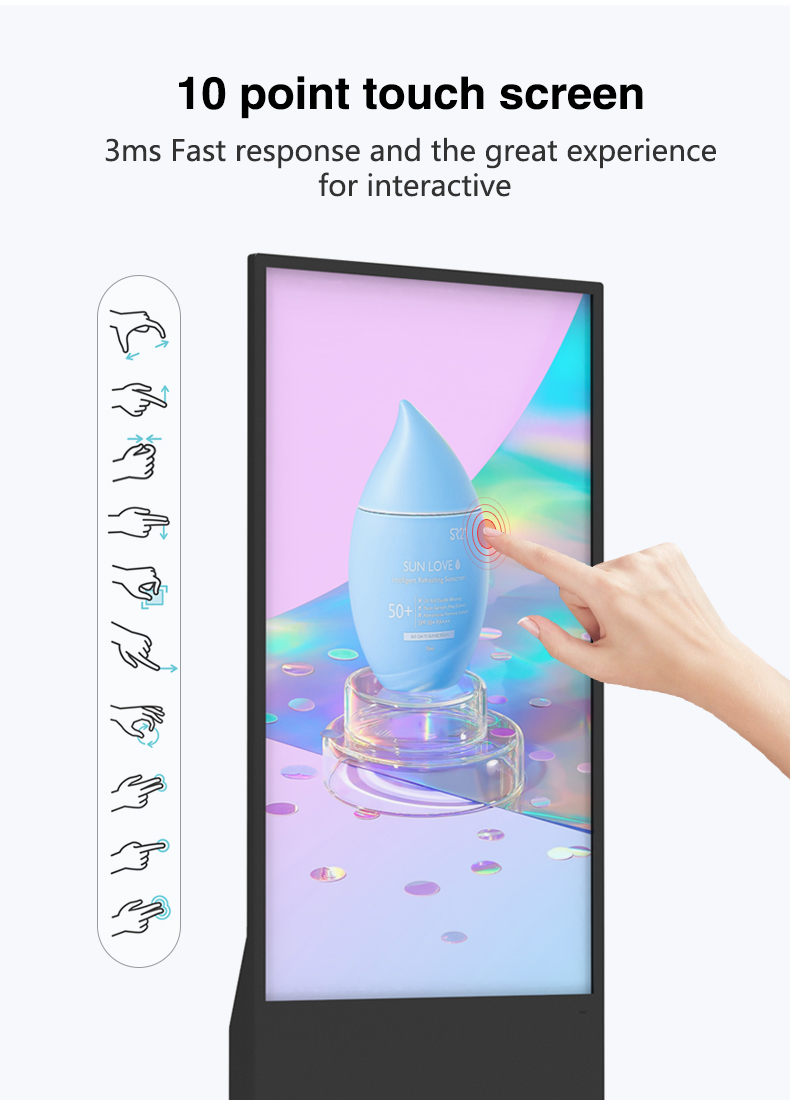
Fully Interactive Multi-Touch Interface: Equipped with advanced projected capacitive (PCAP) touch technology, the screen supports smooth, responsive multi-touch gestures—allowing intuitive navigation through menus, product catalogs, maps, surveys, and promotional content, just like a giant tablet.
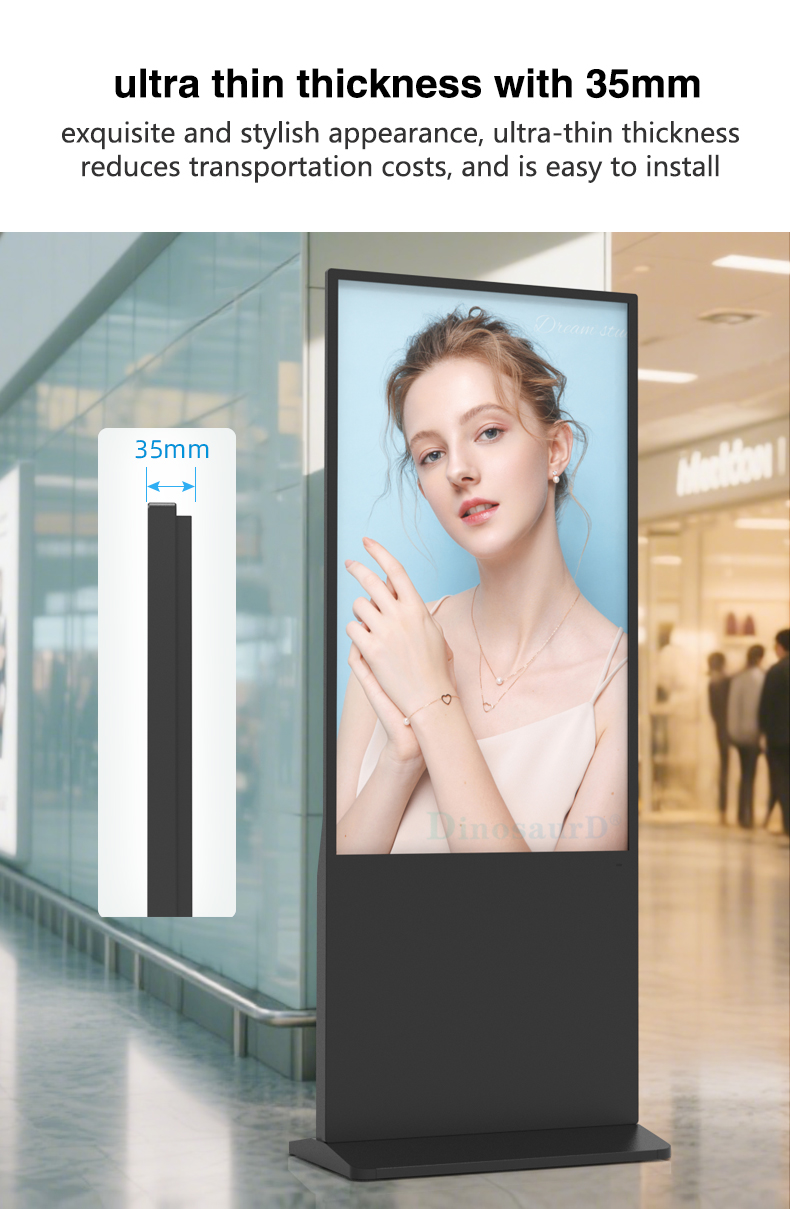
Robust Floor-Standing Totem Design: The integrated kiosk enclosure is built for durability and stability in public spaces. Its sleek, professional vertical totem design features a sturdy base, streamlined cable management, and a form factor that maximizes impact while minimizing spatial footprint.
All-in-One Advertising & Kiosk Solution: This unit functions seamlessly as a digital signage display for scheduled advertising loops and as a powerful interactive kiosk for on-demand information access. The integrated media player supports versatile applications without requiring external hardware.
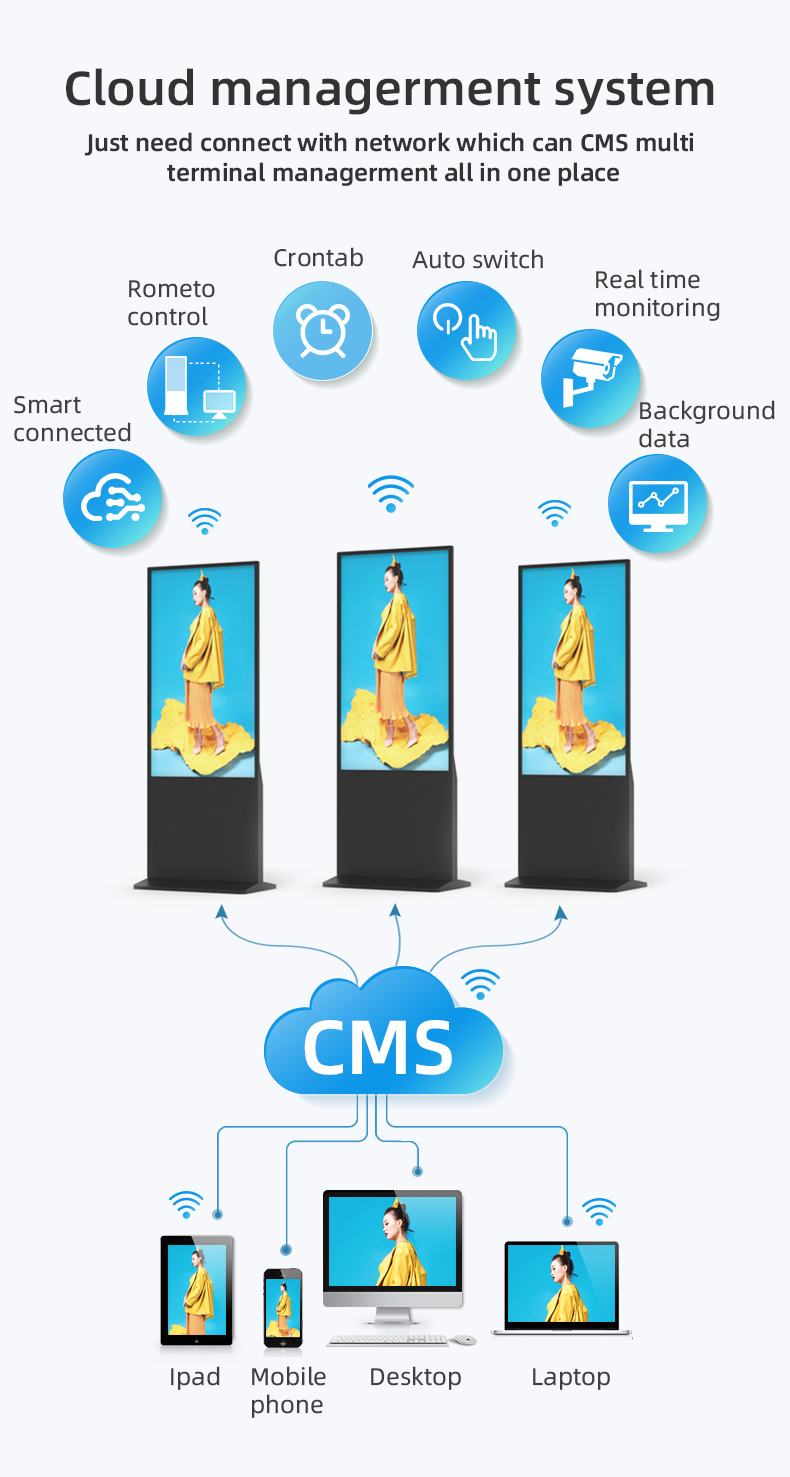
Smart Content Management & Versatility: Remotely manage and update content via a user-friendly cloud-based CMS. Easily switch between advertising mode and interactive applications, deploying content such as wayfinding directories, product explorers, loyalty program sign-ups, or promotional games.
Commercial-Grade Reliability: Designed for 24/7 operation, it features commercial-grade components, effective heat dissipation, and a hardened glass touch surface resistant to scratches and smudges, ensuring long-term performance in demanding indoor environments.


Key Features & Benefits
Immersive 55-Inch Touch Screen: A vibrant, high-resolution vertical LCD display offers expansive visual real estate, perfect for capturing attention with stunning graphics, high-definition videos, and interactive content. Its large size ensures visibility from a distance while providing an engaging up-close user experience.
Fully Interactive Multi-Touch Interface: Equipped with advanced projected capacitive (PCAP) touch technology, the screen supports smooth, responsive multi-touch gestures—allowing intuitive navigation through menus, product catalogs, maps, surveys, and promotional content, just like a giant tablet.
Robust Floor-Standing Totem Design: The integrated kiosk enclosure is built for durability and stability in public spaces. Its sleek, professional vertical totem design features a sturdy base, streamlined cable management, and a form factor that maximizes impact while minimizing spatial footprint.
All-in-One Advertising & Kiosk Solution: This unit functions seamlessly as a digital signage display for scheduled advertising loops and as a powerful interactive kiosk for on-demand information access. The integrated media player supports versatile applications without requiring external hardware.
Smart Content Management & Versatility: Remotely manage and update content via a user-friendly cloud-based CMS. Easily switch between advertising mode and interactive applications, deploying content such as wayfinding directories, product explorers, loyalty program sign-ups, or promotional games.
Commercial-Grade Reliability: Designed for 24/7 operation, it features commercial-grade components, effective heat dissipation, and a hardened glass touch surface resistant to scratches and smudges, ensuring long-term performance in demanding indoor environments.


| screen panel | screen size | 43 inch LCD screen panel | |||||||
| display area | 941.18mm(H)*529.42mm(V) | ||||||||
| product net weight | 40.5KG | ||||||||
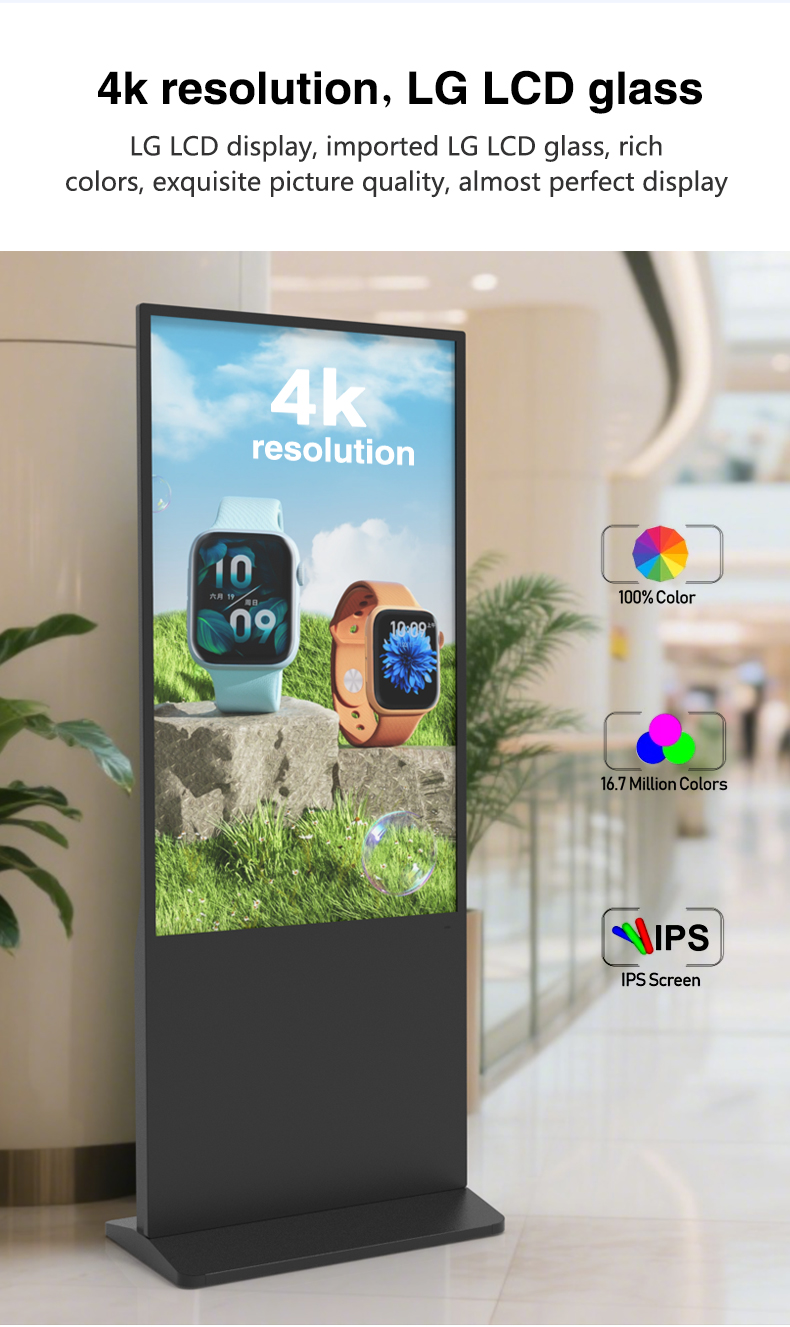
| resolution | 1920*1080 | ||||||||
| view angles | 178° horizon, 178 °vertical | ||||||||
| Color | 8-bit | ||||||||
| Contrast | 1200:1 | ||||||||
| Brightness | 350nits | ||||||||
| lifespan | 30000(hrs) | ||||||||
| Display Scale | 16 : 9 | ||||||||
| capacitive touch | Touch mode | Capacitive touch (USB driverless) | |||||||
| Glass surface hardness | Greater than or equal to 6H | ||||||||
| Tempered glass thickness | 4mm tempered | ||||||||
| writing mode | Fingers, touch pens | ||||||||
| Theoretical clicks | More than 600 million single touches | ||||||||
| Touch points are supported | 10 point touch | ||||||||
| Touch precision | 95% of the area positioning error is less than 2mm, and the edge positioning error is less than 5mm | ||||||||
| Power | Input Voltage | AC 100V~240V,50/60HZ | |||||||
| Case color | black | ||||||||
| Storage temparature | (-20℃ -- 60 ℃) | ||||||||
| Operation temparature | (0℃-- 50 ℃) | ||||||||
| Operation humidity | (10 -- 90﹪ ) | ||||||||
| screen panel | screen size | 43 inch LCD screen panel | |||||||
| display area | 941.18mm(H)*529.42mm(V) | ||||||||
| product net weight | 40.5KG | ||||||||
| resolution | 1920*1080 | ||||||||
| view angles | 178° horizon, 178 °vertical | ||||||||
| Color | 8-bit | ||||||||
| Contrast | 1200:1 | ||||||||
| Brightness | 350nits | ||||||||
| lifespan | 30000(hrs) | ||||||||
| Display Scale | 16 : 9 | ||||||||
| capacitive touch | Touch mode | Capacitive touch (USB driverless) | |||||||
| Glass surface hardness | Greater than or equal to 6H | ||||||||
| Tempered glass thickness | 4mm tempered | ||||||||
| writing mode | Fingers, touch pens | ||||||||
| Theoretical clicks | More than 600 million single touches | ||||||||
| Touch points are supported | 10 point touch | ||||||||
| Touch precision | 95% of the area positioning error is less than 2mm, and the edge positioning error is less than 5mm | ||||||||
| Power | Input Voltage | AC 100V~240V,50/60HZ | |||||||
| Case color | black | ||||||||
| Storage temparature | (-20℃ -- 60 ℃) | ||||||||
| Operation temparature | (0℃-- 50 ℃) | ||||||||
| Operation humidity | (10 -- 90﹪ ) | ||||||||
Smart Shopping Assistants
Virtual fitting room with AI body scanning
Real-time price match comparisons
"Complete Your Look" style suggestions
Brand Experience Centers
Product customization stations
Behind-the-scenes brand stories
User-generated content walls
Digital Butler Stations
Voice-activated service requests
AR luggage tag printing
In-room dining visual menus
Event Engagement Hubs
Live poll voting displays
Speaker Q&A moderation
Networking icebreaker games
Touchless Meeting Points
Gesture-controlled directory
Desk booking with heat maps
Visitor health screening
Corporate Storytelling Walls
Interactive annual reports
Employee recognition displays
Sustainability impact visualizers
Digital Triage Stations
Symptom checker with visual body maps
Wait time visualizations
Telehealth portal access
Wellness Education Walls
Exercise demonstration videos
Nutrition calculator
Stress management guides
Smart Station Navigators
Real-time congestion heat maps
Multimodal ticket purchasing
Lost item image recognition
Tourist Experience Gateways
AR historical recreations
Local hidden gem finders
Language-free visual guides
Smart Shopping Assistants
Virtual fitting room with AI body scanning
Real-time price match comparisons
"Complete Your Look" style suggestions
Brand Experience Centers
Product customization stations
Behind-the-scenes brand stories
User-generated content walls
Digital Butler Stations
Voice-activated service requests
AR luggage tag printing
In-room dining visual menus
Event Engagement Hubs
Live poll voting displays
Speaker Q&A moderation
Networking icebreaker games
Touchless Meeting Points
Gesture-controlled directory
Desk booking with heat maps
Visitor health screening
Corporate Storytelling Walls
Interactive annual reports
Employee recognition displays
Sustainability impact visualizers
Digital Triage Stations
Symptom checker with visual body maps
Wait time visualizations
Telehealth portal access
Wellness Education Walls
Exercise demonstration videos
Nutrition calculator
Stress management guides
Smart Station Navigators
Real-time congestion heat maps
Multimodal ticket purchasing
Lost item image recognition
Tourist Experience Gateways
AR historical recreations
Local hidden gem finders
Language-free visual guides
1. Q: What is the main difference between this 55-inch totem and a standard digital signage display?
A: Unlike standard displays, this is a complete, integrated Interactive Digital Totem Kiosk. It combines a large-format 55-inch vertical touch screen with a built-in media player and a sturdy, free-standing floor enclosure designed for public use. Its core function extends beyond passive advertising to include interactive self-service applications like wayfinding, product browsing, and information access, making it a versatile engagement tool.
2. Q: What type of touch screen technology is used, and how durable is it for public use?
A: We use high-performance Projected Capacitive (PCAP) multi-touch technology, the same technology found in modern smartphones and tablets. It offers exceptional clarity, high responsiveness, and supports 10-point multi-touch gestures. The screen is protected by durable, scratch-resistant tempered glass, engineered to withstand millions of touches in high-traffic commercial environments.
3. Q: Is this an all-in-one system, or do I need to purchase a separate media player/computer?
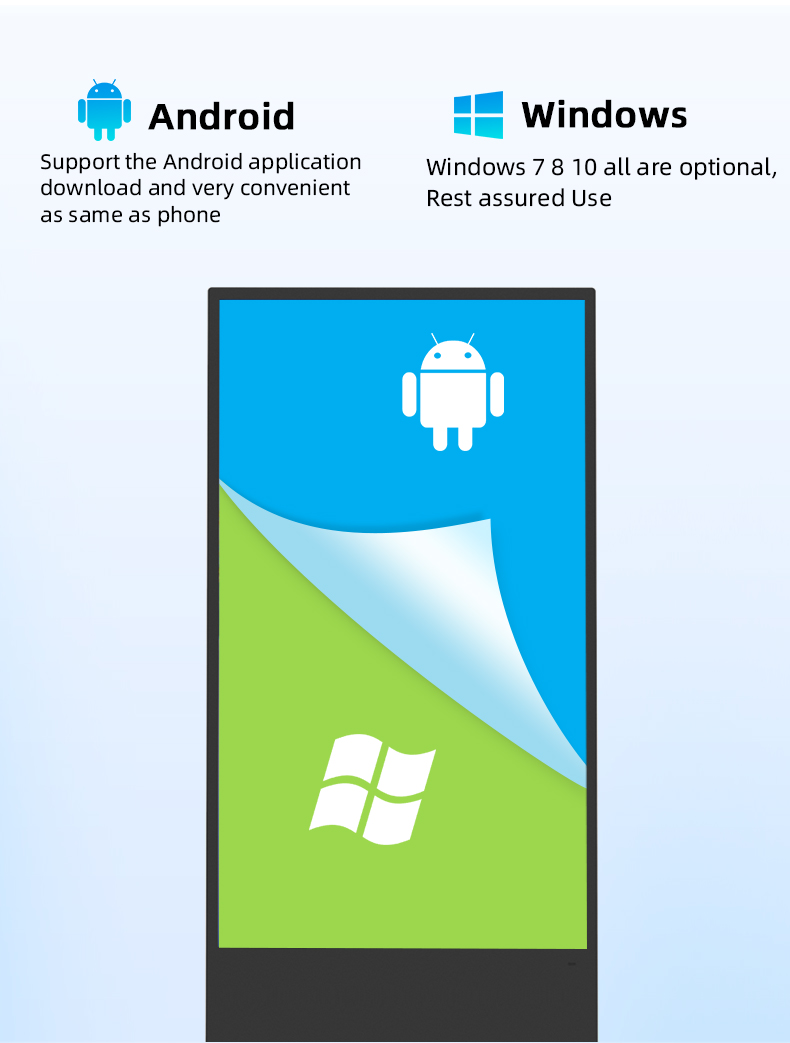
A: This is a true all-in-one system. It comes with a powerful, integrated media player (typically running on Android or a Windows platform) housed within the totem enclosure. You do not need to source or install an external computer, which simplifies setup, improves reliability, and provides a cleaner, more professional appearance.
4. Q: Can the totem function as both a passive advertising screen and an interactive kiosk?
A: Absolutely. This is a key feature. Through its content management system (CMS), you can easily schedule content to run in different modes. For example, it can display looped video advertisements during peak hours and automatically switch to an interactive wayfinding or product catalog interface when a user approaches and touches the screen.
5. Q: How is content managed and updated on the kiosk?
A: Content is managed remotely via a user-friendly, cloud-based Content Management System (CMS). After initial setup, you can log into the online platform from any web browser to upload new ads, design interactive applications, schedule content playlists, and monitor the device status in real-time, all without needing physical access to the kiosk.
6. Q: What are the installation requirements? Is professional installation recommended?
A: The unit requires a stable, level floor surface, access to a standard power outlet, and a network connection (via Wi-Fi or Ethernet cable). While the totem is designed for straightforward setup, professional installation is highly recommended to ensure optimal placement, secure anchoring to the floor (for safety), proper network configuration, and calibration of the touch screen.
7. Q: What is the screen brightness, and is it suitable for areas with lots of ambient light?
A: The kiosk is equipped with a high-brightness commercial LCD panel, typically rated at 500 nits or higher. This ensures excellent visibility and vibrant color reproduction even in brightly lit indoor spaces such as mall atriums, sunlit lobbies, or retail stores with strong overhead lighting, preventing washout and glare.
8. Q: What operating system does the integrated media player use, and can we install custom software?
A: The player commonly runs on Android or offers a Windows OS option. This open architecture allows for significant flexibility. You can install approved third-party applications, custom kiosk software, or web-based applications to meet specific interactive needs, such as custom catalogs, surveys, or integration with your backend systems.
9. Q: How stable and secure is the floor-standing design? Can it be anchored down?
A: The totem features a robust, weighted base and a low center of gravity for inherent stability. For permanent installation and maximum security in public areas, the base plate is pre-drilled with standard anchoring points. We provide or recommend appropriate hardware to securely bolt the kiosk to the floor, preventing tipping or unauthorized movement.
10. Q: What warranty and after-sales support are included?
A: The product comes with a comprehensive commercial warranty (e.g., 3 years on the LCD panel, 1-2 years on other components). After-sales support includes access to technical documentation, online CMS resources, and direct customer service support. Optional service plans, including extended warranties and on-site technical support, are also available.
1. Q: What is the main difference between this 55-inch totem and a standard digital signage display?
A: Unlike standard displays, this is a complete, integrated Interactive Digital Totem Kiosk. It combines a large-format 55-inch vertical touch screen with a built-in media player and a sturdy, free-standing floor enclosure designed for public use. Its core function extends beyond passive advertising to include interactive self-service applications like wayfinding, product browsing, and information access, making it a versatile engagement tool.
2. Q: What type of touch screen technology is used, and how durable is it for public use?
A: We use high-performance Projected Capacitive (PCAP) multi-touch technology, the same technology found in modern smartphones and tablets. It offers exceptional clarity, high responsiveness, and supports 10-point multi-touch gestures. The screen is protected by durable, scratch-resistant tempered glass, engineered to withstand millions of touches in high-traffic commercial environments.
3. Q: Is this an all-in-one system, or do I need to purchase a separate media player/computer?
A: This is a true all-in-one system. It comes with a powerful, integrated media player (typically running on Android or a Windows platform) housed within the totem enclosure. You do not need to source or install an external computer, which simplifies setup, improves reliability, and provides a cleaner, more professional appearance.
4. Q: Can the totem function as both a passive advertising screen and an interactive kiosk?
A: Absolutely. This is a key feature. Through its content management system (CMS), you can easily schedule content to run in different modes. For example, it can display looped video advertisements during peak hours and automatically switch to an interactive wayfinding or product catalog interface when a user approaches and touches the screen.
5. Q: How is content managed and updated on the kiosk?
A: Content is managed remotely via a user-friendly, cloud-based Content Management System (CMS). After initial setup, you can log into the online platform from any web browser to upload new ads, design interactive applications, schedule content playlists, and monitor the device status in real-time, all without needing physical access to the kiosk.
6. Q: What are the installation requirements? Is professional installation recommended?
A: The unit requires a stable, level floor surface, access to a standard power outlet, and a network connection (via Wi-Fi or Ethernet cable). While the totem is designed for straightforward setup, professional installation is highly recommended to ensure optimal placement, secure anchoring to the floor (for safety), proper network configuration, and calibration of the touch screen.
7. Q: What is the screen brightness, and is it suitable for areas with lots of ambient light?
A: The kiosk is equipped with a high-brightness commercial LCD panel, typically rated at 500 nits or higher. This ensures excellent visibility and vibrant color reproduction even in brightly lit indoor spaces such as mall atriums, sunlit lobbies, or retail stores with strong overhead lighting, preventing washout and glare.
8. Q: What operating system does the integrated media player use, and can we install custom software?
A: The player commonly runs on Android or offers a Windows OS option. This open architecture allows for significant flexibility. You can install approved third-party applications, custom kiosk software, or web-based applications to meet specific interactive needs, such as custom catalogs, surveys, or integration with your backend systems.
9. Q: How stable and secure is the floor-standing design? Can it be anchored down?
A: The totem features a robust, weighted base and a low center of gravity for inherent stability. For permanent installation and maximum security in public areas, the base plate is pre-drilled with standard anchoring points. We provide or recommend appropriate hardware to securely bolt the kiosk to the floor, preventing tipping or unauthorized movement.
10. Q: What warranty and after-sales support are included?
A: The product comes with a comprehensive commercial warranty (e.g., 3 years on the LCD panel, 1-2 years on other components). After-sales support includes access to technical documentation, online CMS resources, and direct customer service support. Optional service plans, including extended warranties and on-site technical support, are also available.