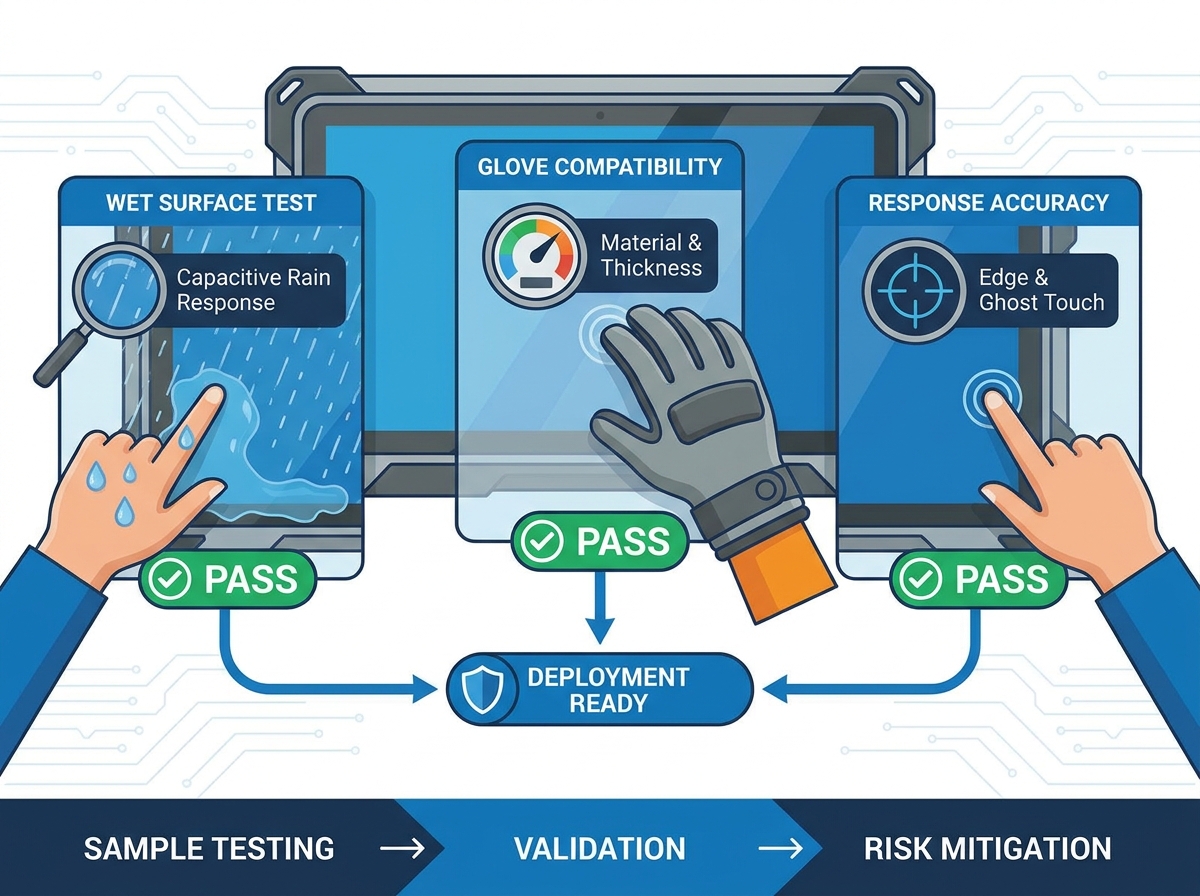
Deploying unverified outdoor displays carries massive operational risks for any organization. Hardware failures quickly frustrate users and create immediate bottlenecks in daily operations. When systems freeze or register false inputs, your team faces mounting maintenance demands and interrupted workflows. Vendor spec sheets frequently overpromise environmental resilience. They often present perfect laboratory scenarios. The reality outside is far harsher. Therefore, hands-on validation remains the only reliable way to mitigate procurement risk before deployment.
A rigorous, standardized testing protocol for wet conditions, glove usage, and accuracy is essential. You must complete this evaluation before committing to any large-scale hardware rollout. Skipping this step leaves your infrastructure vulnerable to unpredictable weather patterns and varied user interactions. In this guide, we will show you exactly how to stress-test your display candidates. You will learn specific testing protocols to guarantee water resistance, verify extreme temperature stability, and ensure accurate touch inputs across diverse physical conditions.
Key Takeaways
- Spec sheets do not guarantee real-world performance; physical sample testing is a mandatory step in the procurement process.
- True water resistance requires testing both static water pooling and dynamic droplet interference to evaluate capacitive screen rain response accurately.
- Glove compatibility must be tested using the exact materials (PPE, winter gear) your end-users will wear, as thickness directly impacts touch controller tuning.
- Evaluating false touches (ghosting) and edge accuracy separates enterprise-grade displays from consumer-grade alternatives disguised as commercial hardware.
The High Cost of Failing the Public Kiosk Sample Testing Phase
Poor pre-purchase testing causes severe operational fallout. Organizations routinely face increased RMA (Return Merchandise Authorization) rates when they deploy untested displays. Shipping heavy outdoor units back to manufacturers drains resources. Poor user adoption also destroys the expected value of your investment. Ticketing and ordering kiosks lose revenue immediately when screens fail during peak hours. Customers will simply walk away if a screen refuses to register their touch in light rain.
You must define what a successful evaluation looks like. A passing grade requires zero false touches during simulated rain events. It also demands greater than 95% accuracy when users wear heavy gloves. Furthermore, the touch panel requires seamless physical integration within the outer enclosure. These specific metrics protect your project from catastrophic post-installation failures. Establishing rigid success criteria upfront forces vendors to supply their best industrial-grade components.
Many buyers falsely believe an "IP65" sticker guarantees flawless outdoor operation. We must firmly challenge this assumption. An IP rating simply measures enclosure sealing. It dictates whether dust or water can penetrate the internal electronics. It does not measure touch functionality during exposure. A screen might survive a rainstorm physically but become completely unresponsive while wet. Thorough public kiosk sample testing exposes these critical functional limitations early in the procurement cycle.
![Outdoor Touchscreen Kiosk Testing]()
How to Conduct a Realistic Wet Finger Touch Test
Different touch technologies handle water fundamentally differently. Projected Capacitive (PCAP) screens use an electrostatic field. Since water is conductive, it easily disrupts poorly tuned PCAP sensors. Infrared (IR) touchscreens rely on light grids across the bezel. Water droplets physically block these invisible beams. Resistive screens require mechanical pressure. They ignore water entirely, but their soft outer layers scratch easily outdoors. Understanding these categories helps you anticipate failure modes during testing.
Touch Technology Outdoor Performance Chart
| Technology Type | Water Handling Mechanism | Outdoor Durability | Typical Failure Mode in Rain |
| Projected Capacitive (PCAP) | Algorithm-based rejection | High (Glass surface) | Erratic jumps or screen freezing |
| Infrared (IR) | Optical beam tracking | Medium (Exposed bezels) | Droplets block sensors entirely |
| Resistive | Mechanical pressure | Low (Film surface) | Ignores water, but degrades fast |
You must execute a strict testing protocol using both static and dynamic water. First, perform the Pooling Test. Apply standing water directly to a flat screen surface. Observe the system for localized touch freezing. The touch controller should ignore the puddle and allow you to interact around it. Next, conduct the Droplet and Spray Test. Simulate active rain using a spray bottle. You need to carefully evaluate the capacitive screen rain response during this phase. High-end controller algorithms will map the droplets and reject false inputs immediately.
Finally, instruct your evaluators to perform a realistic wet finger touch test. Ask them to soak their hands and physically interact with the interface. They should verify drag operations, multi-touch gestures, and tap accuracy under heavy friction. Wet glass becomes highly resistive to physical sliding. The screen must track a sliding wet finger without breaking the input line. If the line breaks repeatedly, the user experience will suffer in real-world rainy conditions.
Evaluating Glove Touch Compatibility for Industrial and Public Use
You must map your testing criteria directly to the actual deployment environment. Different scenarios require vastly different glove materials. Industrial workers often wear thick nitrile or heavy leather safety gloves. Conversely, public transit users wear heavy woolen mittens during winter months. You cannot test compatibility using a thin latex glove if your end-users will wear thick winter gear. Match your testing materials to your most extreme user demographic.
Glove Thickness Evaluation Table
| Glove Material | Average Thickness | Testing Priority Gestures | Calibration Difficulty |
| Surgical Nitrile | 0.1mm - 0.2mm | Multi-touch, Fast typing | Low |
| Leather Work Glove | 1.5mm - 2.5mm | Firm taps, Dragging | Medium |
| Heavy Winter Wool | 3.0mm - 5.0mm | Single tap, Slow swipe | High |
Define the maximum glove thickness your hardware must support. Engineers usually measure this thickness in millimeters, ranging from 2mm up to 5mm. Test single-tap responsiveness thoroughly before moving to complex inputs. Pinch-to-zoom and rapid swiping gestures often fail when gloved fingers obscure the sensor grid. Record the failure points meticulously. Strong glove touch compatibility ensures a seamless interaction regardless of seasonal wardrobe changes.
Enabling heavy glove support reveals harsh hardware realities. It requires specialized touch controller tuning. Industry-standard controllers like EETI or Ilitek offer firmware adjustments to boost sensor power. However, boosting power reduces bare-finger sensitivity. A screen calibrated for 5mm wool might register a bare finger hovering a centimeter above the glass. We advise working closely with vendors to find the right calibration balance. Do not accept default factory settings for complex environments.
Touch Accuracy and Ghost Touch Prevention in Harsh Environments
Evaluating touch accuracy requires you to measure three distinct dimensions.
- Edge Responsiveness: Test the far corners of the display. Sensors often lose strength near the bezel.
- Tap Precision: Ensure the cursor lands exactly where the finger strikes, without micro-jitter.
- Multi-touch Stability: Use two or more fingers simultaneously to see if the controller merges the points incorrectly.
Ghost touches plague outdoor deployments. These phantom inputs occur when environmental factors trick the sensor into registering a touch. You must simulate high electromagnetic interference (EMI) during your evaluation. Place the sample screen near heavy machinery, high-voltage lines, or large motors. Poorly shielded controllers will register chaotic, random clicks. Furthermore, test the screen under direct, intense sunlight. High UV rays frequently trigger false touches on infrared touch frames, rendering them useless at noon.
Next, you must perform the debris test. Introduce common outdoor contaminants like dust, salt spray, and mud. Apply these materials directly onto the screen edges. You want to see if localized build-up registers as a continuous touch input. If mud dries on a capacitive grid, it can lock the entire system. Enterprise-grade firmware ignores static, unchanging masses on the glass. Consumer-grade screens lack this intelligent rejection and will freeze entirely.
Implementation Realities: Beyond IP Ratings
Understanding environmental certifications builds a foundation of trustworthiness. You must clarify what IP ratings actually mean. An IP65 rating means the unit withstands water projected from a 6.3mm nozzle. It guarantees the internal electronics stay dry. It absolutely does not guarantee functional touch performance while wet. Vendors often weaponize IP ratings to imply flawless rainy-day operations. Demand evidence of functional performance, not just survival ratings.
An outdoor touchscreen is only as reliable as its integration. Hardware teams face a strict enclosure dependency. If you place a perfectly waterproof screen into a poorly sealed chassis, the system will fail. Water ingress behind the bezel shorts the controller boards. You must ensure gasket compression limits are respected. Use closed-cell foam tapes designed explicitly for outdoor sealing.
- Best Practice: Always test the display inside its final kiosk enclosure, not freestanding on a desk.
- Common Mistake: Ignoring drainage paths. Ensure any water trapped near the bezel has a physical channel to exit.
Extreme weather introduces severe thermal management risks. Rapid temperature shifts accompany rain and snow. As temperatures drop, touch sensors contract. In direct sunlight, they expand. This constant thermal cycling breaks micro-traces within the touch film. It severely impacts the overall lifespan. Ensure the chosen sensor glass uses automotive-grade adhesives designed to stretch without delaminating.
Next Steps: Structuring Your Outdoor Touchscreen Kiosk Evaluation
Moving from the testing phase to vendor selection requires strict shortlisting logic. You should create a customized checklist for every vendor. Evaluate their controller tuning capabilities first. Ask if their engineers will customize the firmware specifically for your deployment. Review their warranty terms specifically concerning outdoor deployment. Many standard warranties void upon prolonged UV exposure. Finally, map out their RMA processes. You need clear timelines for hardware replacement.
We strongly advise deploying a Proof of Concept (PoC) rollout. Install one to five units in the actual outdoor environment. Run this pilot program for a minimum of 30 days before moving to full-fleet procurement. A 30-day window usually exposes the hardware to multiple weather events, temperature swings, and realistic vandalism attempts. Monitor system logs daily during this period to track invisible controller reboots or error codes.
Encourage your purchasing team to request a fully calibrated, production-ready outdoor touchscreen kiosk sample. Do not rely on standard off-the-shelf demo units. Demo units rarely feature the specific thick cover glass or anti-glare coatings you require. Customizing the sample upfront prevents costly surprises later. Demand hardware that reflects the exact specifications of your final deployment.
Conclusion
Rigorous, scenario-specific testing serves as your primary defense against buyer's remorse. Evaluating water rejection, glove compatibility, and touch accuracy separates reliable commercial hardware from inadequate consumer alternatives. You cannot afford to skip these physical validations. Relying solely on specification sheets leaves your project exposed to unpredictable environmental variables and frustrated end-users.
Take immediate action by structuring a standardized 30-day field test for your top hardware candidates. Demand customized firmware calibration before accepting a sample unit. Remember, the right hardware partner will welcome rigorous sample testing. They will eagerly offer engineering support to calibrate touch controllers to your exact environmental needs. Choose partners who treat outdoor challenges as engineering problems to solve, rather than limitations to hide.
FAQ
Q: How does a capacitive screen rain response differ from resistive touch in wet conditions?
A: Resistive screens rely strictly on mechanical pressure. They ignore water entirely because droplets lack the weight to compress the outer film. Modern PCAP screens use advanced algorithms to differentiate between the electrical capacitance of a human finger and a water droplet, actively rejecting the water while accepting the intended touch.
Q: Can any outdoor touchscreen kiosk be calibrated for thick gloves later?
A: While limited software tuning remains possible post-installation, true heavy-glove support requires specific hardware. You need industrial touch controllers and dense sensor grids. If the initial hardware lacks sufficient driving voltage, no amount of later software calibration will make thick winter gloves work reliably.
Q: What is the standard acceptable failure rate during a wet finger touch test?
A: Enterprise-grade screens should aim for zero "ghost touches" during rain exposure. They must maintain at least 90% intentional touch registration when wet. However, multi-touch capabilities may intentionally degrade. Controllers often disable complex gestures during heavy rain to prioritize single-touch tap accuracy.
Q: Do screen protectors or anti-glare coatings impact glove touch compatibility?
A: Yes. Adding thickness through tempered glass or heavy anti-vandal films increases the physical distance between the glove and the sensor grid. This added barrier requires the touch controller to be entirely re-calibrated. Always test glove functionality with the final glass thickness already applied.