Dinosaur D
| size: | |
|---|---|
| tempered glass thickness: | |
| resolution: | |
| view angles: | |
| display color: | |
| contrast: | |
| lifespan: | |
| Availability: | |
| Quantity: | |
Key Features & Benefits
Ready-to-Ship & Quick Deployment: Pre-configured and tested, this unit ships as a complete kit—including display, media player, and stand—allowing for fast setup upon arrival. Minimize installation time and start displaying content within hours, not days.
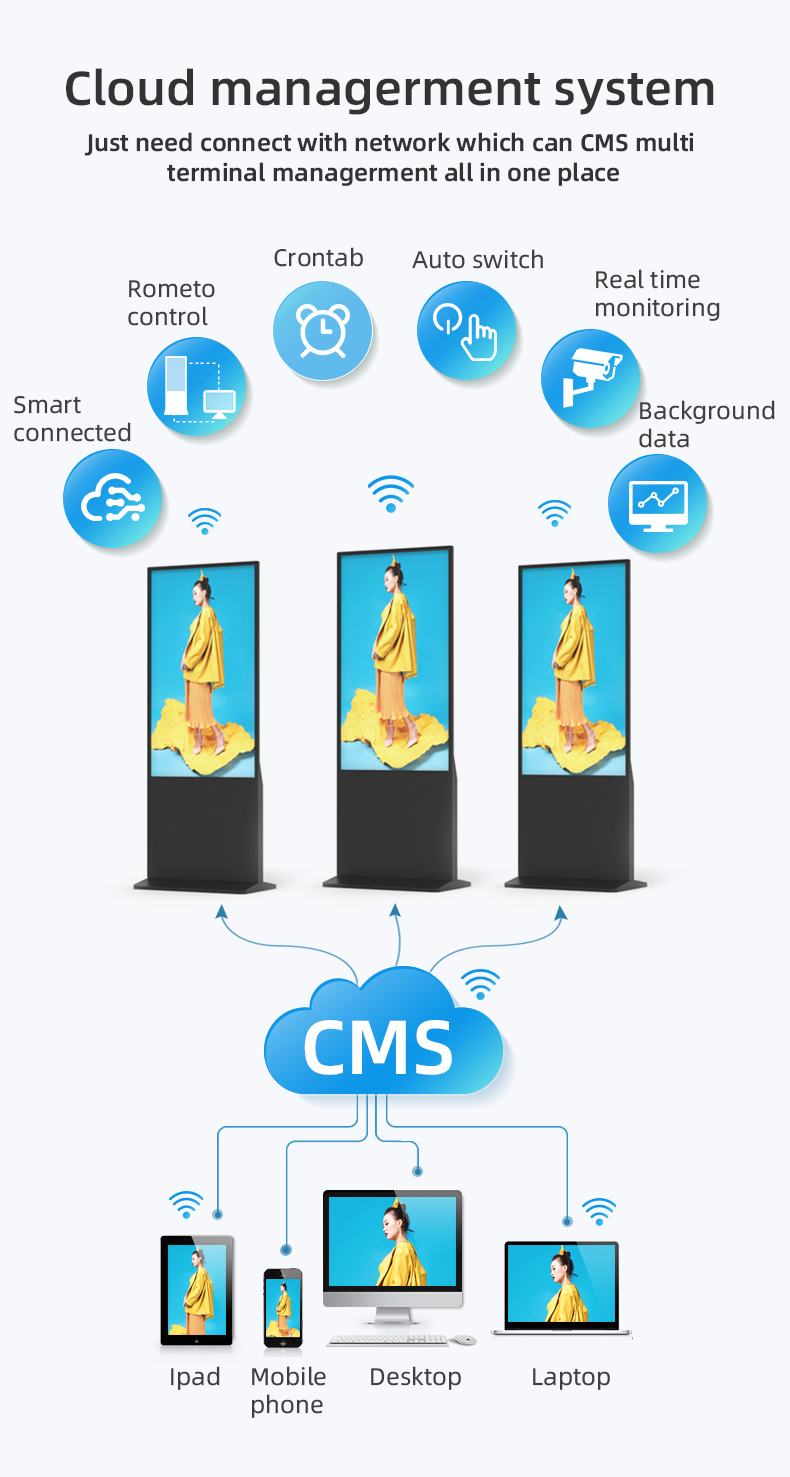
Convenient Remote Control & Management: Includes a physical remote control for basic on-site functions (power, volume, input selection) and supports full remote content management via cloud-based software. Update playlists, schedule content, and monitor screen status from anywhere with an internet connection.
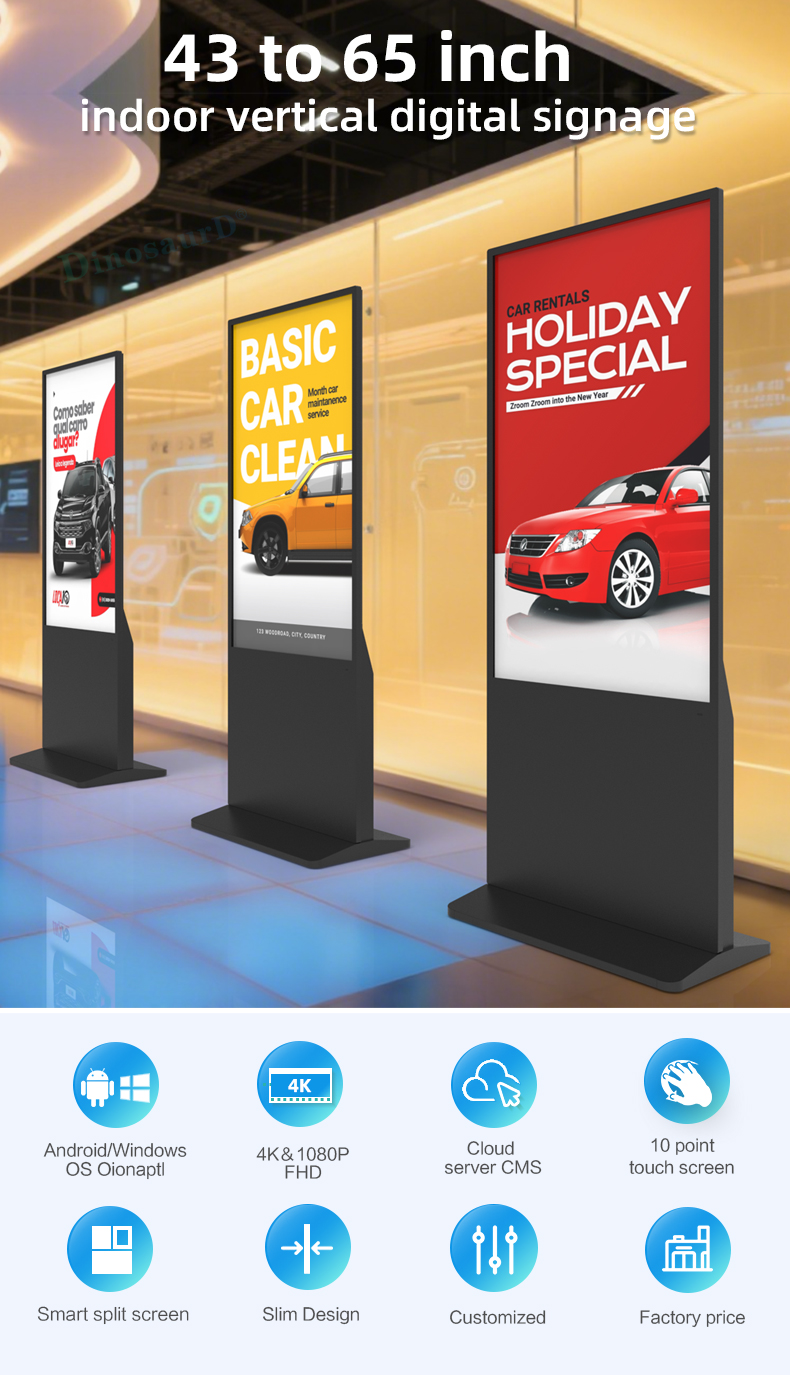
High-Impact Vertical Display: A portrait-oriented commercial LCD screen offers excellent brightness and wide viewing angles, ensuring your advertisements, promotions, and information are vividly displayed and easily seen from across the room.
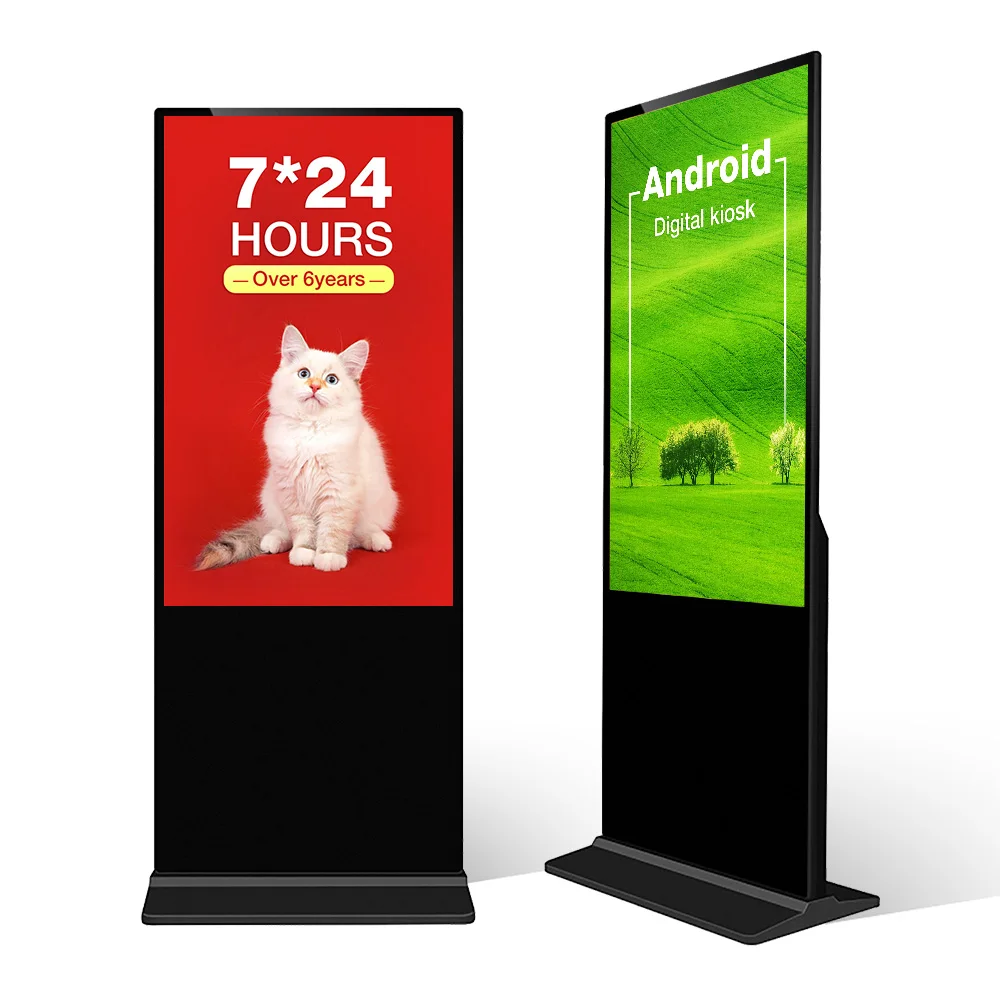
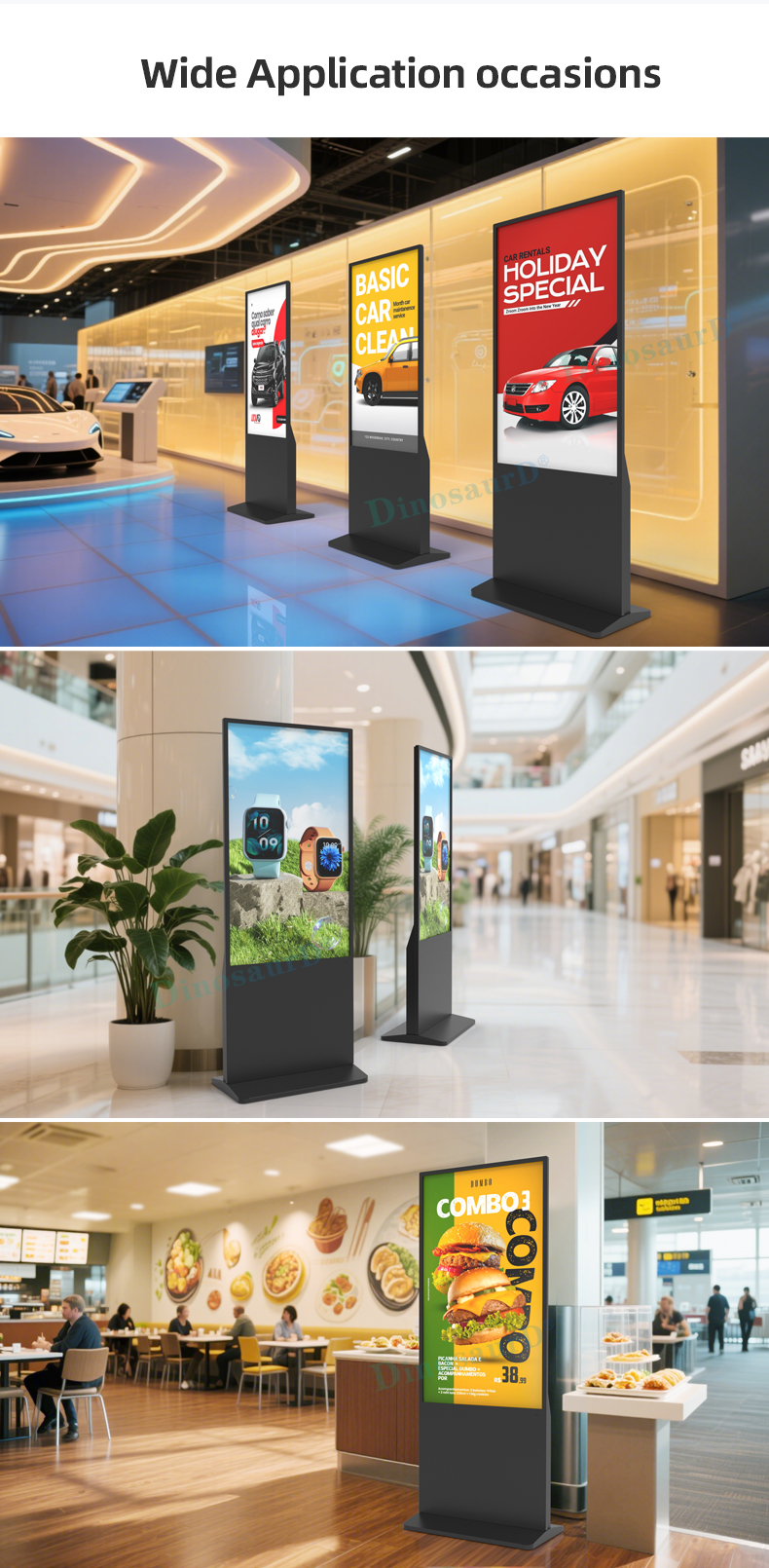
Sturdy Floor-Standing Totem Design: The integrated floor stand provides a sleek, professional presence and exceptional stability. Its compact footprint saves space while making a bold visual statement in store entrances, aisles, or waiting areas.
All-in-One Digital Signage System: Contains an integrated media player, eliminating the need for external hardware. Simply connect to power and the internet (via Wi-Fi or Ethernet) to begin broadcasting your HD images, videos, and live data feeds.
User-Friendly for Any Business: Designed with simplicity in mind, it’s perfect for businesses of all sizes. No advanced technical expertise is needed to create, schedule, and deploy engaging digital content that captivates customers.


Key Features & Benefits
Ready-to-Ship & Quick Deployment: Pre-configured and tested, this unit ships as a complete kit—including display, media player, and stand—allowing for fast setup upon arrival. Minimize installation time and start displaying content within hours, not days.
Convenient Remote Control & Management: Includes a physical remote control for basic on-site functions (power, volume, input selection) and supports full remote content management via cloud-based software. Update playlists, schedule content, and monitor screen status from anywhere with an internet connection.
High-Impact Vertical Display: A portrait-oriented commercial LCD screen offers excellent brightness and wide viewing angles, ensuring your advertisements, promotions, and information are vividly displayed and easily seen from across the room.
Sturdy Floor-Standing Totem Design: The integrated floor stand provides a sleek, professional presence and exceptional stability. Its compact footprint saves space while making a bold visual statement in store entrances, aisles, or waiting areas.
All-in-One Digital Signage System: Contains an integrated media player, eliminating the need for external hardware. Simply connect to power and the internet (via Wi-Fi or Ethernet) to begin broadcasting your HD images, videos, and live data feeds.
User-Friendly for Any Business: Designed with simplicity in mind, it’s perfect for businesses of all sizes. No advanced technical expertise is needed to create, schedule, and deploy engaging digital content that captivates customers.


| screen panel | screen size | 43 inch LCD screen panel | |||||||
| display area | 941.18mm(H)*529.42mm(V) | ||||||||
| product net weight | 40.5KG | ||||||||
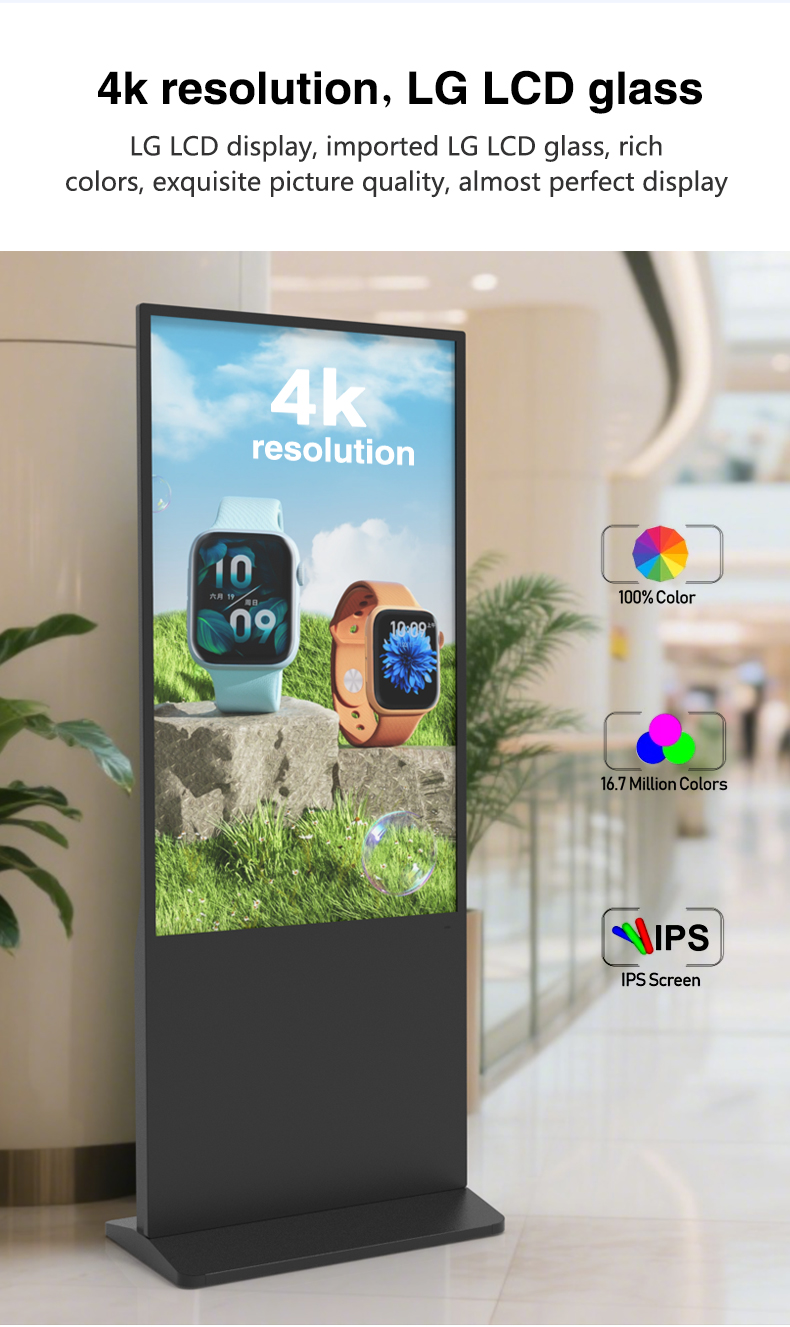
| resolution | 1920*1080 | ||||||||
| view angles | 178° horizon, 178 °vertical | ||||||||
| Color | 8-bit | ||||||||
| Contrast | 1200:1 | ||||||||
| Brightness | 350nits | ||||||||
| lifespan | 30000(hrs) | ||||||||
| Display Scale | 16 : 9 | ||||||||
| capacitive touch | Touch mode | Capacitive touch (USB driverless) | |||||||
| Glass surface hardness | Greater than or equal to 6H | ||||||||
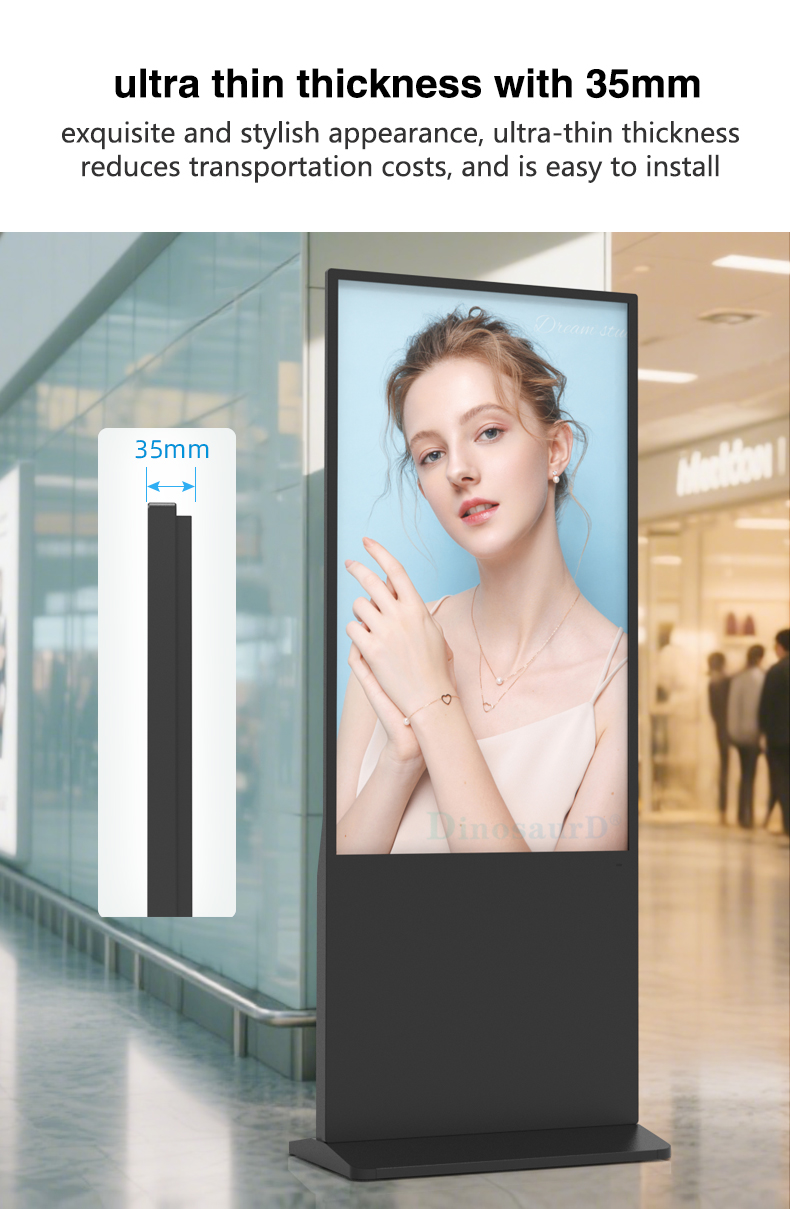
| Tempered glass thickness | 4mm tempered | ||||||||
| writing mode | Fingers, touch pens | ||||||||
| Theoretical clicks | More than 600 million single touches | ||||||||
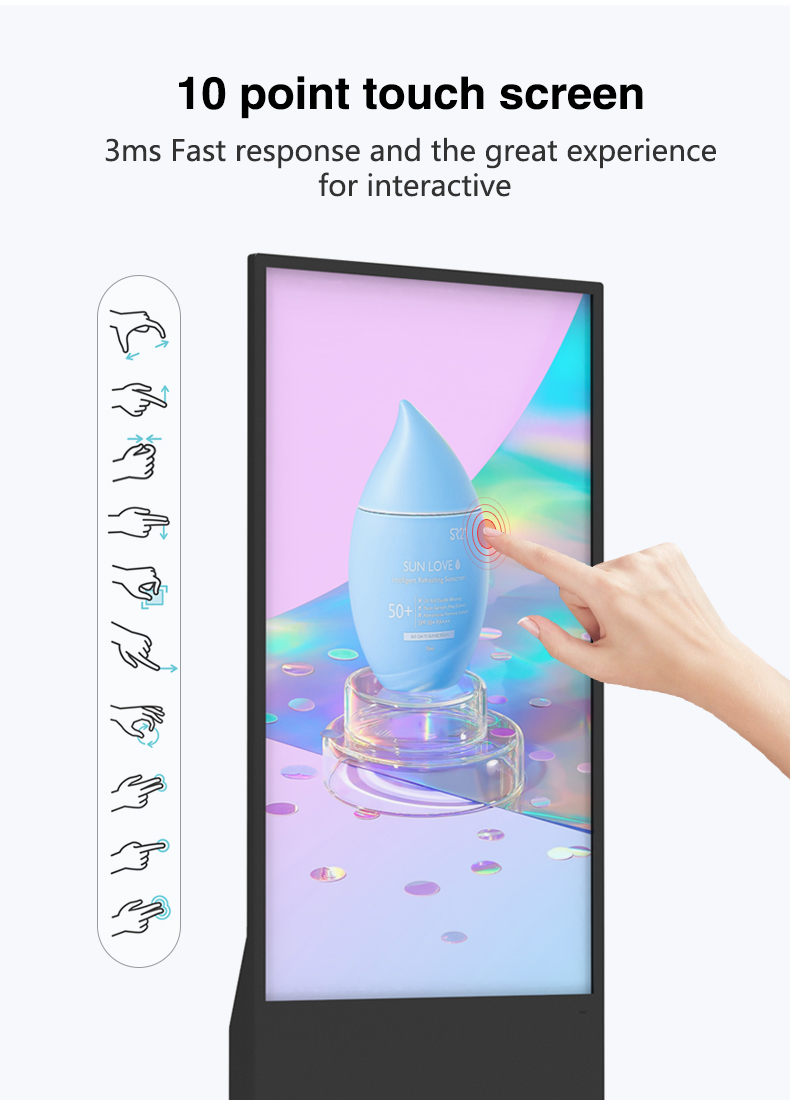
| Touch points are supported | 10 point touch | ||||||||
| Touch precision | 95% of the area positioning error is less than 2mm, and the edge positioning error is less than 5mm | ||||||||
| Power | Input Voltage | AC 100V~240V,50/60HZ | |||||||
| Case color | black | ||||||||
| Storage temparature | (-20℃ -- 60 ℃) | ||||||||
| Operation temparature | (0℃-- 50 ℃) | ||||||||
| Operation humidity | (10 -- 90﹪ ) | ||||||||
| screen panel | screen size | 43 inch LCD screen panel | |||||||
| display area | 941.18mm(H)*529.42mm(V) | ||||||||
| product net weight | 40.5KG | ||||||||
| resolution | 1920*1080 | ||||||||
| view angles | 178° horizon, 178 °vertical | ||||||||
| Color | 8-bit | ||||||||
| Contrast | 1200:1 | ||||||||
| Brightness | 350nits | ||||||||
| lifespan | 30000(hrs) | ||||||||
| Display Scale | 16 : 9 | ||||||||
| capacitive touch | Touch mode | Capacitive touch (USB driverless) | |||||||
| Glass surface hardness | Greater than or equal to 6H | ||||||||
| Tempered glass thickness | 4mm tempered | ||||||||
| writing mode | Fingers, touch pens | ||||||||
| Theoretical clicks | More than 600 million single touches | ||||||||
| Touch points are supported | 10 point touch | ||||||||
| Touch precision | 95% of the area positioning error is less than 2mm, and the edge positioning error is less than 5mm | ||||||||
| Power | Input Voltage | AC 100V~240V,50/60HZ | |||||||
| Case color | black | ||||||||
| Storage temparature | (-20℃ -- 60 ℃) | ||||||||
| Operation temparature | (0℃-- 50 ℃) | ||||||||
| Operation humidity | (10 -- 90﹪ ) | ||||||||
Smart Product Explorers
3D item rotation with touch zoom
Instant inventory lookup
"Shop the Look" outfit builders
Promotion Powerhouses
Flash deal countdown timers
Interactive coupon walls
Loyalty point checkers
Digital Concierge Stations
AR-powered venue navigation
Event ticket upgrades
VIP service requests
Self-Service Hubs
Mobile key distribution
Facility booking system
Multilingual guest support
Visitor Management Centers
Touchless check-in with QR codes
Host notification alerts
Digital NDA signing
Interactive Learning Walls
Campus wayfinding maps
Emergency procedure demos
Alumni engagement portals
Transit Assistants
Real-time schedule updates
Lost & found reporting
Multimodal route planners
Digital City Guides
Local business promotions
Event calendars
Emergency alerts
Patient Education Stations
Procedure explainer videos
Medication interaction checkers
Telehealth kiosks
Clinic Flow Optimizers
Digital queue management
Prescription refill stations
Satisfaction survey terminals
Smart Product Explorers
3D item rotation with touch zoom
Instant inventory lookup
"Shop the Look" outfit builders
Promotion Powerhouses
Flash deal countdown timers
Interactive coupon walls
Loyalty point checkers
Digital Concierge Stations
AR-powered venue navigation
Event ticket upgrades
VIP service requests
Self-Service Hubs
Mobile key distribution
Facility booking system
Multilingual guest support
Visitor Management Centers
Touchless check-in with QR codes
Host notification alerts
Digital NDA signing
Interactive Learning Walls
Campus wayfinding maps
Emergency procedure demos
Alumni engagement portals
Transit Assistants
Real-time schedule updates
Lost & found reporting
Multimodal route planners
Digital City Guides
Local business promotions
Event calendars
Emergency alerts
Patient Education Stations
Procedure explainer videos
Medication interaction checkers
Telehealth kiosks
Clinic Flow Optimizers
Digital queue management
Prescription refill stations
Satisfaction survey terminals
1. Q: What does "Ready-to-Ship" mean for this product?
A: "Ready-to-Ship" means the unit is a pre-configured, all-in-one system that has been fully assembled, tested, and packed at our warehouse. It includes the vertical LCD display, integrated media player, floor stand, and remote control. Upon arrival, you can typically set it up quickly by simply connecting it to power and your network, significantly reducing installation time compared to sourcing components separately.
2. Q: How does the remote control work alongside the cloud-based management?
A: They serve complementary purposes. The included physical remote control is for basic, on-site functions like turning the screen on/off, adjusting volume, switching input sources (e.g., HDMI), or accessing basic menus. The cloud-based management software is for comprehensive remote control over content: uploading files, creating playlists, scheduling campaigns, and monitoring screen status from any internet-connected device, anywhere.
3. Q: What is included in the package when it ships?
A: The standard package includes: 1) The vertical LCD display with integrated media player, 2) The stable floor-standing totem base/stand, 3) A physical remote control with batteries, 4) Necessary power and signal cables (e.g., power cord), and 5) Basic setup documentation. Mounting hardware for securing the base to the floor may be included or available as an optional accessory.
4. Q: Is technical expertise required to set up and start using this signage?
A: No, it is designed for easy setup. The main steps typically involve assembling the stand (if not pre-assembled), placing the display onto it, connecting the power cord, and connecting to your network via Wi-Fi or an Ethernet cable. The cloud-based content management system (CMS) is user-friendly with intuitive interfaces for uploading and scheduling content without needing coding or advanced IT skills.
5. Q: Can I manage multiple screens from one remote account?
A: Yes, absolutely. The primary advantage of the cloud-based CMS is centralized control. You can register all your screens to a single online account. From one dashboard, you can remotely update content, create different playlists for different locations, and monitor the status of all your "Ready-to-Ship" displays simultaneously.
6. Q: What type of content can I display, and how do I get it onto the screen?
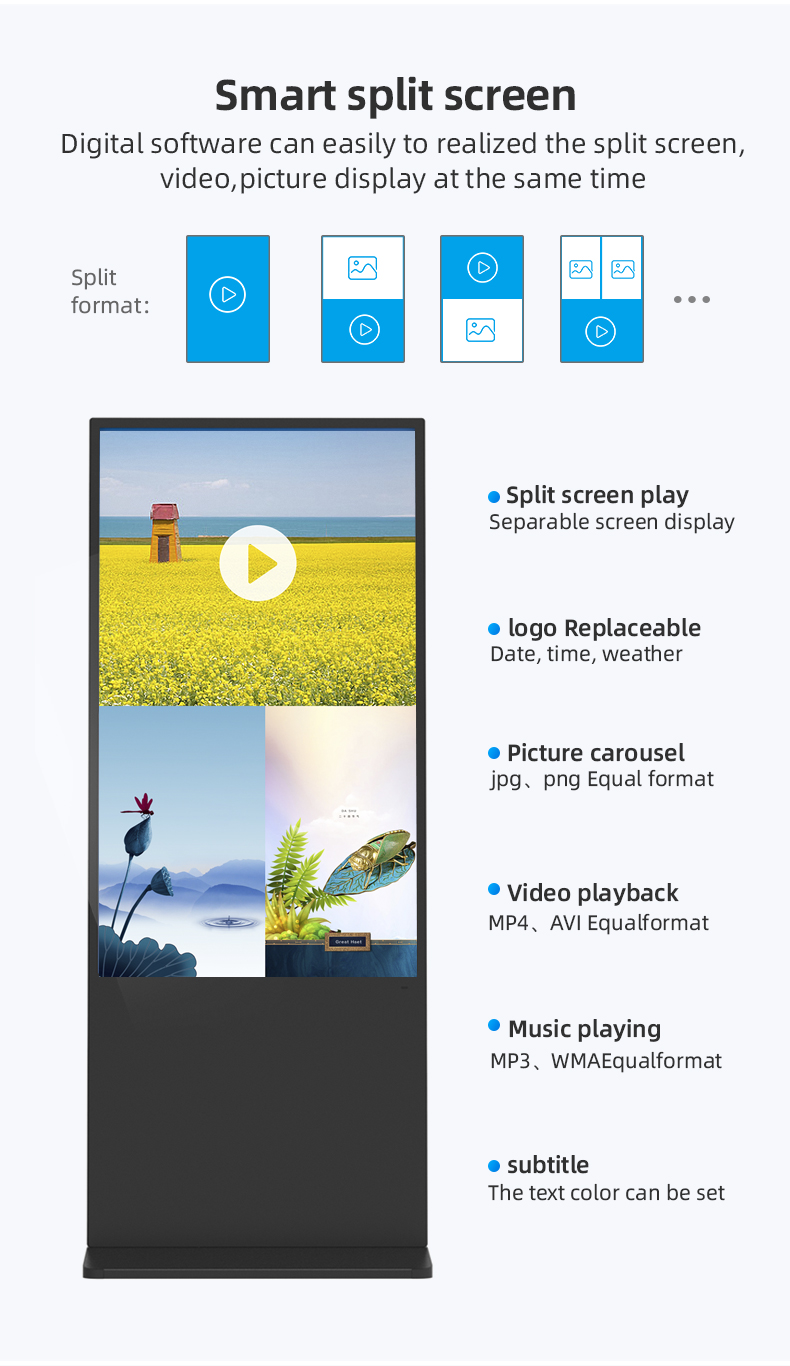
A: You can display a wide variety of digital content including high-resolution images (JPG, PNG), videos (MP4, MOV), PowerPoint presentations (PPT), PDFs, and even live web pages or social media feeds. You upload these files directly to your online CMS account, organize them into playlists, and then publish or schedule them. The screens will then download and play the content automatically over the internet.
7. Q: Is the floor stand stable and secure for a busy store environment?
A: Yes, the totem stand is engineered for stability with a low center of gravity and a weighted or broad base. For maximum security in high-traffic areas, we recommend using the provided or optional hardware to anchor the base securely to the floor, which prevents accidental tipping or unauthorized movement.
8. Q: Do I need to purchase any additional software licenses to manage the content?
A: Typically, a basic version of the cloud-based Content Management System (CMS) software is included with the purchase, covering essential features like content upload, scheduling, and remote monitoring. Some advanced features (e.g., advanced data integration, multi-user accounts) may require a premium subscription. Details will be provided with your purchase.
9. Q: What are the connectivity options for this display?
A: The unit features built-in Wi-Fi for wireless network connection and an Ethernet (RJ45) port for a more stable wired connection. It also includes standard ports like HDMI (for connecting a laptop or other external device) and USB (for playing content directly from a flash drive or connecting peripherals).
10. Q: What warranty and support come with this "Ready-to-Ship" product?
A: The product comes with a standard commercial warranty (e.g., 1-3 years) covering manufacturing defects in parts and labor. Support includes access to online setup guides, video tutorials, a knowledge base for the CMS, and customer service via email or phone to assist with any questions during setup and operation.
1. Q: What does "Ready-to-Ship" mean for this product?
A: "Ready-to-Ship" means the unit is a pre-configured, all-in-one system that has been fully assembled, tested, and packed at our warehouse. It includes the vertical LCD display, integrated media player, floor stand, and remote control. Upon arrival, you can typically set it up quickly by simply connecting it to power and your network, significantly reducing installation time compared to sourcing components separately.
2. Q: How does the remote control work alongside the cloud-based management?
A: They serve complementary purposes. The included physical remote control is for basic, on-site functions like turning the screen on/off, adjusting volume, switching input sources (e.g., HDMI), or accessing basic menus. The cloud-based management software is for comprehensive remote control over content: uploading files, creating playlists, scheduling campaigns, and monitoring screen status from any internet-connected device, anywhere.
3. Q: What is included in the package when it ships?
A: The standard package includes: 1) The vertical LCD display with integrated media player, 2) The stable floor-standing totem base/stand, 3) A physical remote control with batteries, 4) Necessary power and signal cables (e.g., power cord), and 5) Basic setup documentation. Mounting hardware for securing the base to the floor may be included or available as an optional accessory.
4. Q: Is technical expertise required to set up and start using this signage?
A: No, it is designed for easy setup. The main steps typically involve assembling the stand (if not pre-assembled), placing the display onto it, connecting the power cord, and connecting to your network via Wi-Fi or an Ethernet cable. The cloud-based content management system (CMS) is user-friendly with intuitive interfaces for uploading and scheduling content without needing coding or advanced IT skills.
5. Q: Can I manage multiple screens from one remote account?
A: Yes, absolutely. The primary advantage of the cloud-based CMS is centralized control. You can register all your screens to a single online account. From one dashboard, you can remotely update content, create different playlists for different locations, and monitor the status of all your "Ready-to-Ship" displays simultaneously.
6. Q: What type of content can I display, and how do I get it onto the screen?
A: You can display a wide variety of digital content including high-resolution images (JPG, PNG), videos (MP4, MOV), PowerPoint presentations (PPT), PDFs, and even live web pages or social media feeds. You upload these files directly to your online CMS account, organize them into playlists, and then publish or schedule them. The screens will then download and play the content automatically over the internet.
7. Q: Is the floor stand stable and secure for a busy store environment?
A: Yes, the totem stand is engineered for stability with a low center of gravity and a weighted or broad base. For maximum security in high-traffic areas, we recommend using the provided or optional hardware to anchor the base securely to the floor, which prevents accidental tipping or unauthorized movement.
8. Q: Do I need to purchase any additional software licenses to manage the content?
A: Typically, a basic version of the cloud-based Content Management System (CMS) software is included with the purchase, covering essential features like content upload, scheduling, and remote monitoring. Some advanced features (e.g., advanced data integration, multi-user accounts) may require a premium subscription. Details will be provided with your purchase.
9. Q: What are the connectivity options for this display?
A: The unit features built-in Wi-Fi for wireless network connection and an Ethernet (RJ45) port for a more stable wired connection. It also includes standard ports like HDMI (for connecting a laptop or other external device) and USB (for playing content directly from a flash drive or connecting peripherals).
10. Q: What warranty and support come with this "Ready-to-Ship" product?
A: The product comes with a standard commercial warranty (e.g., 1-3 years) covering manufacturing defects in parts and labor. Support includes access to online setup guides, video tutorials, a knowledge base for the CMS, and customer service via email or phone to assist with any questions during setup and operation.