Dinosaur D
| size: | |
|---|---|
| tempered glass thickness: | |
| resolution: | |
| view angles: | |
| display color: | |
| contrast: | |
| lifespan: | |
| Availability: | |
| Quantity: | |
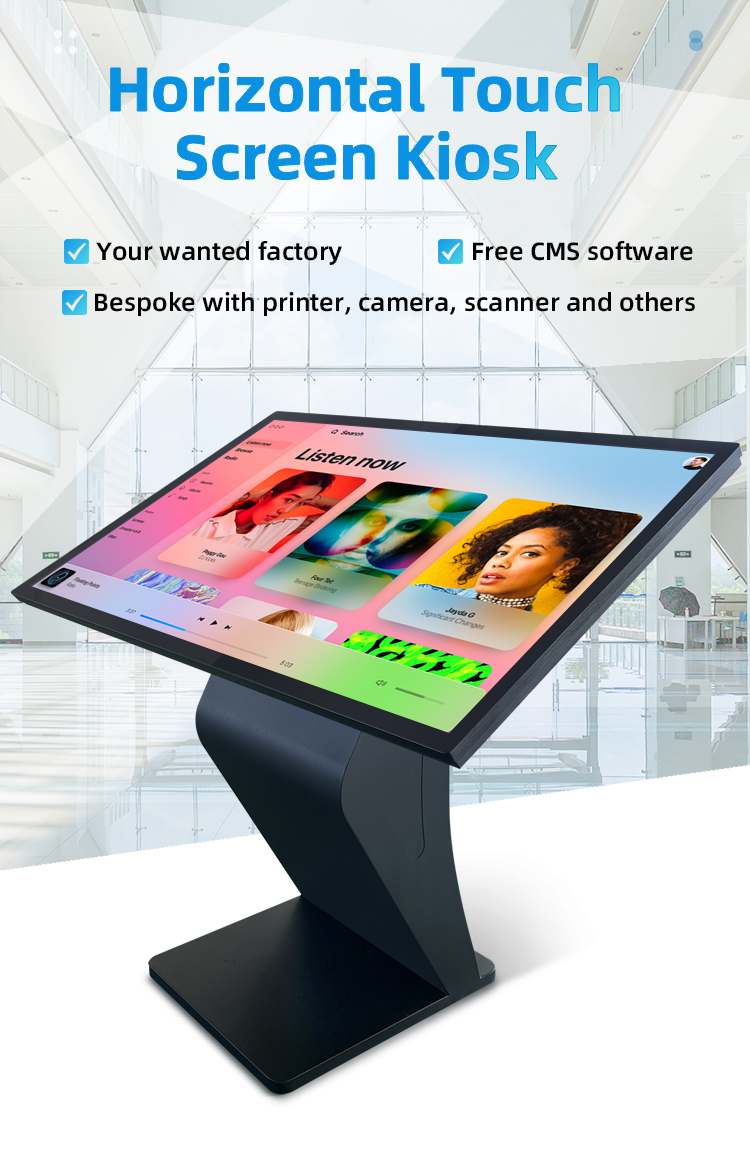
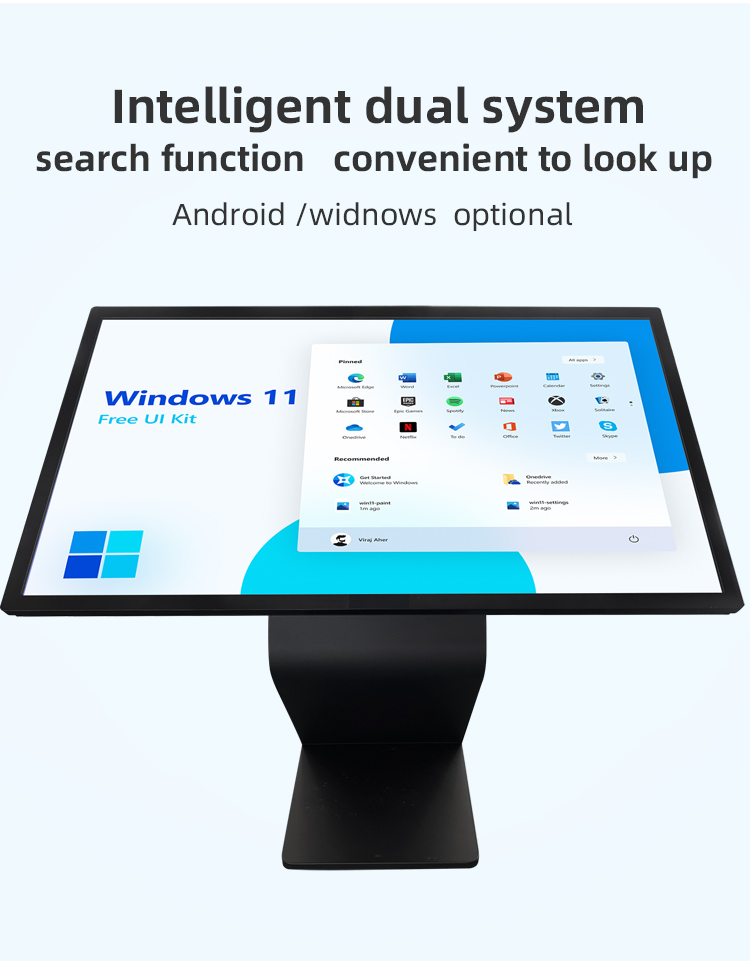
✔ Optimized Viewing Angle - 55° tilted K-base design reduces glare and neck strain
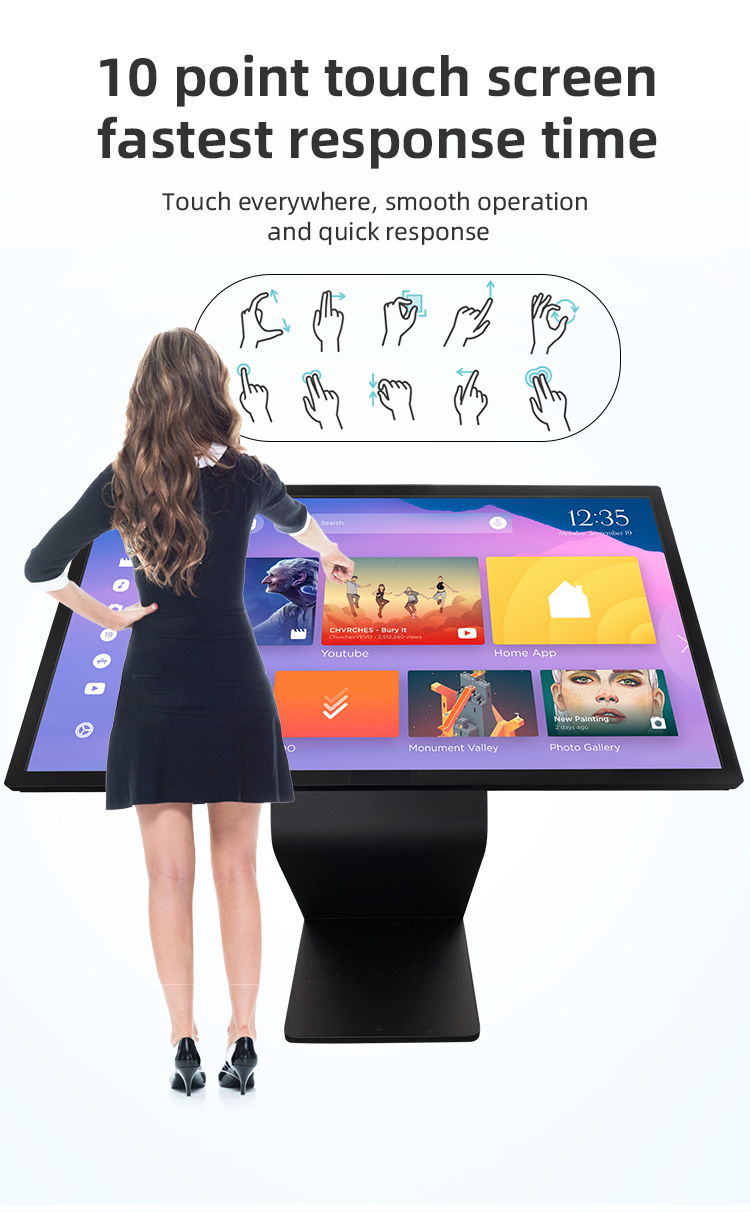
✔ Commercial-Grade Touch - 10-point IR/capacitive touch (glove-compatible option)
✔ Modular Construction - Tool-less front access for easy maintenance
✔ Smart Content Management - Cloud-based remote monitoring and updates
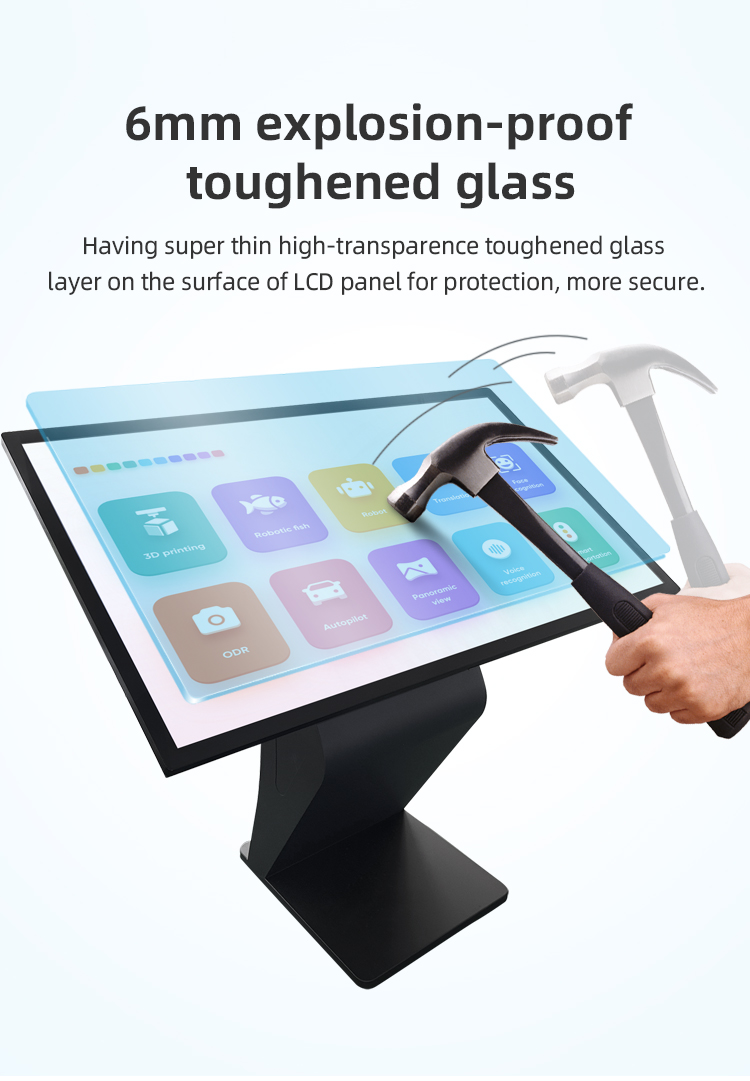
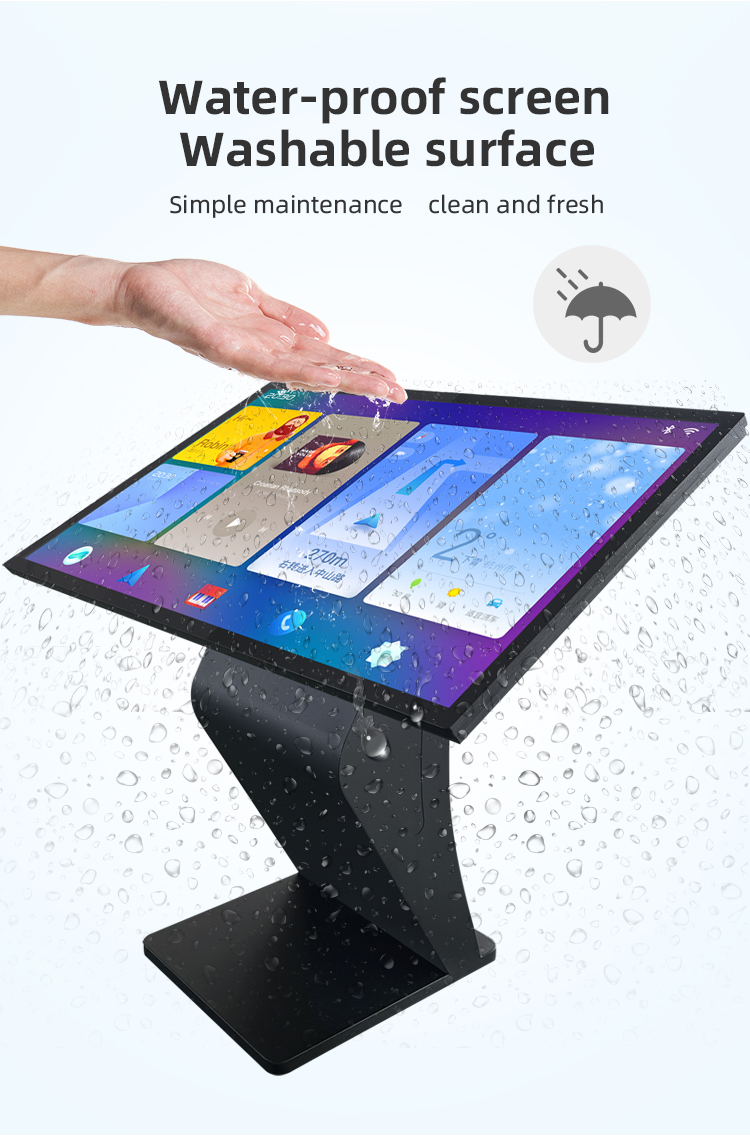
✔ Vandal-Resistant - 4mm tempered glass + steel enclosure (IP54 optional)


✔ Optimized Viewing Angle - 55° tilted K-base design reduces glare and neck strain
✔ Commercial-Grade Touch - 10-point IR/capacitive touch (glove-compatible option)
✔ Modular Construction - Tool-less front access for easy maintenance
✔ Smart Content Management - Cloud-based remote monitoring and updates
✔ Vandal-Resistant - 4mm tempered glass + steel enclosure (IP54 optional)


| screen panel specification | screen size | 55 inch LCD screen panel | ||||
| display area | 1210.6mm(H)*681.5(V)mm | |||||
| Tempered glass thickness | 3mm | |||||
| Drive screen voltage | 12V | |||||
| Backlight type | ELED | |||||
| resolution | 1920*1080 | |||||
| view angles | 178° horizon, 178 °vertical | |||||
| Display color | 16.7M | |||||
| Contrast | 1200:1 | |||||
| Brightness | 450nits | |||||
| Response time | 8ms | |||||
| lifespan | 30000(hrs) | |||||
| Display Scale | 16 : 9 | |||||
| product net weight | 26.5KG | |||||
| product dimension | 1255.2mm*726.2mm*58.1mm | |||||
| Wall mount size | 400mm*400mm | |||||
| installation screw specifications | M6*12 4PCS | |||||
| Power | Input Voltage | AC 100V~240V,50/60HZ | ||||
| Case color | black | |||||
| Backlight power consumption | 76W | |||||
| Storage temparature | (-20℃ -- 60 ℃) | |||||
| Operation temparature | (0℃-- 50 ℃) | |||||
| Operation humidity | (10 -- 90﹪ ) | |||||
| screen panel specification | screen size | 55 inch LCD screen panel | ||||
| display area | 1210.6mm(H)*681.5(V)mm | |||||
| Tempered glass thickness | 3mm | |||||
| Drive screen voltage | 12V | |||||
| Backlight type | ELED | |||||
| resolution | 1920*1080 | |||||
| view angles | 178° horizon, 178 °vertical | |||||
| Display color | 16.7M | |||||
| Contrast | 1200:1 | |||||
| Brightness | 450nits | |||||
| Response time | 8ms | |||||
| lifespan | 30000(hrs) | |||||
| Display Scale | 16 : 9 | |||||
| product net weight | 26.5KG | |||||
| product dimension | 1255.2mm*726.2mm*58.1mm | |||||
| Wall mount size | 400mm*400mm | |||||
| installation screw specifications | M6*12 4PCS | |||||
| Power | Input Voltage | AC 100V~240V,50/60HZ | ||||
| Case color | black | |||||
| Backlight power consumption | 76W | |||||
| Storage temparature | (-20℃ -- 60 ℃) | |||||
| Operation temparature | (0℃-- 50 ℃) | |||||
| Operation humidity | (10 -- 90﹪ ) | |||||
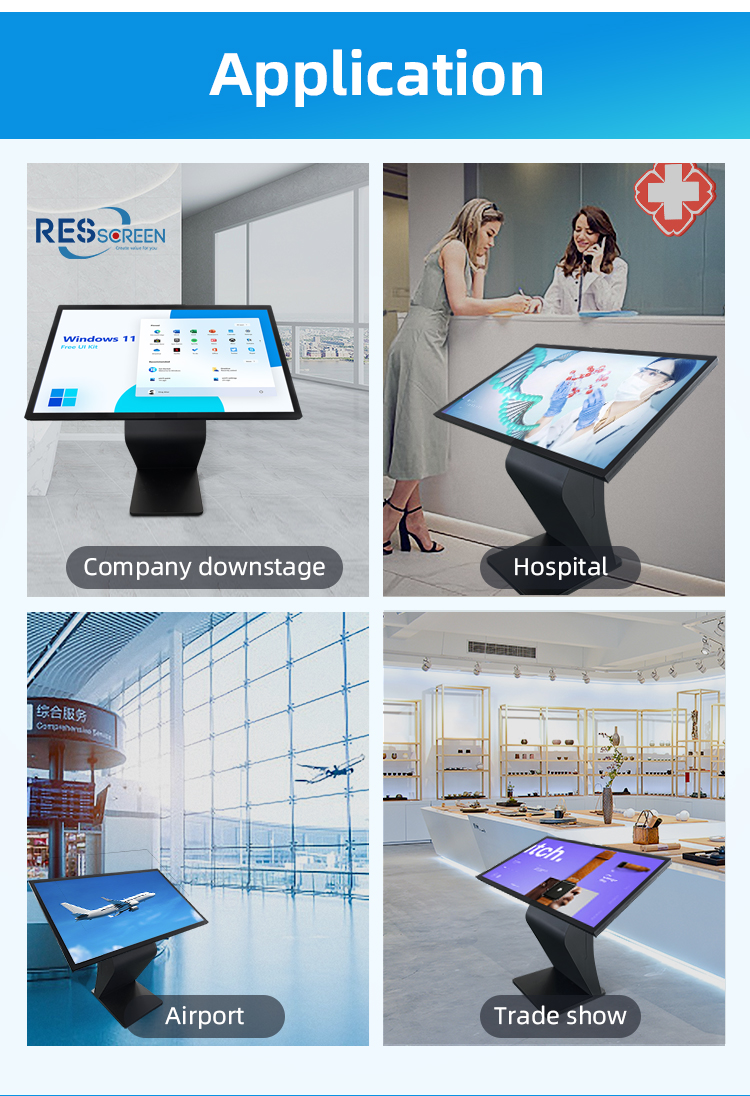
✈️ Airport Applications:
Flight information/boarding pass kiosks
Baggage claim assistance terminals
Airport facility navigation systems
Customs declaration stations
VIP lounge check-in points
Bank/Hall Applications:
Digital concierge service stations
Account opening/loan application terminals
ATM adjacent service kiosks
Financial product information points
Queue management systems
Hotel Applications:
24/7 self check-in/out stations
Room service ordering terminals
Local attraction/tourism guides
Meeting room booking systems
Loyalty program enrollment kiosks
️ Retail Applications:
Product locator/inventory check stations
Size guide/virtual fitting assistants
Digital coupon/promotion centers
Gift registry management terminals
Customer feedback collection points
️ Corporate Applications:
Visitor registration/check-in systems
Smart building wayfinding solutions
Conference room scheduling displays
Employee directory stations
Digital signage information hubs
✈️ Airport Applications:
Flight information/boarding pass kiosks
Baggage claim assistance terminals
Airport facility navigation systems
Customs declaration stations
VIP lounge check-in points
Bank/Hall Applications:
Digital concierge service stations
Account opening/loan application terminals
ATM adjacent service kiosks
Financial product information points
Queue management systems
Hotel Applications:
24/7 self check-in/out stations
Room service ordering terminals
Local attraction/tourism guides
Meeting room booking systems
Loyalty program enrollment kiosks
️ Retail Applications:
Product locator/inventory check stations
Size guide/virtual fitting assistants
Digital coupon/promotion centers
Gift registry management terminals
Customer feedback collection points
️ Corporate Applications:
Visitor registration/check-in systems
Smart building wayfinding solutions
Conference room scheduling displays
Employee directory stations
Digital signage information hubs
1. Q: What is the primary purpose of this kiosk?
A: This is an all-in-one, self-service information kiosk designed for places like airports, bank halls, and hotels. It allows visitors to independently access information, find directions, look up services, and complete simple inquiries without needing to queue for staff assistance.
2. Q: Where is this kiosk intended to be used?
A: This kiosk is specifically designed for high-traffic indoor environments such as airport terminals (for flight info, wayfinding), bank lobbies (for account services, branch info), and hotel lobbies (for check-in, amenities, and local guides).
3. Q: How do I interact with the kiosk?
A: Interaction is simple and intuitive through the large, responsive touch screen. You can tap, swipe, and type to navigate menus, search for information, and access the services you need.
4. Q: What kind of inquiries can I make at this kiosk?
Airport: Check flight statuses, find boarding gates, locate amenities.
Bank Hall: View branch services, find ATM locations, pre-fill forms.
Hotel: Explore hotel amenities, check out, find local attractions and transportation.
5. Q: Is the kiosk stable and safe for public use?
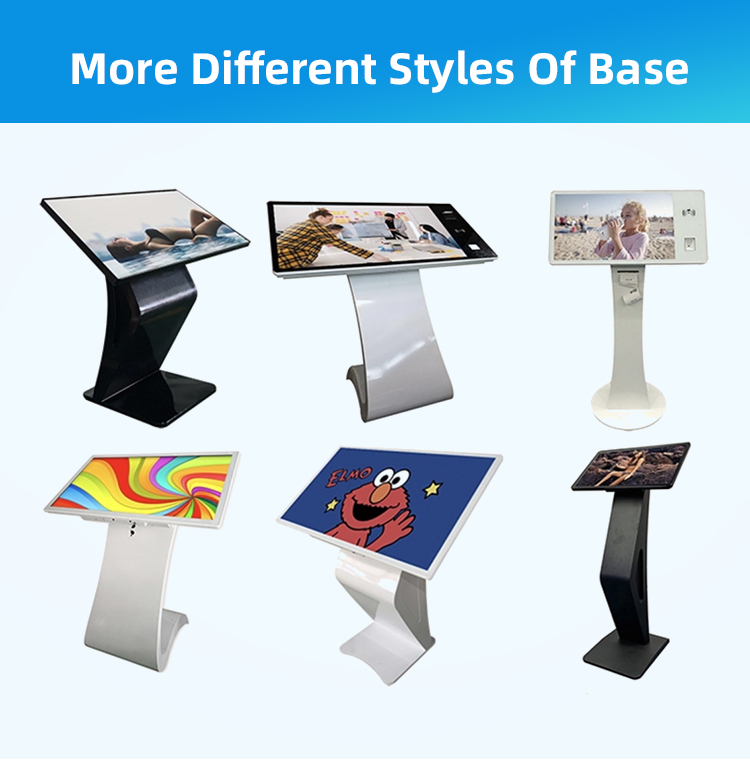
A: Yes. The kiosk features a sturdy, free-standing K-type base that provides a low center of gravity and excellent stability, preventing tipping and ensuring safety in busy public areas.
6. Q: What does "all-in-one" mean for this device?
A: "All-in-one" means the entire system is integrated into a single, sleek unit. The high-resolution horizontal display, computer, touch interface, and software are combined, resulting in a clean design that is easy to install and maintain.
7. Q: Why is the screen in a horizontal format?
A: The horizontal (landscape) display is ideal for presenting wide-layout content such as interactive maps, building directories, and multimedia information, providing a better user experience for wayfinding and browsing.
8. Q: Is my personal information secure when using the kiosk?
A: Absolutely. The kiosk software is designed with security in mind. For bank halls, it operates on a secure network and does not store sensitive personal data. Session information is typically cleared after each use.
9. Q: Can the content and services on the kiosk be customized?
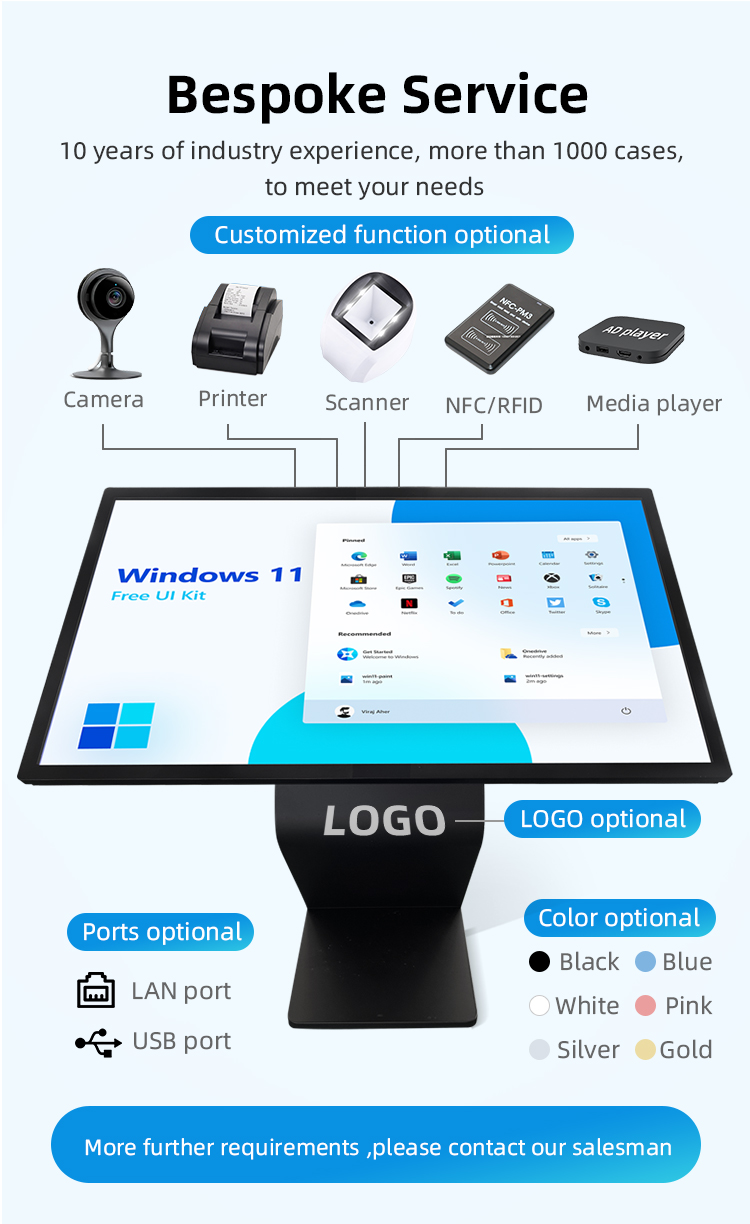
A: Yes, the kiosk's software and content are fully customizable. Each venue (airport, bank, hotel) can tailor the interface, information, and available functions to meet their specific needs and branding.
10. Q: What should I do if the kiosk is not working or I need further help?
A: If the kiosk malfunctions or you require assistance not provided by the kiosk, please seek out a staff member at the nearest information desk, check-in counter, or concierge for immediate help.
1. Q: What is the primary purpose of this kiosk?
A: This is an all-in-one, self-service information kiosk designed for places like airports, bank halls, and hotels. It allows visitors to independently access information, find directions, look up services, and complete simple inquiries without needing to queue for staff assistance.
2. Q: Where is this kiosk intended to be used?
A: This kiosk is specifically designed for high-traffic indoor environments such as airport terminals (for flight info, wayfinding), bank lobbies (for account services, branch info), and hotel lobbies (for check-in, amenities, and local guides).
3. Q: How do I interact with the kiosk?
A: Interaction is simple and intuitive through the large, responsive touch screen. You can tap, swipe, and type to navigate menus, search for information, and access the services you need.
4. Q: What kind of inquiries can I make at this kiosk?
Airport: Check flight statuses, find boarding gates, locate amenities.
Bank Hall: View branch services, find ATM locations, pre-fill forms.
Hotel: Explore hotel amenities, check out, find local attractions and transportation.
5. Q: Is the kiosk stable and safe for public use?
A: Yes. The kiosk features a sturdy, free-standing K-type base that provides a low center of gravity and excellent stability, preventing tipping and ensuring safety in busy public areas.
6. Q: What does "all-in-one" mean for this device?
A: "All-in-one" means the entire system is integrated into a single, sleek unit. The high-resolution horizontal display, computer, touch interface, and software are combined, resulting in a clean design that is easy to install and maintain.
7. Q: Why is the screen in a horizontal format?
A: The horizontal (landscape) display is ideal for presenting wide-layout content such as interactive maps, building directories, and multimedia information, providing a better user experience for wayfinding and browsing.
8. Q: Is my personal information secure when using the kiosk?
A: Absolutely. The kiosk software is designed with security in mind. For bank halls, it operates on a secure network and does not store sensitive personal data. Session information is typically cleared after each use.
9. Q: Can the content and services on the kiosk be customized?
A: Yes, the kiosk's software and content are fully customizable. Each venue (airport, bank, hotel) can tailor the interface, information, and available functions to meet their specific needs and branding.
10. Q: What should I do if the kiosk is not working or I need further help?
A: If the kiosk malfunctions or you require assistance not provided by the kiosk, please seek out a staff member at the nearest information desk, check-in counter, or concierge for immediate help.