Digital signage can be classified by location, installation method, audience interaction, and communication purpose. A display that works inside an elevator may be unsuitable for a storefront, exposed walkway, or temporary event area. The challenge is not simply choosing a screen; it is matching the complete format to ambient light, weather exposure, viewing distance, content, and power availability.
Outdoor Digital Signage is one important category, but buyers should also understand indoor, wall-mounted, floor-standing, portable, transparent, dual-sided, and interactive formats. The following sections explain how these types differ and how to compare them without overcomplicating the selection process.

Start With the Installation Environment
The surrounding environment usually eliminates unsuitable options before screen size, software, or appearance is considered. Temperature, sunlight, moisture, dust, available floor area, and viewing direction all influence the required construction.
Indoor Digital Signage
Indoor displays operate in controlled environments such as shops, elevators, restaurants, hotels, hospitals, offices, and reception areas. They are commonly used for promotional videos, menus, directories, announcements, queue information, and internal communication.
Because indoor lighting is relatively predictable, these displays normally do not require the same brightness or environmental protection as Outdoor Digital Signage. Installation can therefore prioritize a slim profile, quiet operation, interior aesthetics, convenient mounting, and integration with nearby power and network connections.
Wall-mounted screens suit narrow corridors, elevator waiting areas, menu zones, and locations where floor space must remain open. Floor-standing units are more noticeable in entrances, exhibition areas, and wide retail aisles. The correct choice depends on traffic flow: a display should be visible without creating an obstacle or forcing viewers to stand in a circulation path.
Fully Outdoor Digital Signage
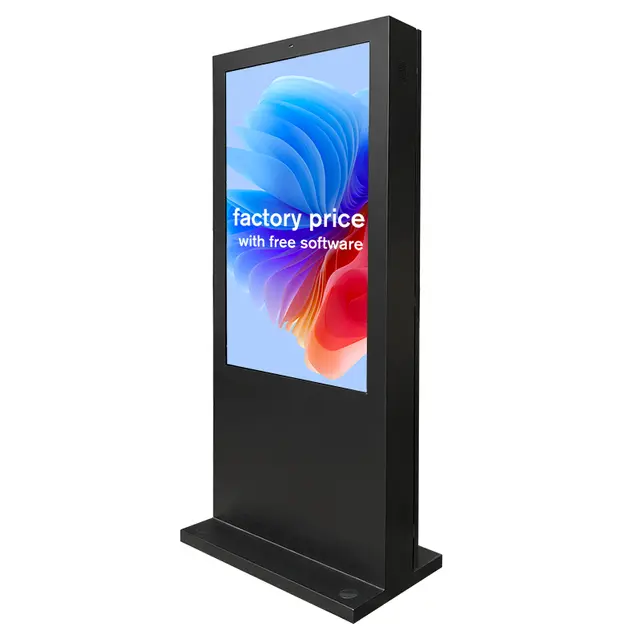
Outdoor Digital Signage is designed for locations exposed to changing light, temperature, dust, moisture, and frequent public contact. Common sites include building entrances, pedestrian areas, outdoor retail zones, transport facilities, service stations, event spaces, and roadside commercial areas.
Readability is one of the first concerns. Outdoor Digital Signage must remain visible as ambient light changes during the day. A screen that appears bright inside a showroom may look washed out after installation in an exposed area. Buyers should evaluate the actual direction of sunlight, expected viewing hours, distance from the audience, and whether the unit will stand in full sun or partial shade.
Environmental protection is equally important. The enclosure, ventilation method, cable entry points, door seals, protective glass, and internal temperature management must work together. A protection rating alone does not confirm suitability for every outdoor site. Installation teams should also consider drainage, wind exposure, mounting stability, routine cleaning, and access for maintenance.
Semi-Outdoor and Window-Facing Displays
Some screens sit indoors but face an outdoor audience through glass. These installations include shop windows, transportation offices, restaurant windows, and street-facing property displays. They do not experience direct rain, yet reflections and solar heat can make them more demanding than standard indoor applications.
This category often needs greater brightness and better heat planning than ordinary indoor signage. However, it should not automatically be treated as fully protected Outdoor Digital Signage. The equipment remains inside, so enclosure requirements, cooling needs, and installation costs can differ substantially.
Choose the Physical Format That Fits the Site
After defining the environment, buyers can compare how the display occupies space. The same content may be delivered through a wall-mounted panel, floor-standing totem, portable unit, transparent screen, or dual-sided structure.

Wall-Mounted Screens
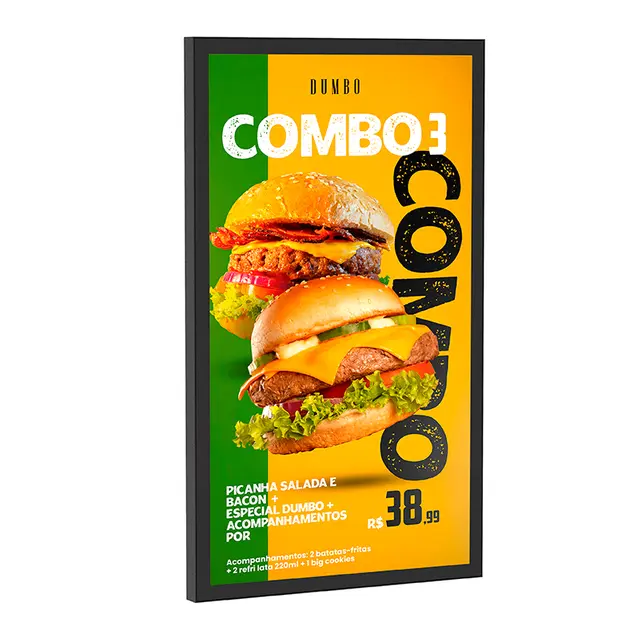
A wall-mounted format keeps corridors and floor areas clear while placing information near the natural line of sight. It is useful for elevator advertising, digital menus, reception messages, room information, product promotions, and corporate communication.
Wall-Mounted Digital Signage from Shenzhen Dinosaur Display Co., Ltd. supports indoor commercial applications, multiple screen sizes, landscape or portrait presentation, network connectivity, and optional touch interaction. These characteristics make the format relevant where centralized content updates and space-efficient installation are required.
Before installation, verify the wall structure, mounting pattern, ventilation clearance, cable route, electrical access, screen orientation, and maintenance space. Mounting a screen too high can reduce readability, while placing it too low may expose it to accidental impact. The viewing angle should also match the direction from which people approach.
Floor-Standing Digital Totems
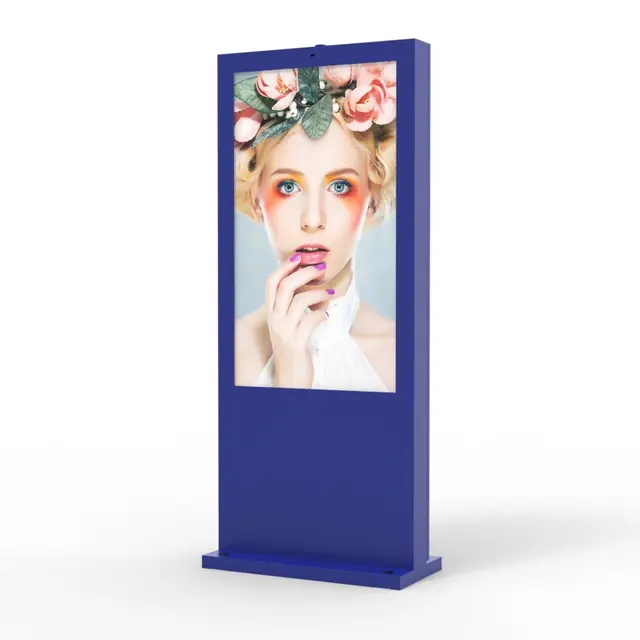
Floor-standing units create a distinct communication point without requiring a load-bearing wall. They are frequently installed near entrances, reception desks, retail displays, exhibition booths, waiting areas, and public information zones.
A freestanding format can accommodate larger housings, internal media equipment, speakers, touch components, and protected cable management. Outdoor Digital Signage often uses this structure because a complete enclosure can be engineered around the display. Stability is essential, particularly in exposed areas or locations where visitors can approach from several directions.
The main disadvantage is the floor area required. Site planning should account for the base dimensions rather than screen width alone. Doorways, emergency routes, cleaning equipment, wheelchair circulation, and surrounding fixtures must remain unobstructed.
Portable and Battery-Operated Displays
Temporary promotions and frequently changing layouts can make fixed wiring impractical. Portable signage is designed for deployment in event entrances, outdoor dining areas, temporary sales zones, exhibitions, forecourts, and retail spaces where campaigns move throughout the day.
Battery-Powered Digital Signage combines a movable structure, dual display surfaces, high-brightness presentation, a built-in battery, and an IP65-rated enclosure. It can support outdoor communication where permanent power access is limited or where the display must be repositioned.
Battery runtime should be assessed under the brightness level, content type, networking mode, and temperature expected at the actual site. Outdoor Digital Signage may consume more power in bright conditions, so an operating-time estimate based on low indoor brightness can be misleading. Charging procedures, storage conditions, wheel locks, and staff responsibility should be defined before daily use.
Portability also affects security and workflow. Staff need a designated storage area, a clear charging schedule, and safe routes for moving the unit. A portable display should be stable during use but easy to reposition without damaging the floor or enclosure.
Transparent Digital Displays
Transparent displays combine digital imagery with a view of physical products or scenery behind the screen. They are suited to product showcases, museums, corporate presentation areas, luxury retail interiors, exhibitions, and experience-focused installations.
Transparent OLED Signage is available in floor-standing or wall-mounted configurations and can support Windows or Android systems with optional touch functionality. Its transparent display area allows digital content to complement rather than completely conceal objects positioned behind it.
This format is generally selected for visual presentation rather than exposed Outdoor Digital Signage. Ambient lighting, background color, content contrast, and the position of physical objects affect the final result. Designers should test real content in the intended environment instead of judging the effect from a standard video displayed on an ordinary screen.
Transparent displays also require different content design. Darker graphics may appear more clearly than pale details, while busy backgrounds can reduce readability. The physical product, digital layer, and surrounding lighting should therefore be planned as one presentation rather than as separate elements.
Dual-Sided Displays
Dual-sided signage reaches audiences approaching from opposite directions. It can be effective in walkways, shop entrances, station corridors, outdoor event areas, and central positions where a single-facing screen would leave one viewing direction unused.
Both sides do not always need identical content. Separate messages may be useful when incoming visitors require promotions while departing visitors need reminders or directions. Outdoor Digital Signage with two display surfaces must also manage additional heat, energy demand, structural weight, and maintenance access.
The viewing distance on each side should be checked separately. One side may face a nearby pedestrian path, while the other faces a wider open area. Using the same font size and content layout on both surfaces may not produce equally effective results.
Match the Signage Type to the Audience Task
A second classification method focuses on what viewers are expected to do. Some displays communicate a message in seconds, while others invite users to stop and complete a task.

Passive Information Displays
Passive signage presents content without requiring direct input. Advertising loops, menus, opening hours, schedules, safety notices, corporate announcements, and event programs belong to this category.
Success depends on quick comprehension. Content should reflect the viewing distance and average dwell time. A person walking past Outdoor Digital Signage may only see one message for several seconds, so dense paragraphs, complicated transitions, and small details are rarely effective. Indoor waiting-room screens can support more detailed content because viewers remain nearby for longer.
Passive displays are often easier to maintain because there is no public interaction layer. However, they still require disciplined content scheduling. Old promotions, incorrect prices, or outdated opening times can reduce trust even when the display hardware is functioning correctly.
Interactive Displays
Interactive signage allows viewers to navigate information, browse products, search directories, complete forms, or explore multimedia content. Touch functionality is valuable when the audience has a clear reason to stop.
Interaction should solve a task rather than exist as a decorative feature. Button size, menu depth, response time, accessibility, screen height, and reset behavior all influence usability. Outdoor Digital Signage with touch control requires additional attention to wet-screen operation, surface cleaning, glare, temperature, and physical durability.
A clear idle screen is also necessary. People should immediately understand what the display does and how to begin. After each session, the interface should return to its starting point so that personal information or previous selections are not left visible.
Self-Service and Wayfinding Kiosks
Self-service kiosks support actions such as check-in, information lookup, ordering, ticketing, and visitor registration. Wayfinding displays help users locate rooms, departments, stores, gates, or services.
These systems depend on more than the display itself. Application software, network reliability, data integration, privacy, peripheral devices, and fallback procedures can determine whether the installation reduces staff workload or creates another support problem. A non-interactive directory may be more reliable where information is simple and rarely changes.
Outdoor Digital Signage used for wayfinding must remain understandable in changing light and weather. Maps should avoid unnecessary detail, and directional information should be visible from the normal approach path rather than only when a person stands directly in front of the screen.
Organize Digital Signage by Communication Purpose
Digital signage types can also be grouped according to the message they deliver. This approach helps content teams define the required layout, update frequency, and management workflow.
| Communication Purpose | Common Format | Main Planning Priority |
| Advertising and promotions | Wall-mounted, floor-standing, portable, or dual-sided | Visibility, campaign scheduling, and concise messaging |
| Menus and service information | Wall-mounted indoor screens | Accurate prices, readable layouts, and timely updates |
| Wayfinding and directories | Interactive kiosk or vertical display | Clear navigation and accessible interface design |
| Internal communication | Office, lobby, or production-area screens | Role-based content and consistent scheduling |
| Product presentation | Transparent or interactive displays | Visual integration with physical merchandise |
| Public information | Indoor or Outdoor Digital Signage | Readability, reliability, and rapid content changes |
Advertising displays usually emphasize images, short video, campaign timing, and brand consistency. Menu screens require legible pricing and rapid updates. Corporate displays may connect announcements with schedules or operational information. Public information displays prioritize accuracy and continuity, particularly where viewers depend on them for directions or service updates.
Outdoor Digital Signage often supports more than one purpose. A unit may show commercial content during normal operation and switch to event instructions, closure notices, or safety information when necessary. This makes content governance important: organizations should define who can publish urgent messages, who approves campaigns, and how quickly outdated material is removed.
Update frequency should match the type of information. A promotional campaign may change weekly, while transport, service, or safety information may need immediate revision. The content management process should reflect this difference rather than treating every screen as part of one identical playlist.
How to Select the Right Digital Signage Type
Begin with the actual installation site rather than a preferred appearance. Record indoor or outdoor placement, sunlight direction, viewing distance, traffic speed, available floor or wall area, power access, network conditions, and expected operating hours.
For Outdoor Digital Signage, evaluate brightness and environmental protection together. High brightness cannot compensate for water entering the enclosure, and a sealed cabinet cannot compensate for unreadable content. Temperature control, protective glass reflection, access doors, cable sealing, foundation design, and service access should be considered as parts of one system.
Next, define the audience and message. A promotion viewed from ten meters needs different typography from an interactive directory used at arm’s length. Portrait orientation may suit a narrow walkway or human-scale advertisement, while landscape orientation can present menus, schedules, or wider video content more effectively.
Mobility is another practical dividing line. Permanent Outdoor Digital Signage is appropriate for stable, long-term locations with planned electrical and structural work. A portable battery-operated format is better for temporary campaigns, changing entrances, seasonal service areas, or events. However, mobility adds responsibility for charging, storage, transport, positioning, and theft prevention.
Content management should be evaluated before deployment. Determine whether updates will be made locally or remotely, how many screens will be managed, whether different locations need separate playlists, and what should happen during a network interruption. A sophisticated display can still perform poorly when content is outdated or staff members cannot manage it efficiently.
Maintenance access is often overlooked during selection. A display may appear suitable on paper but become expensive to service if technicians cannot reach internal components, remove the protective panel, or access the power connection. Outdoor Digital Signage should be positioned so routine inspection and cleaning can be completed without disrupting traffic or creating safety risks.
Finally, compare total operational requirements rather than purchase price alone. Installation, mounting, power consumption, software, cleaning, inspections, replacement access, and staff training all affect long-term usability. The most appropriate type is the one that remains visible, manageable, and serviceable throughout its intended working environment.
Conclusion
The different types of digital signage are best understood through environment, physical format, audience task, and communication purpose. Outdoor Digital Signage needs particular attention to visibility, weather exposure, power, structure, and maintenance, while indoor, wall-mounted, portable, and transparent formats solve different spatial and presentation problems.
Shenzhen Dinosaur Display Co., Ltd. is a digital signage manufacturer with factory, assembly, testing, and product-development capabilities. Its range covers fixed indoor displays, movable outdoor units, and transparent presentation formats, helping project planners match display construction to real installation conditions rather than selecting by appearance alone.
FAQ
Q: What are the main types of digital signage?
A: Major categories include indoor, outdoor, wall-mounted, floor-standing, portable, transparent, dual-sided, interactive, self-service, wayfinding, advertising, menu, and internal communication displays.
Q: What makes Outdoor Digital Signage different from indoor signage?
A: Outdoor Digital Signage requires stronger protection against changing light, moisture, dust, temperature, and physical exposure, together with suitable brightness and a stable installation structure.
Q: Is a window-facing screen considered outdoor signage?
A: Not necessarily. It remains indoors but may require greater brightness and heat management. It usually does not need the same enclosure protection as a fully exposed display.
Q: When is portable digital signage more practical than fixed signage?
A: Portable signage suits temporary campaigns, events, movable entrances, and locations without convenient power access, provided charging, storage, transport, and positioning can be managed consistently.
Q: Should every digital signage display include a touchscreen?
A: No. Touch functionality is useful for directories, browsing, and self-service tasks. Passive advertising or information displays are often clearer, simpler, and easier to maintain without it.