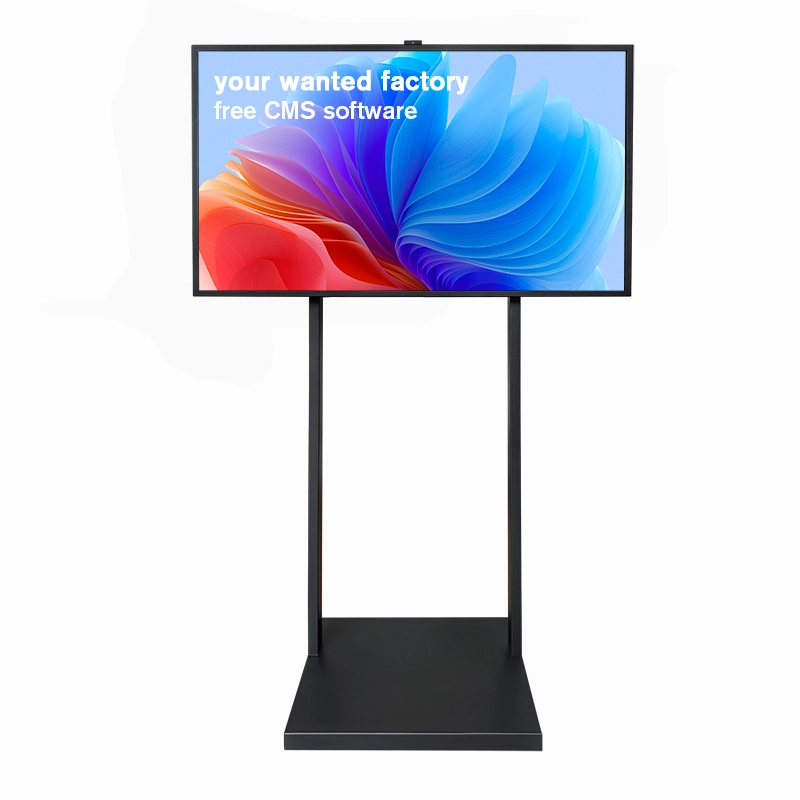
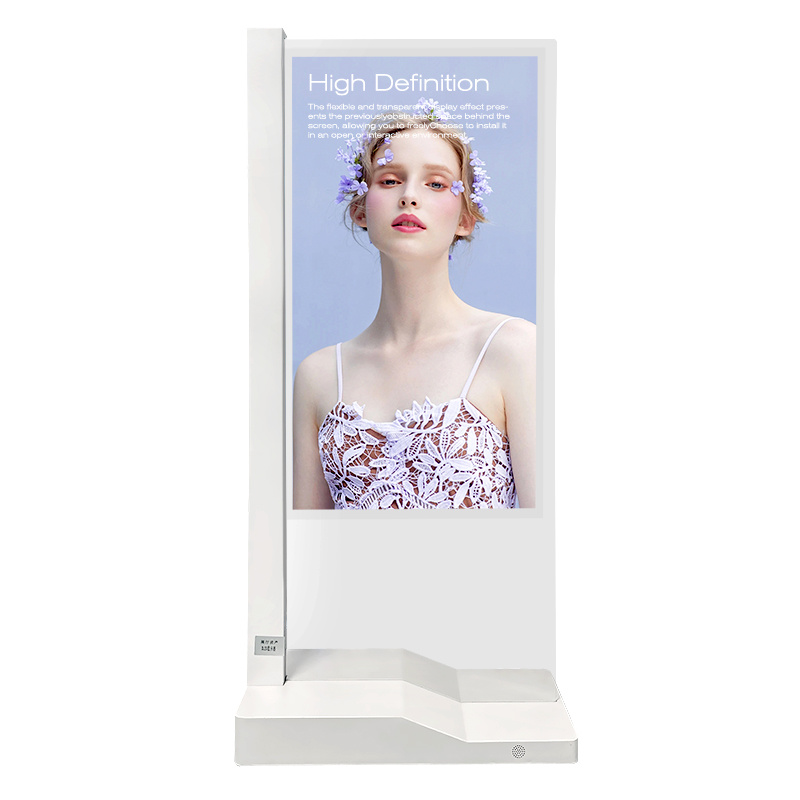
Imagine placing physical products behind a clear glass screen while bright digital graphics float over them. A floor standing transparent oled display uses self-emissive pixels to project dynamic content without blocking your spatial sightlines. You can create immersive visual merchandising and engage shoppers instantly. Industry pioneers like Shenzhen Dinosaur Display Co., Ltd. build these commercial displays to transform modern retail and exhibit spaces into interactive visual experiences.

Key Takeaways
Transparent OLED displays overlay bright digital graphics onto physical products using self-illuminating pixels without backlights.
Businesses boost customer engagement by placing these clear digital screens in luxury retail, museums, and lobbies.
Commercial kiosks offer interactive touchscreens, durable aluminum frames, and flexible operating systems for smooth daily operation.
Buyers should select proper screen sizes, manage indoor lighting, and practice routine maintenance to maximize display life.
Technology Behind Floor Standing Transparent OLED Displays
Self-Emissive OLED Panel Architecture
A floor standing transparent oled display relies on self-emissive organic light-emitting diodes. Traditional displays use heavy backlights. In contrast, organic layers sit between transparent electrodes inside this advanced glass panel.
How Self-Illumination Works:
An electrical current flows between the anode and cathode layers.
Electrons and electron holes move into the organic emissive layer.
These particles recombine to release energy directly as light photons.
Individual sub-pixels turn on and off independently without an extra light source.
Because the panel eliminates the backlight, light passes directly through the unlit areas. This smart design creates an ultra-thin glass structure and reduces total power consumption.
Transparency Rates and Visual Effect
This display achieves a crystal-clear 38% to 45% transparency rate. You can place physical products, luxury items, or museum artifacts directly behind the screen glass.
When you play digital media, bright animations float over the real physical objects. The unlit screen areas stay completely clear. This striking optical phenomenon catches the attention of passersby instantly and lifts your visual merchandising strategy.
Color Gamut and Viewing Angles
Shenzhen Dinosaur Display Co., Ltd. builds these commercial panels to high visual standards:
Color Performance: A rich 120% color gamut range delivers vivid, lifelike colors across every frame.
Viewing Angles: Extra-wide 178-degree viewing angles keep images sharp and distortion-free from almost any angle.
Deep Contrast: Individual pixels turn off completely to produce pure black levels.
Unlike standard transparent LCD panels, transparent OLEDs do not require external backlight boxes. You enjoy superior black levels, richer dynamic contrast, thinner screen profiles, and higher energy efficiency.
Commercial and Architectural Applications
You can deploy transparent screens across many modern commercial spaces. These display systems blend dynamic digital media directly with real physical environments.

Luxury Retail and Showrooms
You can transform your boutique store windows into captivating sales drivers. Place high-end watches, luxury handbags, or new electronics inside the display area behind the glass screen. A floor standing transparent oled showcases dynamic product features, prices, and promotional graphics directly over the physical items. Shoppers inspect the actual merchandise while watching rich visual animations.
Corporate Lobbies and Boardrooms
First impressions matter for your visiting clients and partners. You can install transparent kiosks in your executive lobby or main entrance area. The clear panel streams custom welcome messages, live financial metrics, and corporate achievements.
Key Spatial Benefit:
You maintain open lines of sight across high-end architectural spaces because the clear screen never blocks ambient light or structural views.
Museums and Interactive Exhibits
You can elevate how visitors explore historical artifacts and scientific models. Position delicate historical items or rare specimens safely behind the display glass. The screen projects animated anatomical overlays, translated texts, and interactive digital timelines directly over the physical artifacts.
Transportation Hubs and Public Wayfinding
Modern airports, train stations, and hotel lobbies require clear visual communication. You can use a floor standing transparent oled unit to present real-time travel schedules, interactive maps, and emergency alerts.
Sector | Core Visual Advantage |
Luxury Retail | Combines real merchandise with vibrant product animations |
Corporate Lobbies | Projects corporate media while keeping open architectural views |
Museum Exhibits | Adds informative digital layers over delicate historical objects |
Transit Hubs | Displays public travel updates without visual clutter |
Key Features of Commercial Kiosks
Commercial transparent kiosks combine advanced hardware engineering with powerful computing technology. Shenzhen Dinosaur Display Co., Ltd. builds these units to withstand demanding commercial environments while delivering interactive visual experiences.

Aerospace-Grade Aluminum Chassis
You get exceptional durability from the premium housing architecture. Engineers construct the outer frame using lightweight, aerospace-grade aluminum. This high-strength material resists daily wear and maintains a sleek profile in high-end spaces. All internal power cables and data wires hide neatly inside a concealed cable management system. This smart layout protects critical wiring and maintains a clean aesthetic.
The 5mm thick explosion-proof toughened glass provides robust structural reinforcement for the transparent OLED displays, directly boosting overall unit safety and long-term operational durability. In public transparent OLED kiosks, explosion-proof tempered glass serves as a high-strength protective barrier. It shields the delicate display surface from physical damage, effectively resisting scratches and heavy impacts typical of high-traffic public environments.
Interactive Touch Integration
You can transform static digital signage into engaging customer touchpoints. Modern commercial kiosks offer two main touch technologies: 10-point PCAP capacitive touch and Infrared (IR) touch systems. IR touch uses invisible light grids across the frame to register user inputs reliably. PCAP capacitive touch provides a smooth, smartphone-like touch experience.
Capacitive touch technology preserves pristine panel clarity through advanced construction methods:
Transparent Conductive Substrates: Integrates thin layers like Indium Tin Oxide (ITO) over a glass base, maintaining elevated levels of light transmission and clarity.
Rear Micro-Conductor Matrix: Utilizes uncoated glass with fine conductive grids on the back surface rather than heavy surface coatings.
Display Compatibility: Preserves native visual quality, rendering it optimal for high-definition, UHD, and OLED integration without distorting the underlying image.
Dual OS and Hardware Performance
You can easily connect these commercial displays to your existing IT infrastructure. The computing system supports flexible operating systems, including Android (7, 8, 9, or 11) and Windows (7, 8, or 10 Pro). High-performance hardware configurations support up to 16GB RAM and 512GB SSD storage. You can stream high-resolution 4K media content smoothly without frame drops.
Smart Management Tip:
You can update media files, schedule play hours, and monitor hardware status across multiple remote locations using built-in Content Management System (CMS) software over Wi-Fi or Ethernet connections.
Each commercial kiosk supports 24/7 continuous operation in busy public venues. Built-in active thermal management systems draw heat away from core electronic components to prevent panel overheating. You can also request custom OEM and ODM options to fit your visual brand. Shenzhen Dinosaur Display Co., Ltd. applies custom silk-screened logos, tailored frame colors, and custom hardware add-ons like HD cameras or AI proximity sensors directly into your kiosk assembly.
System Spec | Available Options |
Operating System | Windows 7/8/10 Pro or Android 7/8/9/11 |
Memory & Storage | Up to 16GB RAM / Up to 512GB SSD |
Network Connectivity | Dual-band Wi-Fi, RJ45 Ethernet, Bluetooth |
Custom OEM Hardware | Silk-screen logos, custom colors, HD cameras, AI sensors |
Selecting a Floor Standing Transparent OLED for Business
Choosing the right commercial display requires clear knowledge of hardware specs and installation environments. You must match the panel technology to your physical store layout, brightness needs, and long-term operating budget.
Resolution and Panel Sizes
You must select a screen size that fits your physical space and product dimensions. Commercial manufacturers offer several standard display sizes and screen resolutions to meet different space requirements.
Main Panel Sizes | Available Screen Resolutions |
30", 48", 55", 77" | 1366 × 768
1920 × 540
1920 × 1080 (FHD)
3840 × 2160 (4K UHD) |
Pixel density plays a crucial role in image clarity on display screens. In transparent display technology, a reduction in pixel pitch directly increases pixel density. This higher concentration of pixels produces significantly sharper imagery, thereby enhancing overall viewing clarity on display screens. You should select a high-resolution 4K panel when customers view your merchandise from short distances.
Ambient Lighting and Placement
Room lighting directly changes how viewers see your digital graphics. When transparent OLED screens are exposed to intense ambient lighting, the surrounding environmental light can overpower the display if its luminosity is insufficient. This reduces image contrast, leading to a washed-out, dull visual appearance and severely diminishing overall content visibility.
Installation Tip:
You can place physical spotlights behind physical products to enhance contrast. Always position your display stand away from direct sunlight to preserve peak visual pop.
You protect dynamic visual contrast by controlling room light levels. Installing a floor standing transparent oled display in indoor areas with controlled spotlighting brings out the brightest highlights.
Remote CMS and Connectivity
You can manage your network content easily through modern Content Management Systems (CMS). Remote software lets you schedule video playtimes, change promotional images, and push software updates across multiple stores simultaneously.
Connecting your screen to local networks requires stable hardware connections:
Ethernet RJ45 Ports: Delivers fast wired data transfers for heavy 4K video files.
Dual-Band Wi-Fi: Provides clean wireless network integration without extra wall cables.
4G/5G Cellular Modules: Enables continuous remote updates in isolated public locations.
Integrated sensors report real-time system health back to your IT network. You receive automated alerts if screen temperatures rise or network signals drop.
Total Cost and Reliability
Calculating your total investment involves reviewing initial hardware prices, mounting accessories, and expected equipment lifespan. The table below outlines standard market pricing tiers for transparent digital signage setups.
Tier / Component | Panel Cost Range | Transparency | Brightness | Target Environment / Notes |
Budget Grade | $7,500 – $12,000 | 60% – 70% | 1,500 nits | Indoor exhibits with controlled lighting |
Premium Grade | $12,000 – $18,000 | 75% – 80% | 2,000+ nits | Flagship retail stores (anti-reflective coating) |
Enterprise Grade | $18,000+ | 85% | N/A | High-traffic public installations (touch/durability) |
Bargain Units | Under $6,000 | N/A | N/A | Low-grade materials; not recommended |
Mounting Hardware | $1,200 – $3,000 | N/A | N/A | Essential additional TCO hardware cost |
You should also plan for operational lifespans based on panel build quality:
Standard Commercial Panels: 50,000 to 70,000 hours until reaching half-brightness under normal thermal conditions.
Sub-standard/Bargain Displays: Approximately 20,000 hours expected operational lifespan.
Lifespan Factors: High ambient heat accelerates degradation; monitoring internal temperature sensors and maintaining proper airflow is recommended.
Regular preventive care keeps your display working smoothly for many years. You can follow these core maintenance practices to protect your investment:
Maintenance Category | Action Item / Practice | Operational Purpose |
System Settings | Enable pixel shifting, panel refresh, and auto brightness | Activates hardware-level protections against static image retention |
Power Management | Keep unit plugged in and in standby mode overnight | Allows automatic pixel maintenance cycles to run uninterrupted |
Environmental Control | Avoid direct sunlight exposure and apply UV filters | Prevents organic layer degradation caused by heat and UV rays |
Routine Inspections | Display weekly solid white and RGB screens | Identifies early subpixel degradation and image retention patterns |
Scheduled Service | Run monthly deep pixel refresh cycles during downtime | Rebalances subpixel wear and mitigates early retention |
Software Maintenance | Keep display firmware updated | Ensures latest burn-in protection algorithms are active |
Usage Parameters | Maintain 40%–60% brightness and utilize dynamic content rotation | Balances visual performance while maximizing total panel operational life |
By following these routine steps, you preserve bright visuals and extend the working life of your transparent digital kiosks.
Adopting a floor standing transparent oled display elevates your physical merchandising with dynamic 3D visuals. You merge real products with crisp digital graphics effortlessly. When selecting your hardware, focus on four key factors: high-definition 4K resolution, responsive touch interaction, flexible dual OS support, and a durable aluminum chassis.
Ready to Upgrade Your Commercial Space?
Contact Shenzhen Dinosaur Display Co., Ltd. today to discover tailored OEM and ODM transparent display solutions for your business.
FAQ
How does a transparent OLED display work without a backlight?
Self-emissive OLED pixels produce their own light directly. The screen turns off individual sub-pixels to create clear, unlit areas. You see ambient light pass straight through the glass panel without needing bulky external backlights.
What ambient lighting works best for transparent OLED displays?
Controlled indoor lighting works best. You can place physical spotlights behind display items to boost optical contrast. Avoid direct sunlight because harsh ambient light overpowers display brightness and reduces visual clarity.
Which operating systems do these commercial displays support?
Android OS: Supports Android versions 7, 8, 9, and 11.
Windows OS: Supports Windows 7, 8, and 10 Pro.
You easily connect both operating systems to your remote Content Management System (CMS) using Wi-Fi or Ethernet.