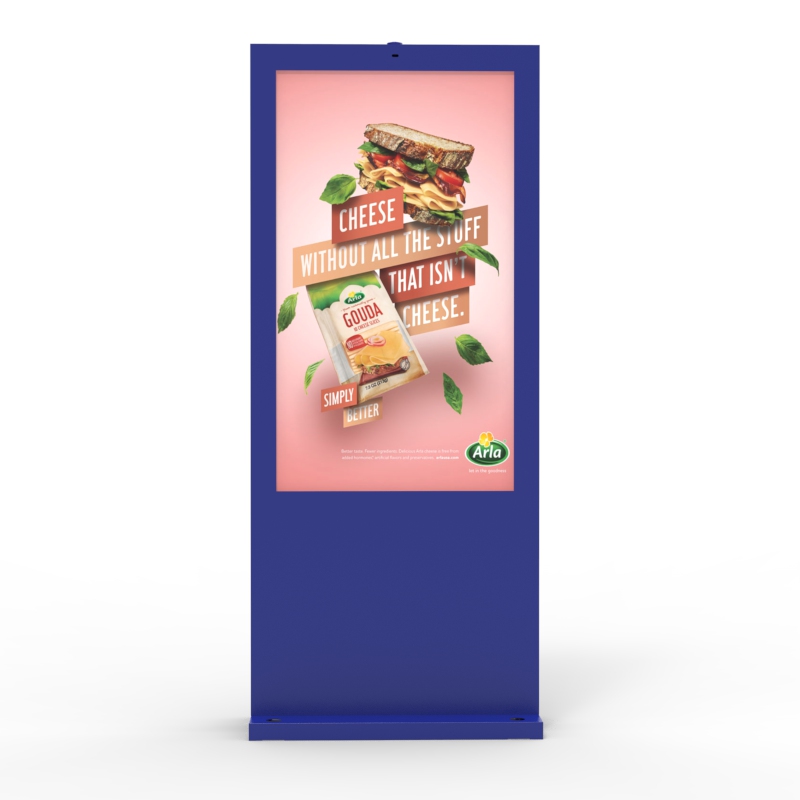
Managing digital signage screens across many locations used to be a headache. You had to visit each site, update USB drives, check cables, and hope the content was right. With today’s remote Content Management Systems (CMS), that work happens from one central dashboard. A good remote CMS turns a scattered network of displays into a unified communication platform, saving time and cutting costs.

Key Takeaways
A CMS lets teams manage Digital Signage content from one central dashboard, instead of updating each screen by hand.
Remote CMS tools support content creation, scheduling, playlists, device monitoring, analytics, and integrations for larger signage networks.
Multi-location Digital Signage networks need screen grouping, role control, and local targeting to keep content accurate across different sites.
Media players receive CMS updates, store content locally, and help screens keep playing during short network outages.
Cloud-based CMS platforms make remote access easier, helping teams update screens across many locations from one interface.
Remote monitoring helps teams check screen status, detect playback issues, and reduce onsite maintenance.
A strong Digital Signage CMS should include scheduling, remote control, permissions, proof of play, and device health reporting.
The biggest benefits are faster updates, lower labor cost, stronger brand control, and easier network scaling.
Common challenges include poor internet, schedule conflicts, outdated playback, and unclear user permissions.
The best setup combines reliable displays, stable media players, secure CMS access, and clear content workflows.
What a Digital Signage Network Really Is
A digital signage network is more than a few screens showing slides. It is a coordinated system of hardware and software that delivers scheduled, dynamic content to displays in one or many physical locations.
At its core, every digital signage network has three components:
CMS Dashboard: where operators upload, schedule and manage content.
Media Players: connected to each display to render the content.
Displays: the screens your audience sees.
Without a CMS, each screen needs manual updates. With a remote CMS, you manage content, schedules and devices over the internet, no matter where screens live.
Why Remote CMS Matters for Multi‑Location Deployments
Managing one screen is easy. Managing dozens across cities, states, or countries is not. Traditional USB‑based systems break down fast when scale grows. A remote CMS solves three big pain points:
Central Control From One Place
A remote CMS gives you one web‑based dashboard to control every screen in your network. You design playlists once and push them to every location instantly. This central view eliminates confusion about who changed what, and where.
Instant Content Updates
With a remote CMS, you do not send someone onsite if content needs to change. Instead, CMS pushes updates in seconds over the web. This is key for time‑sensitive campaigns like sales, alerts, or emergencies.
Scalability
Whether you manage ten screens or ten thousand, a good CMS scales the same way. You can group displays by location, type, or campaign and push updates to a whole group with one action.
How Remote Content Delivery Works
Remote CMS platforms work through a three‑step chain:
Content Preparation: Operators create and upload media (images, video, text) in the CMS dashboard.
Scheduling: The CMS builds playlists and schedules them to screens or groups.
Distribution: The CMS pushes updates over the internet to each media player. The player then stores the content locally and displays it on schedule.
Most modern CMS platforms are cloud‑based. That means you log in from any device with internet access and manage your full signage network from a single interface. This cloud architecture removes the need for on‑site servers and speeds up deployment.
Remote Device Monitoring and Control
A true remote CMS does more than schedule content. It also lets you monitor and manage devices. For digital signage networks, this includes:
Screen & Player Health Tracking
You can see whether displays and media players are online, how long they have been running, and whether playback has errors. Some dashboards include map views or list views showing real‑time status.
Remote Troubleshooting
If a device goes offline, many systems let you restart it or trigger diagnostics without a site visit. This reduces downtime and keeps schedules running.
Firmware Updates & Control
Advanced CMS platforms can also update media player firmware or apply display settings (like brightness and volume) remotely. This ensures consistency and compliance across locations.
Core Features That Make Remote Management Work
Not every CMS is created equal. For multi‑location digital signage networks you want features that let you control, scale, and monitor efficiently.
Here are the ones that matter most:
| Feature | Benefit |
| Central Dashboard | Manage content from one place |
| Cloud Distribution | Push updates instantly over internet |
| Scheduling & Playlists | Automate what plays when and where |
| Remote Monitoring | See status and errors remotely |
| Media Player Control | Restart, adjust, and maintain devices |
| User Roles & Security | Permissions for teams and locations |
| Grouping & Targeting | Target content by location or campaign |
| Analytics & Proof of Play | Verify content actually displays |
Strong CMS platforms often include built‑in design tools, API integrations, and data widgets to pull live feeds into displays (e.g., weather or RSS news). These extend your signage beyond basic images and video.
Scheduling & Group Management
Content scheduling is one of the biggest time savers in digital signage CMS. Rather than manually updating content at each site, you set a schedule once in the CMS and let it run. Common scheduling features include:
Date/time scheduling – set content to play at specified times.
Dayparting – show breakfast menus in morning, lunch items at noon.
Recurring events – daily or weekly content loops.
Group targeting – assign different content to different stores or regions.
You can also set local overrides. For example, a store manager in one city might have permission to update location‑specific promotions without affecting global campaigns. This blending of central control and local freedom is key for large networks.
Benefits of Remote CMS for Multi‑Location Digital Signage
Here’s why businesses increasingly rely on remote CMS for digital signage:
Save Time and Labor Costs
You no longer dispatch teams to each location just to update content. One update in the CMS propagates everywhere.
Consistent Messaging
Every screen in the network shows the right content at the right time. There’s no risk of old promos showing up in one store while another has moved on.
Faster Reaction to Events
Need to announce a flash sale or emergency message? A remote CMS gets your update live across the whole network in seconds.
Better Visibility
Remote monitoring shows playback status, errors, and compliance. This visibility helps teams fix issues before they impact the audience.
Scalability
Whether managing a few screens or thousands, the process is the same with cloud‑based CMS. Adding new locations is simply a matter of registering new devices in the dashboard.
Challenges and How to Overcome Them
Remote CMS systems are powerful, but they are not magic. Some common challenges include:
Network Dependence
Remote management relies on internet connectivity. Poor networks can delay updates or sync. The best CMS platforms use local cache on media players, so displays stay working even when connections falter.
Scheduling Conflicts
As locations and content grow, keeping schedules clean can be tricky. Clear naming conventions and target groups help avoid overlaps.
Device Drift
Sometimes a CMS shows updates as “sent” before they are fully applied by media players. Make sure your platform offers proof of play or status reporting to confirm content is live.
Choosing the Right Remote CMS
Not all remote CMS platforms are equal. When evaluating solutions for your digital signage network, consider these:
Cloud vs on‑premise: Most multi‑location networks prefer cloud CMS for easier rollout and scaling.
Group and role management: You need flexible permissions if different teams update content.
Device and playback monitoring: Real‑time tracking lets you catch issues early.
Integration: Look for API support and live data feeds for dynamic content.
Well‑designed platforms like DISIG CMS, Yodeck, and others provide flexible templates, real‑time remote control, and multi‑region management.
Conclusion
Remote CMS is the backbone of any modern multi‑location digital signage network. Without it, you waste time on manual updates, inconsistent content, and travel costs. With it, you gain centralized control, instant updates, remote monitoring, and real‑time responsiveness. Whether you operate 10 screens or 10,000, the right CMS turns your digital signage network into a scalable, efficient communication channel that works everywhere.
FAQs
Q: What is a CMS in a digital signage network?
A: A CMS is software that lets you create, schedule, and push content to screens remotely across your digital signage network.
Q: How does remote CMS help multi‑location digital signage?
A: It centralizes content distribution, schedules updates, and lets you monitor screens in all locations from one dashboard.
Q: Can one CMS manage screens in many places?
A: Yes. A cloud‑based CMS can control hundreds of digital signage displays across cities or countries.
Q: Why use remote management instead of USB updates?
A: Remote CMS is faster, scalable, and avoids manual site visits for each digital signage screen.
Q: Do all digital signage CMS platforms support remote monitoring?
A: Most cloud‑based systems include status checks and health reports for your screens.
Q: How does content scheduling work with a CMS?
A: You assign content to screens or groups, set play times, and the CMS pushes it automatically.
Q: Is remote CMS expensive for digital signage?
A: Costs vary by platform and features, but remote CMS often reduces operational costs over time.