Dinosaur D
| size: | |
|---|---|
| tempered glass thickness: | |
| resolution: | |
| view angles: | |
| display color: | |
| contrast: | |
| lifespan: | |
| Availability: | |
| Quantity: | |
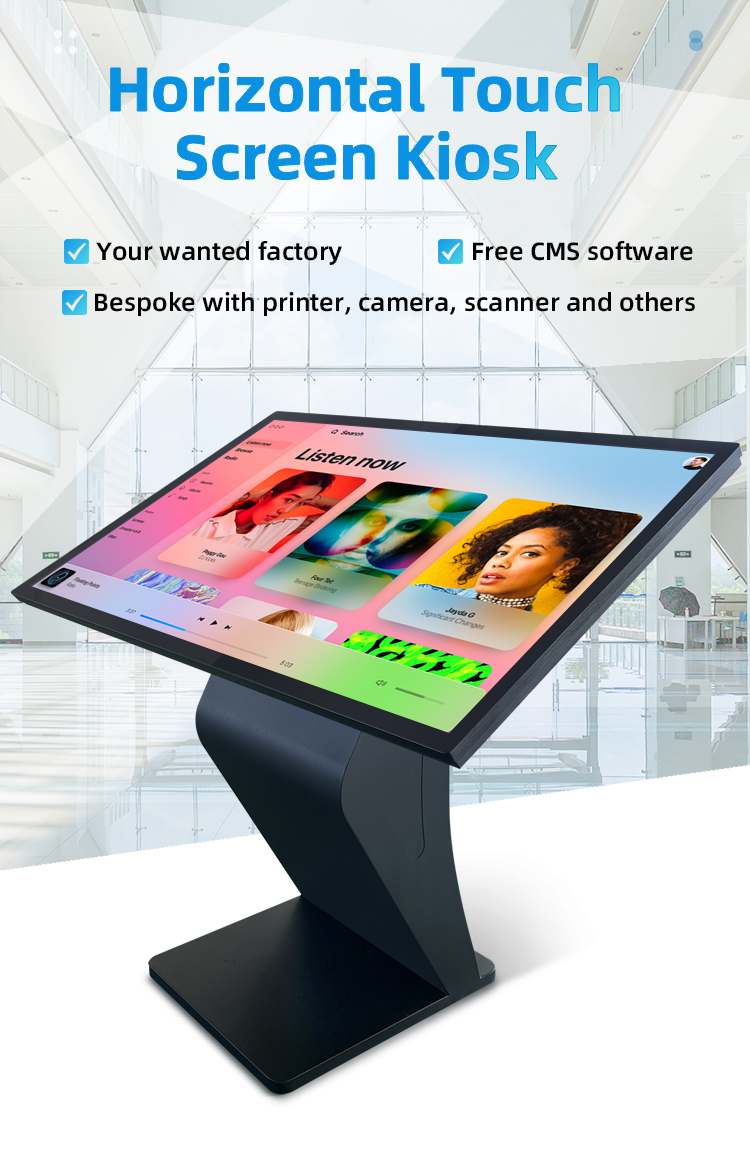
✔ Sturdy K-Type Base - Stable floor-standing design with 45° optimal viewing angle
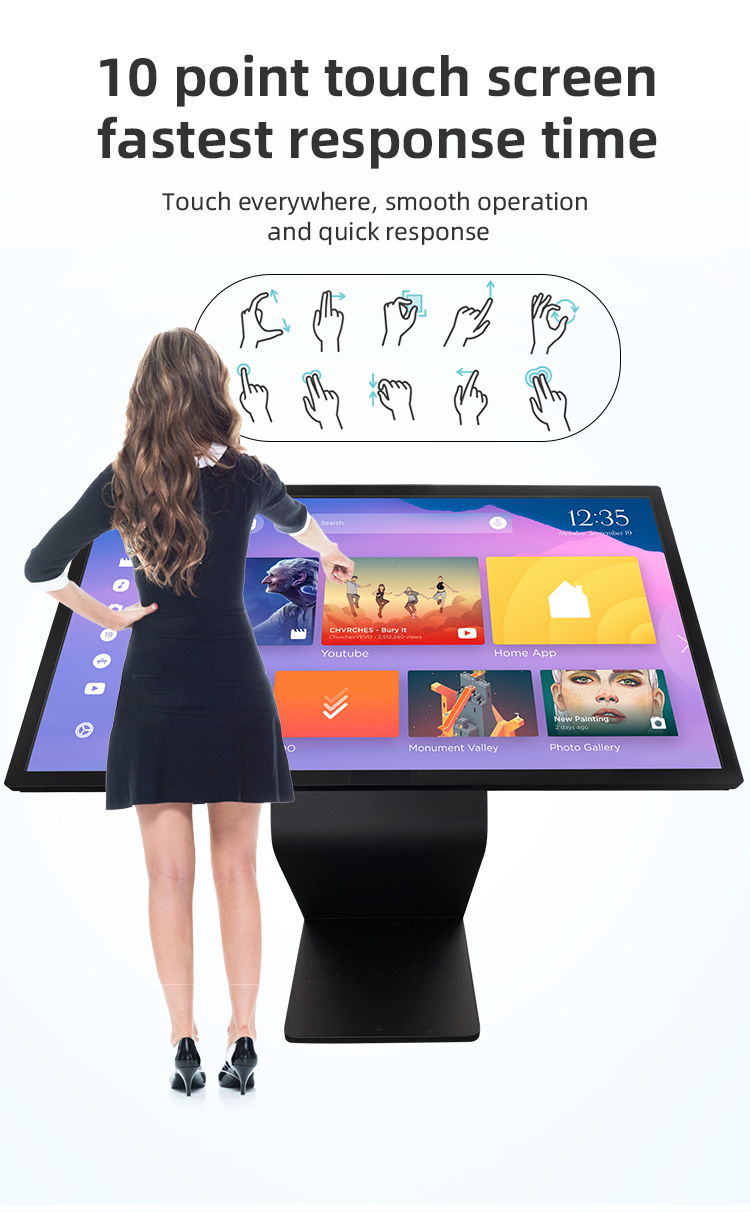
✔ High-Performance Touch - 10-point multi-touch IR or capacitive screen (optional)
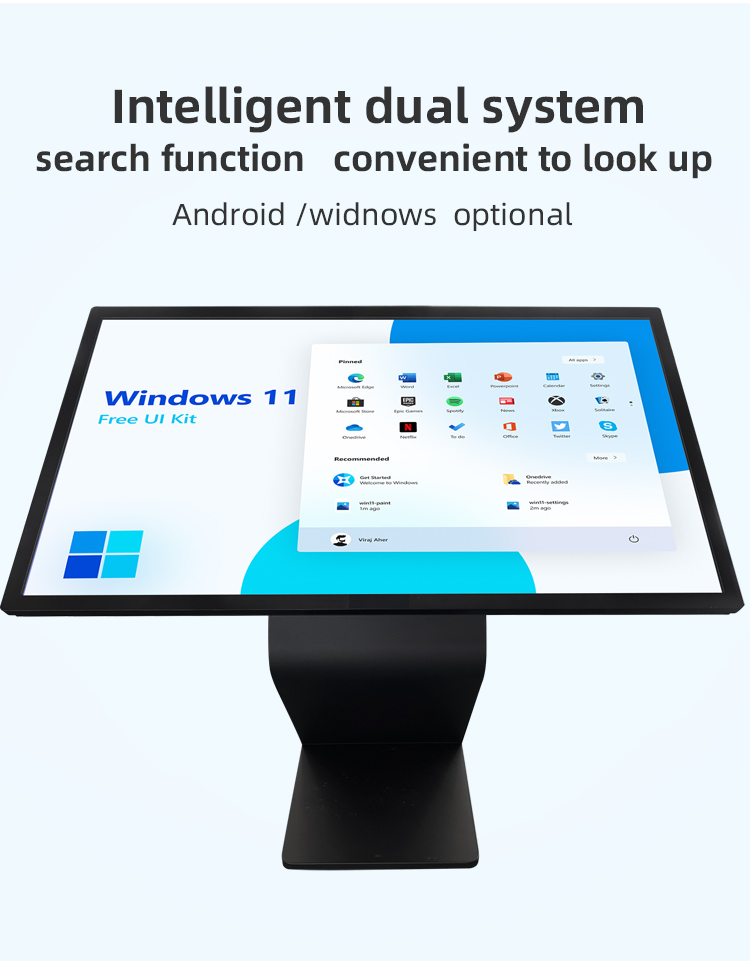
✔ All-in-One System - Integrated PC, display, and peripherals in single unit
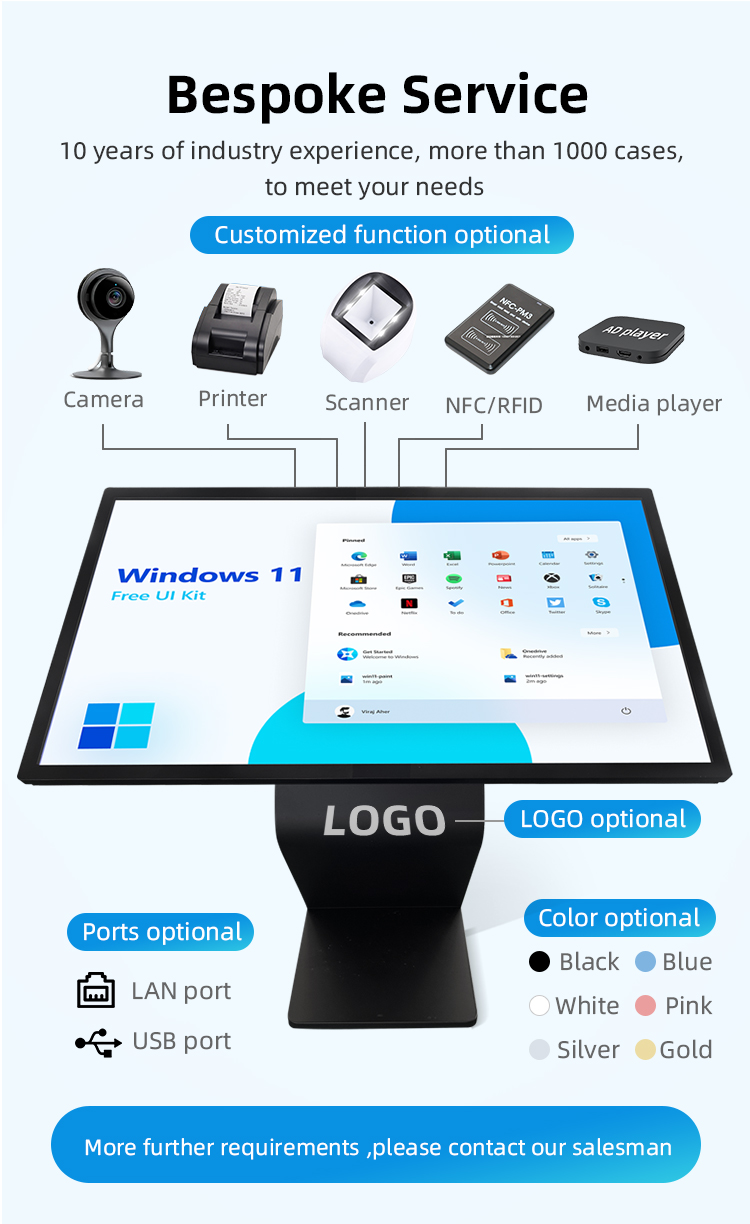
✔ Customizable Interface - Tailored UI/UX for your specific application
✔ 24/7 Reliability - Commercial-grade components for continuous operation
✔ Remote Management - Cloud-based content updates and monitoring


✔ Sturdy K-Type Base - Stable floor-standing design with 45° optimal viewing angle
✔ High-Performance Touch - 10-point multi-touch IR or capacitive screen (optional)
✔ All-in-One System - Integrated PC, display, and peripherals in single unit
✔ Customizable Interface - Tailored UI/UX for your specific application
✔ 24/7 Reliability - Commercial-grade components for continuous operation
✔ Remote Management - Cloud-based content updates and monitoring


| screen panel specification | screen size | 55 inch LCD screen panel | ||||
| display area | 1210.6mm(H)*681.5(V)mm | |||||
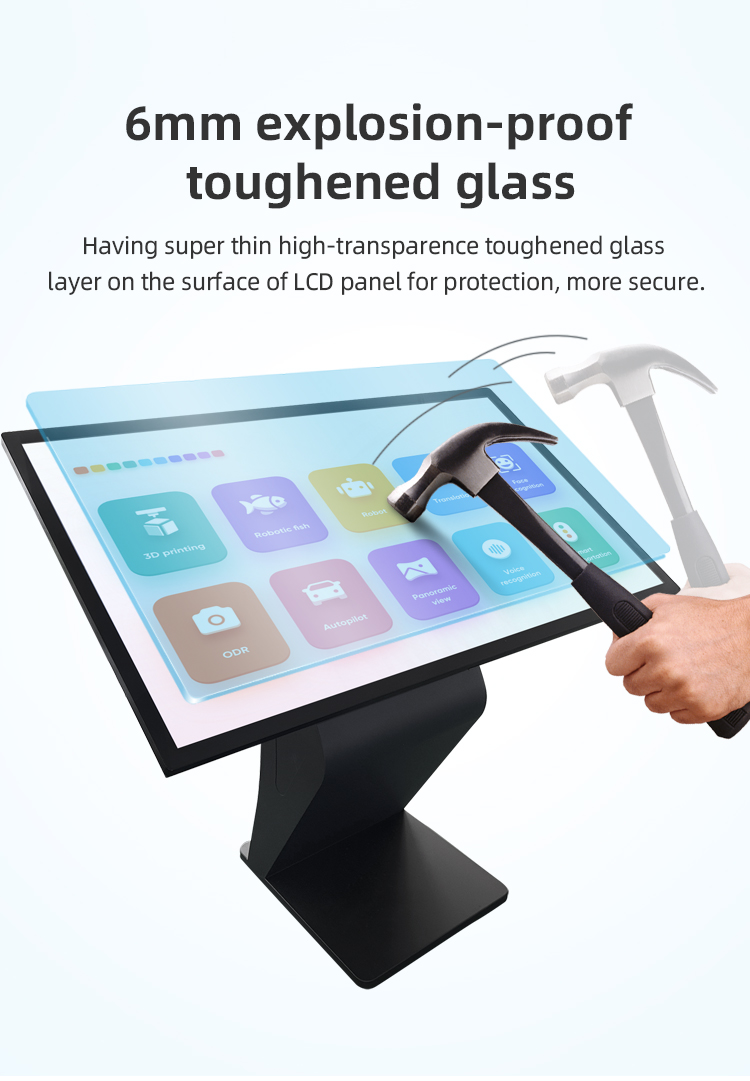
| Tempered glass thickness | 3mm | |||||
| Drive screen voltage | 12V | |||||
| Backlight type | ELED | |||||
| resolution | 1920*1080 | |||||
| view angles | 178° horizon, 178 °vertical | |||||
| Display color | 16.7M | |||||
| Contrast | 1200:1 | |||||
| Brightness | 450nits | |||||
| Response time | 8ms | |||||
| lifespan | 30000(hrs) | |||||
| Display Scale | 16 : 9 | |||||
| product net weight | 26.5KG | |||||
| product dimension | 1255.2mm*726.2mm*58.1mm | |||||
| Wall mount size | 400mm*400mm | |||||
| installation screw specifications | M6*12 4PCS | |||||
| Power | Input Voltage | AC 100V~240V,50/60HZ | ||||
| Case color | black | |||||
| Backlight power consumption | 76W | |||||
| Storage temparature | (-20℃ -- 60 ℃) | |||||
| Operation temparature | (0℃-- 50 ℃) | |||||
| Operation humidity | (10 -- 90﹪ ) | |||||
| screen panel specification | screen size | 55 inch LCD screen panel | ||||
| display area | 1210.6mm(H)*681.5(V)mm | |||||
| Tempered glass thickness | 3mm | |||||
| Drive screen voltage | 12V | |||||
| Backlight type | ELED | |||||
| resolution | 1920*1080 | |||||
| view angles | 178° horizon, 178 °vertical | |||||
| Display color | 16.7M | |||||
| Contrast | 1200:1 | |||||
| Brightness | 450nits | |||||
| Response time | 8ms | |||||
| lifespan | 30000(hrs) | |||||
| Display Scale | 16 : 9 | |||||
| product net weight | 26.5KG | |||||
| product dimension | 1255.2mm*726.2mm*58.1mm | |||||
| Wall mount size | 400mm*400mm | |||||
| installation screw specifications | M6*12 4PCS | |||||
| Power | Input Voltage | AC 100V~240V,50/60HZ | ||||
| Case color | black | |||||
| Backlight power consumption | 76W | |||||
| Storage temparature | (-20℃ -- 60 ℃) | |||||
| Operation temparature | (0℃-- 50 ℃) | |||||
| Operation humidity | (10 -- 90﹪ ) | |||||
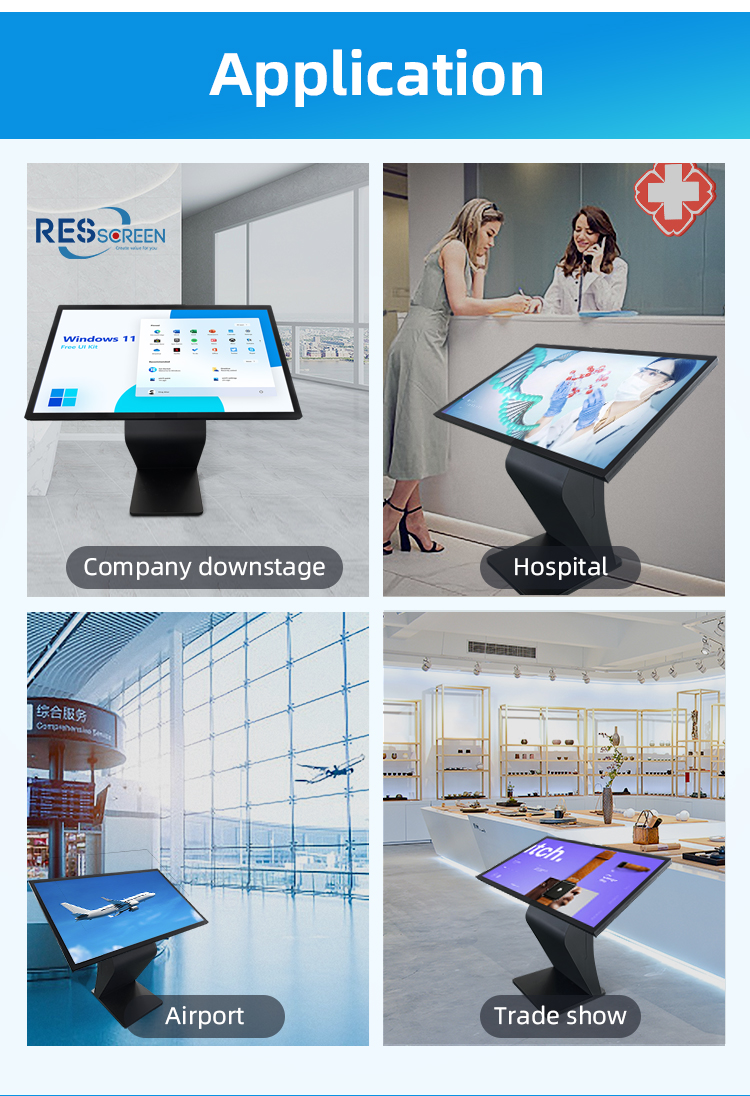
Retail & Shopping Malls
Product information center
Loyalty program station
Virtual shopping assistant
Healthcare Facilities
Patient check-in system
Hospital navigation
Medical information portal
️ Government & Public Services
Citizen information point
Document processing guide
Public notice board
Hospitality Sector
Guest service kiosk
Local attraction guide
Check-in/check-out station
Transportation Hubs
Ticket/inquiry center
Terminal navigation
Schedule information
Retail & Shopping Malls
Product information center
Loyalty program station
Virtual shopping assistant
Healthcare Facilities
Patient check-in system
Hospital navigation
Medical information portal
️ Government & Public Services
Citizen information point
Document processing guide
Public notice board
Hospitality Sector
Guest service kiosk
Local attraction guide
Check-in/check-out station
Transportation Hubs
Ticket/inquiry center
Terminal navigation
Schedule information
1. Q: What is this product, and what is its primary function?
A: This is an all-in-one, self-service information kiosk. It is an interactive station designed to provide information, answer queries, and guide users independently through a large touch screen, without needing staff assistance.
2. Q: What does "all-in-one" mean for this kiosk?
A: "All-in-one" means the entire system is integrated into a single, sleek unit. This includes the high-resolution horizontal LCD display, the powerful computer, the touch screen interface, and the sturdy K-type base, requiring minimal setup and cabling.
3. Q: How is the kiosk set up and installed?
A: The kiosk is a free-standing, floor-standing unit with a stable K-type base. This design provides excellent stability, requires no wall mounting, and can be easily placed in high-traffic areas like lobbies, airports, or malls. Installation typically involves positioning the unit and connecting it to a power source.
4. Q: What is the orientation of the display?
A: The kiosk features a horizontal (landscape) orientation for its display. This format is ideal for presenting wide-layout information such as interactive maps, directories, and multimedia content.
5. Q: Is the screen interactive, and how do users operate it?
A: Yes, the kiosk is fully interactive. It features a responsive touch screen interface, allowing users to navigate through menus, search for information, browse directories, and access services with simple touches and swipes.
6. Q: What kind of queries can this kiosk handle?
A: As a self-service inquiry station, it can handle a wide range of queries. Common uses include wayfinding (maps and directories), product or service lookups, event schedules, FAQ databases, and check-in processes.
7. Q: What are the benefits of the K-type base design?
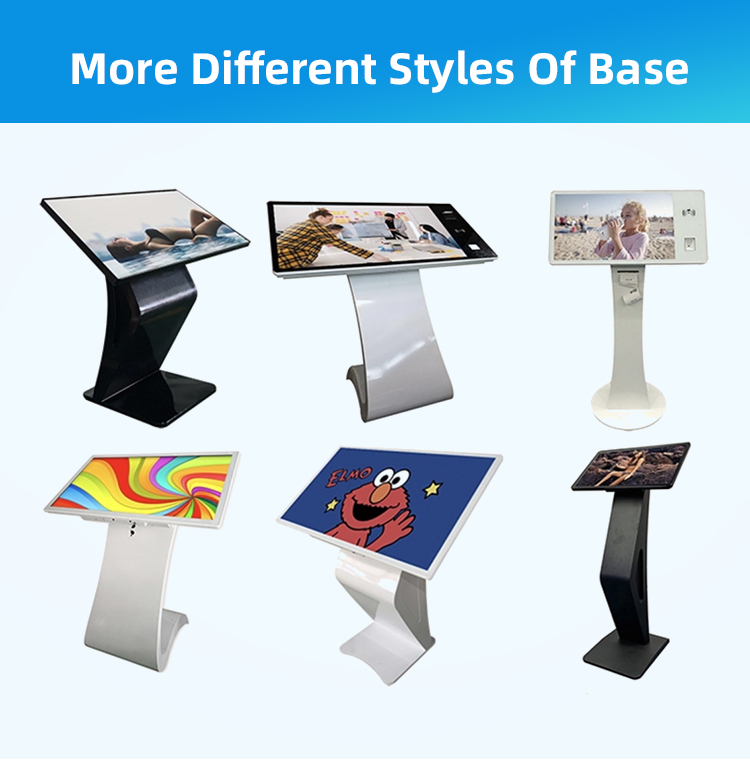
A: The K-type base offers a compact footprint while providing superior stability and weight distribution. This design prevents tipping, makes the kiosk highly durable for public use, and gives it a modern, professional appearance.
8. Q: Can the content and software on the kiosk be customized?
A: Absolutely. The kiosk's software and content are fully customizable to meet your specific branding and informational needs. You can tailor the user interface, information databases, graphics, and functionality.
9. Q: Is this kiosk suitable for outdoor use?
A: Our standard model is designed for indoor use. For outdoor placement, we offer upgraded versions with weatherproof enclosures, sun-readable displays with high brightness, and temperature control systems to ensure reliable operation.
10. Q: What industries are these kiosks best suited for?
A: These kiosks are versatile and perfect for many sectors, including:
Corporate & Office Buildings: Employee and visitor directories.
Retail & Malls: Store locators and promotional information.
Healthcare: Hospital wayfinding and patient check-in.
Hospitality: Hotel directories and concierge services.
Public Venues: Museums, airports, and universities for general information and navigation.
1. Q: What is this product, and what is its primary function?
A: This is an all-in-one, self-service information kiosk. It is an interactive station designed to provide information, answer queries, and guide users independently through a large touch screen, without needing staff assistance.
2. Q: What does "all-in-one" mean for this kiosk?
A: "All-in-one" means the entire system is integrated into a single, sleek unit. This includes the high-resolution horizontal LCD display, the powerful computer, the touch screen interface, and the sturdy K-type base, requiring minimal setup and cabling.
3. Q: How is the kiosk set up and installed?
A: The kiosk is a free-standing, floor-standing unit with a stable K-type base. This design provides excellent stability, requires no wall mounting, and can be easily placed in high-traffic areas like lobbies, airports, or malls. Installation typically involves positioning the unit and connecting it to a power source.
4. Q: What is the orientation of the display?
A: The kiosk features a horizontal (landscape) orientation for its display. This format is ideal for presenting wide-layout information such as interactive maps, directories, and multimedia content.
5. Q: Is the screen interactive, and how do users operate it?
A: Yes, the kiosk is fully interactive. It features a responsive touch screen interface, allowing users to navigate through menus, search for information, browse directories, and access services with simple touches and swipes.
6. Q: What kind of queries can this kiosk handle?
A: As a self-service inquiry station, it can handle a wide range of queries. Common uses include wayfinding (maps and directories), product or service lookups, event schedules, FAQ databases, and check-in processes.
7. Q: What are the benefits of the K-type base design?
A: The K-type base offers a compact footprint while providing superior stability and weight distribution. This design prevents tipping, makes the kiosk highly durable for public use, and gives it a modern, professional appearance.
8. Q: Can the content and software on the kiosk be customized?
A: Absolutely. The kiosk's software and content are fully customizable to meet your specific branding and informational needs. You can tailor the user interface, information databases, graphics, and functionality.
9. Q: Is this kiosk suitable for outdoor use?
A: Our standard model is designed for indoor use. For outdoor placement, we offer upgraded versions with weatherproof enclosures, sun-readable displays with high brightness, and temperature control systems to ensure reliable operation.
10. Q: What industries are these kiosks best suited for?
A: These kiosks are versatile and perfect for many sectors, including:
Corporate & Office Buildings: Employee and visitor directories.
Retail & Malls: Store locators and promotional information.
Healthcare: Hospital wayfinding and patient check-in.
Hospitality: Hotel directories and concierge services.
Public Venues: Museums, airports, and universities for general information and navigation.