Dinosaur D
| size: | |
|---|---|
| tempered glass thickness: | |
| resolution: | |
| view angles: | |
| display color: | |
| contrast: | |
| lifespan: | |
| Availability: | |
| Quantity: | |
Retail-Optimized Display
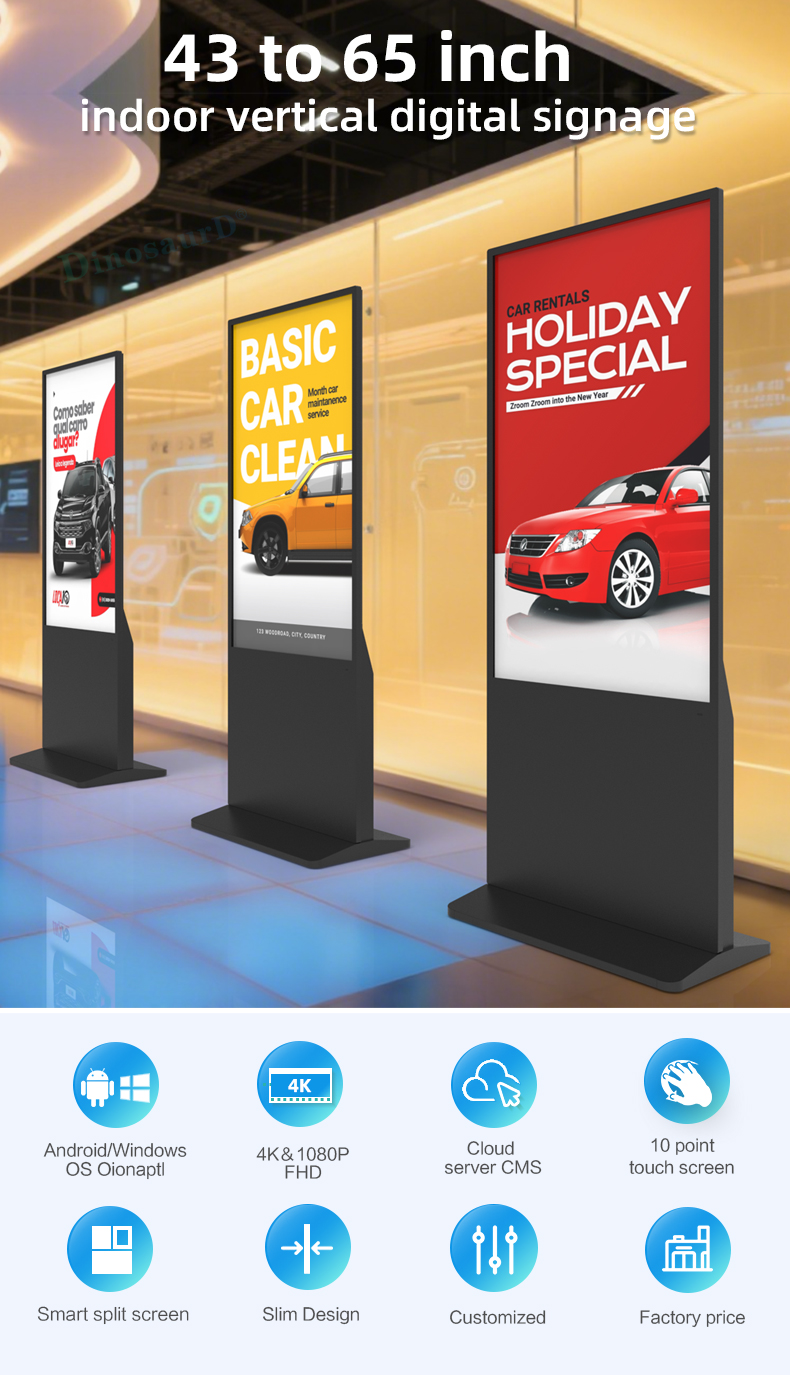
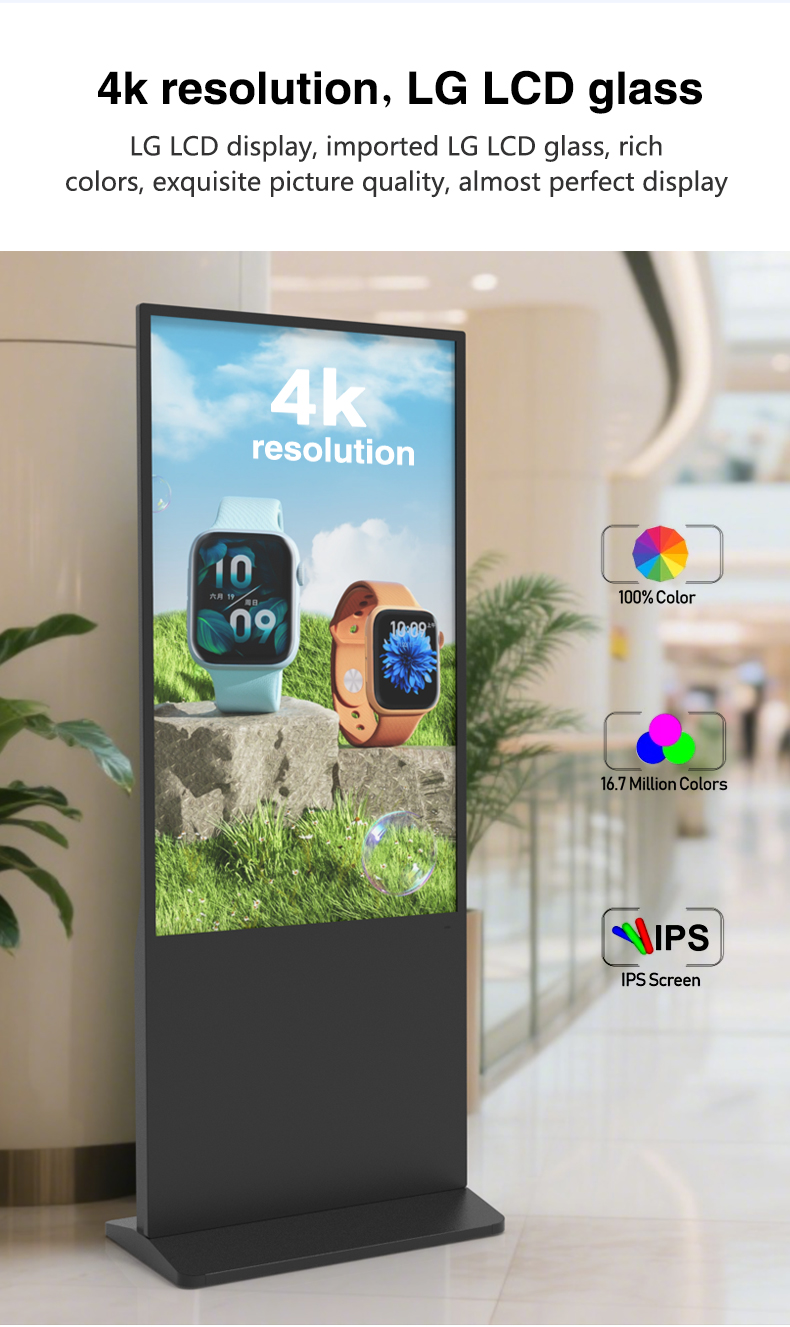
43"/55"/65" vertical LCD screens (4K UHD)
700nit high brightness for mall environments
Glare-resistant IPS panel with wide viewing angles
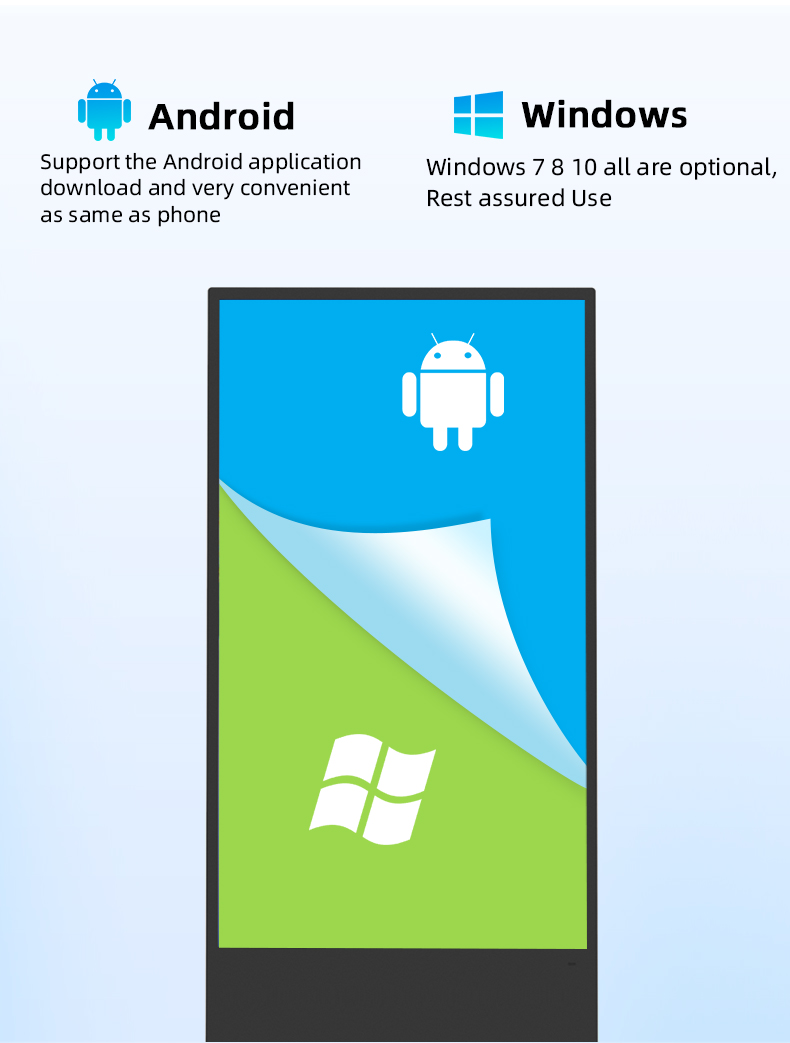
Smart Android Platform
Pre-installed Android 12 Commercial OS
Dedicated retail app marketplace
Secure kiosk mode for single-app operation
✨ Interactive Features
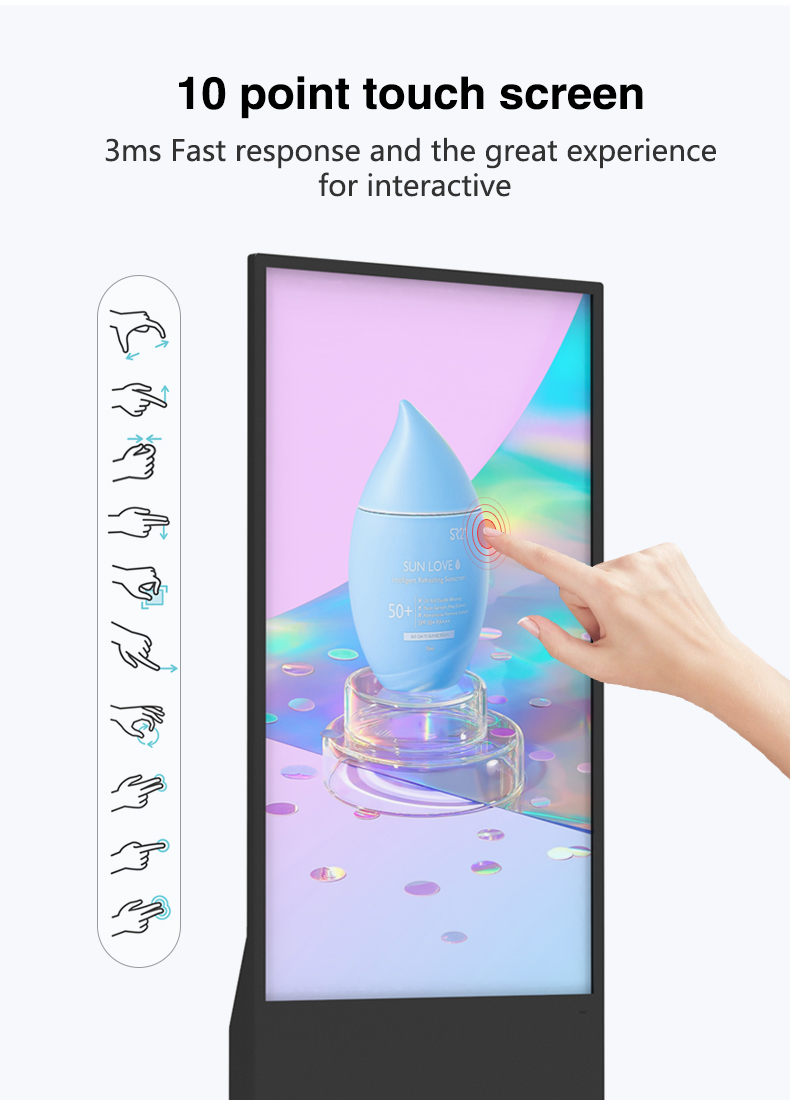
Optional 10-point capacitive touch screen
Built-in NFC for mobile interactions
Voice recognition compatible


Retail-Optimized Display
43"/55"/65" vertical LCD screens (4K UHD)
700nit high brightness for mall environments
Glare-resistant IPS panel with wide viewing angles
Smart Android Platform
Pre-installed Android 12 Commercial OS
Dedicated retail app marketplace
Secure kiosk mode for single-app operation
✨ Interactive Features
Optional 10-point capacitive touch screen
Built-in NFC for mobile interactions
Voice recognition compatible


| screen panel | screen size | 43 inch LCD screen panel | |||||||
| display area | 941.18mm(H)*529.42mm(V) | ||||||||
| product net weight | 40.5KG | ||||||||
| resolution | 1920*1080 | ||||||||
| view angles | 178° horizon, 178 °vertical | ||||||||
| Color | 8-bit | ||||||||
| Contrast | 1200:1 | ||||||||
| Brightness | 350nits | ||||||||
| lifespan | 30000(hrs) | ||||||||
| Display Scale | 16 : 9 | ||||||||
| capacitive touch | Touch mode | Capacitive touch (USB driverless) | |||||||
| Glass surface hardness | Greater than or equal to 6H | ||||||||
| Tempered glass thickness | 4mm tempered | ||||||||
| writing mode | Fingers, touch pens | ||||||||
| Theoretical clicks | More than 600 million single touches | ||||||||
| Touch points are supported | 10 point touch | ||||||||
| Touch precision | 95% of the area positioning error is less than 2mm, and the edge positioning error is less than 5mm | ||||||||
| Power | Input Voltage | AC 100V~240V,50/60HZ | |||||||
| Case color | black | ||||||||
| Storage temparature | (-20℃ -- 60 ℃) | ||||||||
| Operation temparature | (0℃-- 50 ℃) | ||||||||
| Operation humidity | (10 -- 90﹪ ) | ||||||||
| screen panel | screen size | 43 inch LCD screen panel | |||||||
| display area | 941.18mm(H)*529.42mm(V) | ||||||||
| product net weight | 40.5KG | ||||||||
| resolution | 1920*1080 | ||||||||
| view angles | 178° horizon, 178 °vertical | ||||||||
| Color | 8-bit | ||||||||
| Contrast | 1200:1 | ||||||||
| Brightness | 350nits | ||||||||
| lifespan | 30000(hrs) | ||||||||
| Display Scale | 16 : 9 | ||||||||
| capacitive touch | Touch mode | Capacitive touch (USB driverless) | |||||||
| Glass surface hardness | Greater than or equal to 6H | ||||||||
| Tempered glass thickness | 4mm tempered | ||||||||
| writing mode | Fingers, touch pens | ||||||||
| Theoretical clicks | More than 600 million single touches | ||||||||
| Touch points are supported | 10 point touch | ||||||||
| Touch precision | 95% of the area positioning error is less than 2mm, and the edge positioning error is less than 5mm | ||||||||
| Power | Input Voltage | AC 100V~240V,50/60HZ | |||||||
| Case color | black | ||||||||
| Storage temparature | (-20℃ -- 60 ℃) | ||||||||
| Operation temparature | (0℃-- 50 ℃) | ||||||||
| Operation humidity | (10 -- 90﹪ ) | ||||||||
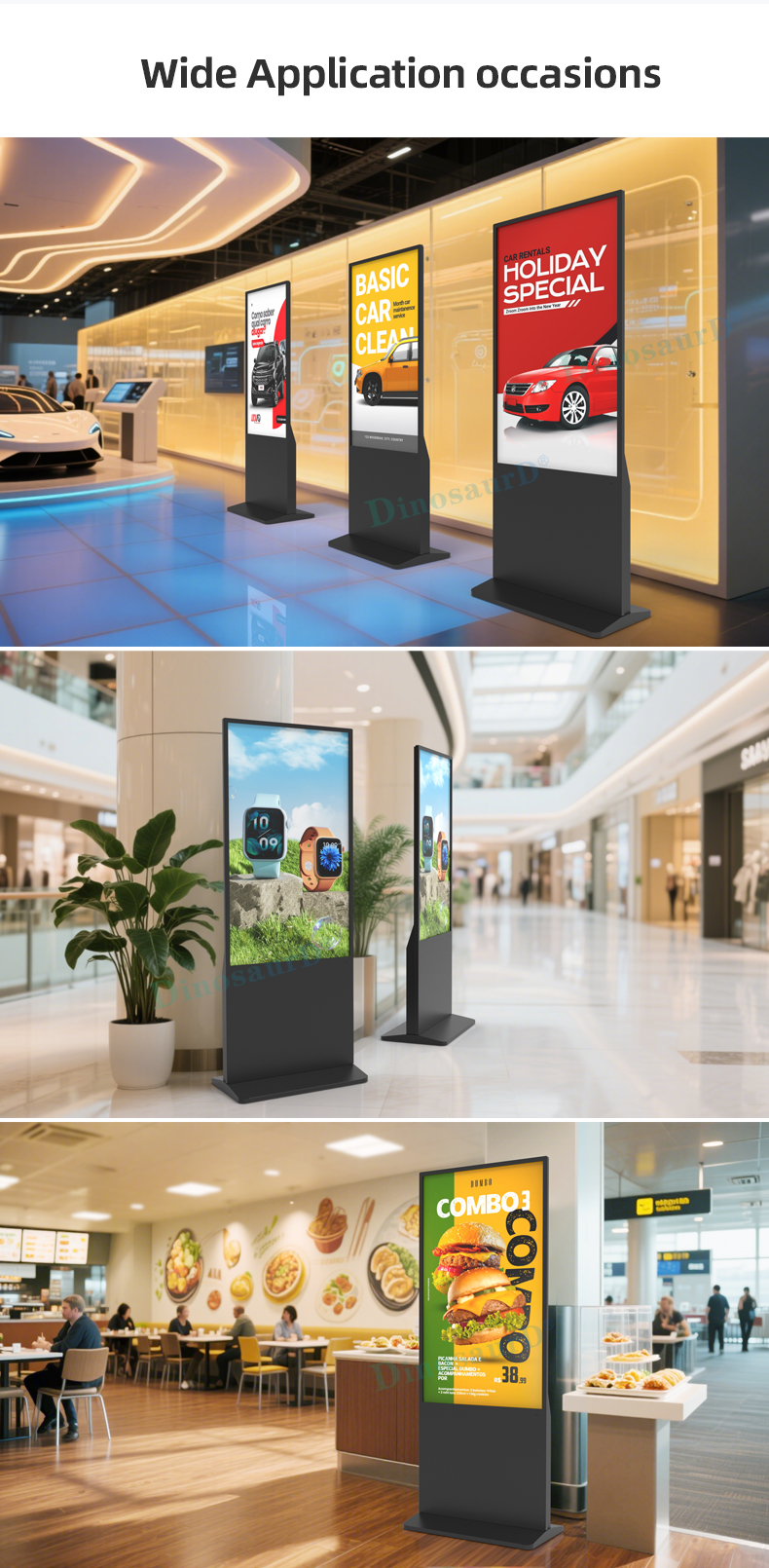
Dynamic Pricing Displays
Real-time price adjustment boards for flash sales
Multi-product comparison walls
"Deal of the Hour" promotional screens
Interactive Product Showcases
Virtual try-on stations for apparel/accessories
360° product rotation displays
"How it works" demonstration videos
Mall Directory Solutions
Interactive tenant locator maps
Event venue direction guides
Parking level assistance displays
Departmental Signage
Smart category navigators
"Find Your Size" interactive charts
New arrival zone indicators
Self-Service Hubs
Gift registry stations
Loyalty program enrollment kiosks
Digital coupon redemption points
Virtual Assistance
Product recommendation engines
Store associate paging systems
Multilingual customer service portals
Seasonal Campaigns
Holiday gift idea walls
Back-to-school product guides
Valentine's Day suggestion displays
Brand Experience Zones
Company heritage interactive timelines
Sustainability story displays
"Meet the Makers" content walls
Data-Driven Displays
Live social media feed integrations
Customer review showcases
"Most Popular" product leaderboards
Dynamic Pricing Displays
Real-time price adjustment boards for flash sales
Multi-product comparison walls
"Deal of the Hour" promotional screens
Interactive Product Showcases
Virtual try-on stations for apparel/accessories
360° product rotation displays
"How it works" demonstration videos
Mall Directory Solutions
Interactive tenant locator maps
Event venue direction guides
Parking level assistance displays
Departmental Signage
Smart category navigators
"Find Your Size" interactive charts
New arrival zone indicators
Self-Service Hubs
Gift registry stations
Loyalty program enrollment kiosks
Digital coupon redemption points
Virtual Assistance
Product recommendation engines
Store associate paging systems
Multilingual customer service portals
Seasonal Campaigns
Holiday gift idea walls
Back-to-school product guides
Valentine's Day suggestion displays
Brand Experience Zones
Company heritage interactive timelines
Sustainability story displays
"Meet the Makers" content walls
Data-Driven Displays
Live social media feed integrations
Customer review showcases
"Most Popular" product leaderboards
Q1: What is an Android Digital Poster, and how is it different from a regular TV?
A1: An Android Digital Poster is a complete, commercial-grade signage system. Unlike a consumer TV, it features a high-brightness LCD screen optimized for vertical (portrait) viewing, a built-in Android media player for standalone operation, and a sturdy floor stand. It is designed for 24/7 use, remote management, and to run specialized digital signage apps, making it perfect for dynamic advertising in public spaces.
Q2: Does the system require a separate computer or external player?
A2: No, it is an all-in-one solution. Each unit has an integrated Android media player (similar to a smart TV box) built directly into the display. You can install apps, play content, and manage the screen directly from the device or remotely via the internet, eliminating the need for an external PC or media stick.
Q3: How do I update and manage the advertising content on the screen?
A3: Content can be managed in several flexible ways:
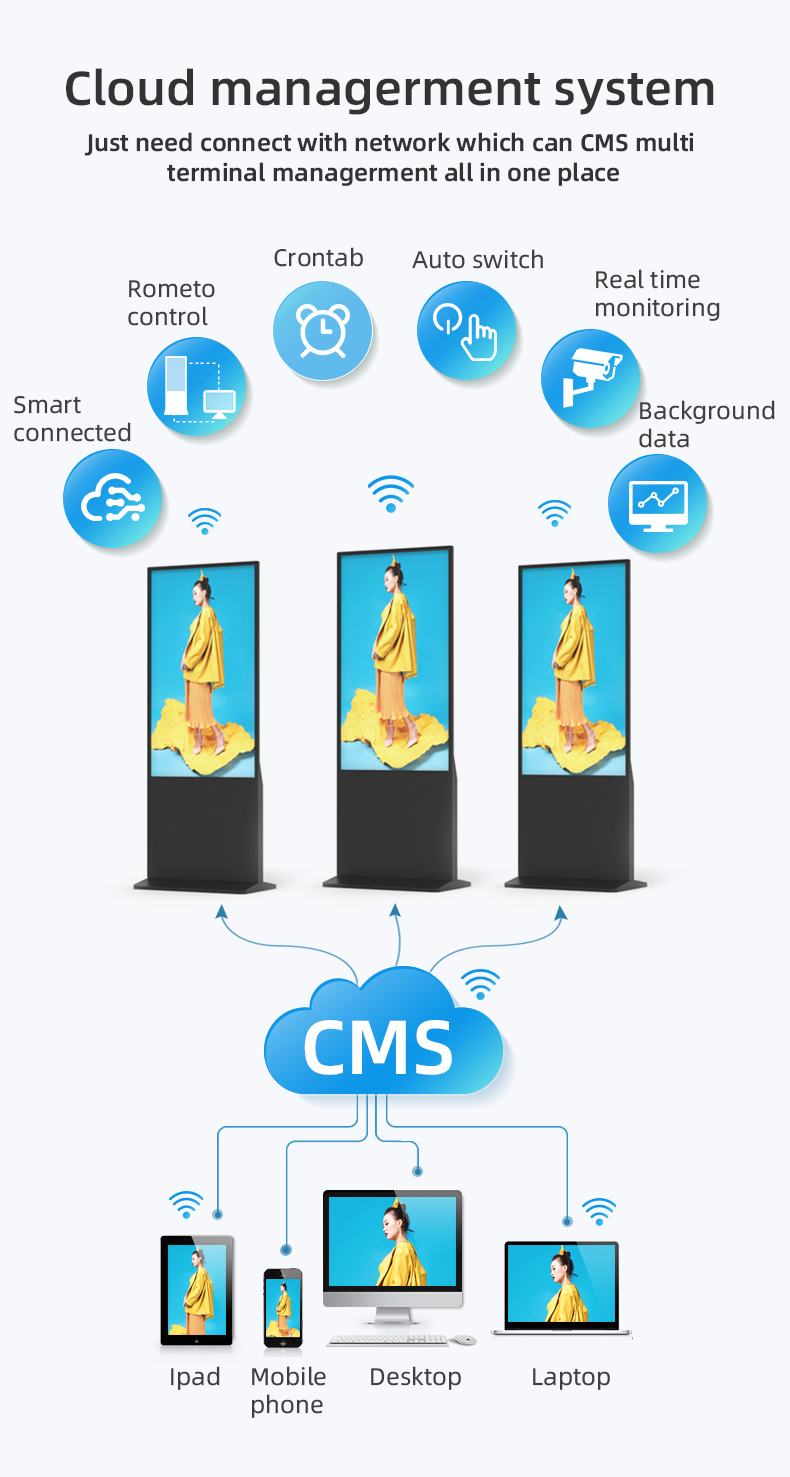
Via Digital Signage Apps: Install apps like Yodeck, ScreenCloud, or PosterLab from the Google Play Store for cloud-based management.
Remotely via Network: Use Android remote desktop tools or file-sharing apps over Wi-Fi/Ethernet.
Locally: Update via USB drive or directly on the device.
We can recommend free and paid CMS (Content Management System) options based on your needs.
Q4: Can the screen run all day without overheating or image retention (burn-in)?
A4: Yes. These are commercial-grade displays designed for continuous operation. They feature robust cooling systems and LCD technology that is resistant to image burn-in, ensuring reliable performance during extended business hours in retail environments.
Q5: Is the floor stand included, and is it secure in high-traffic areas like malls?
A5: Yes, a professional floor stand is included with every unit. It is designed with a low center of gravity, sturdy metal construction, and often includes features like a locking cabinet or cable management to enhance stability and security in busy public areas.
Q6: What are the primary benefits of a vertical (portrait) screen for retail advertising?
A6: The vertical format is ideal for retail because it:
Matches Natural Viewing: Perfect for displaying product catalogs, fashion lookbooks, promotions, and menus the way they are designed.
Saves Floor Space: Occupies a smaller footprint than a horizontal screen.
Captures Attention: Its unique shape stands out more effectively in store aisles, entrances, and window displays.
Q7: What connectivity options does it have?
A7: Standard connectivity includes:
Wi-Fi & Ethernet (RJ45): For internet and network access.
USB Ports: For local media playback and peripheral connection (e.g., barcode scanner for interactive use).
HDMI Input: Optional connection for external devices like a laptop.
Audio Output: For sound.
Q8: Can I install my own Android apps, like a web browser or social media apps?
A8: Absolutely. As a full Android device, you can access the Google Play Store (or a pre-configured alternative app store) to install a wide range of apps, including browsers, social media feeds, loyalty apps, or custom business applications, making it highly versatile.
Q9: What screen sizes and resolutions are available for retail stores?
A9: We offer models optimized for retail spaces, commonly in sizes of 43”, 49”, 55”, and 65”. They are available in either Full HD (1920x1080) or 4K Ultra HD (3840x2160) resolution to ensure your promotional content looks sharp and vibrant.
Q10: Do you offer a warranty, and what if I need technical help setting it up?
A10: We provide a comprehensive commercial warranty (typically 2-3 years on the panel and 1 year on components). We also offer detailed setup guides, video tutorials, and optional professional setup services. Technical support is available via email and phone to ensure your digital signage operates smoothly.
Q1: What is an Android Digital Poster, and how is it different from a regular TV?
A1: An Android Digital Poster is a complete, commercial-grade signage system. Unlike a consumer TV, it features a high-brightness LCD screen optimized for vertical (portrait) viewing, a built-in Android media player for standalone operation, and a sturdy floor stand. It is designed for 24/7 use, remote management, and to run specialized digital signage apps, making it perfect for dynamic advertising in public spaces.
Q2: Does the system require a separate computer or external player?
A2: No, it is an all-in-one solution. Each unit has an integrated Android media player (similar to a smart TV box) built directly into the display. You can install apps, play content, and manage the screen directly from the device or remotely via the internet, eliminating the need for an external PC or media stick.
Q3: How do I update and manage the advertising content on the screen?
A3: Content can be managed in several flexible ways:
Via Digital Signage Apps: Install apps like Yodeck, ScreenCloud, or PosterLab from the Google Play Store for cloud-based management.
Remotely via Network: Use Android remote desktop tools or file-sharing apps over Wi-Fi/Ethernet.
Locally: Update via USB drive or directly on the device.
We can recommend free and paid CMS (Content Management System) options based on your needs.
Q4: Can the screen run all day without overheating or image retention (burn-in)?
A4: Yes. These are commercial-grade displays designed for continuous operation. They feature robust cooling systems and LCD technology that is resistant to image burn-in, ensuring reliable performance during extended business hours in retail environments.
Q5: Is the floor stand included, and is it secure in high-traffic areas like malls?
A5: Yes, a professional floor stand is included with every unit. It is designed with a low center of gravity, sturdy metal construction, and often includes features like a locking cabinet or cable management to enhance stability and security in busy public areas.
Q6: What are the primary benefits of a vertical (portrait) screen for retail advertising?
A6: The vertical format is ideal for retail because it:
Matches Natural Viewing: Perfect for displaying product catalogs, fashion lookbooks, promotions, and menus the way they are designed.
Saves Floor Space: Occupies a smaller footprint than a horizontal screen.
Captures Attention: Its unique shape stands out more effectively in store aisles, entrances, and window displays.
Q7: What connectivity options does it have?
A7: Standard connectivity includes:
Wi-Fi & Ethernet (RJ45): For internet and network access.
USB Ports: For local media playback and peripheral connection (e.g., barcode scanner for interactive use).
HDMI Input: Optional connection for external devices like a laptop.
Audio Output: For sound.
Q8: Can I install my own Android apps, like a web browser or social media apps?
A8: Absolutely. As a full Android device, you can access the Google Play Store (or a pre-configured alternative app store) to install a wide range of apps, including browsers, social media feeds, loyalty apps, or custom business applications, making it highly versatile.
Q9: What screen sizes and resolutions are available for retail stores?
A9: We offer models optimized for retail spaces, commonly in sizes of 43”, 49”, 55”, and 65”. They are available in either Full HD (1920x1080) or 4K Ultra HD (3840x2160) resolution to ensure your promotional content looks sharp and vibrant.
Q10: Do you offer a warranty, and what if I need technical help setting it up?
A10: We provide a comprehensive commercial warranty (typically 2-3 years on the panel and 1 year on components). We also offer detailed setup guides, video tutorials, and optional professional setup services. Technical support is available via email and phone to ensure your digital signage operates smoothly.