Dinosaur D
| size: | |
|---|---|
| tempered glass thickness: | |
| resolution: | |
| view angles: | |
| display color: | |
| contrast: | |
| lifespan: | |
| Availability: | |
| Quantity: | |
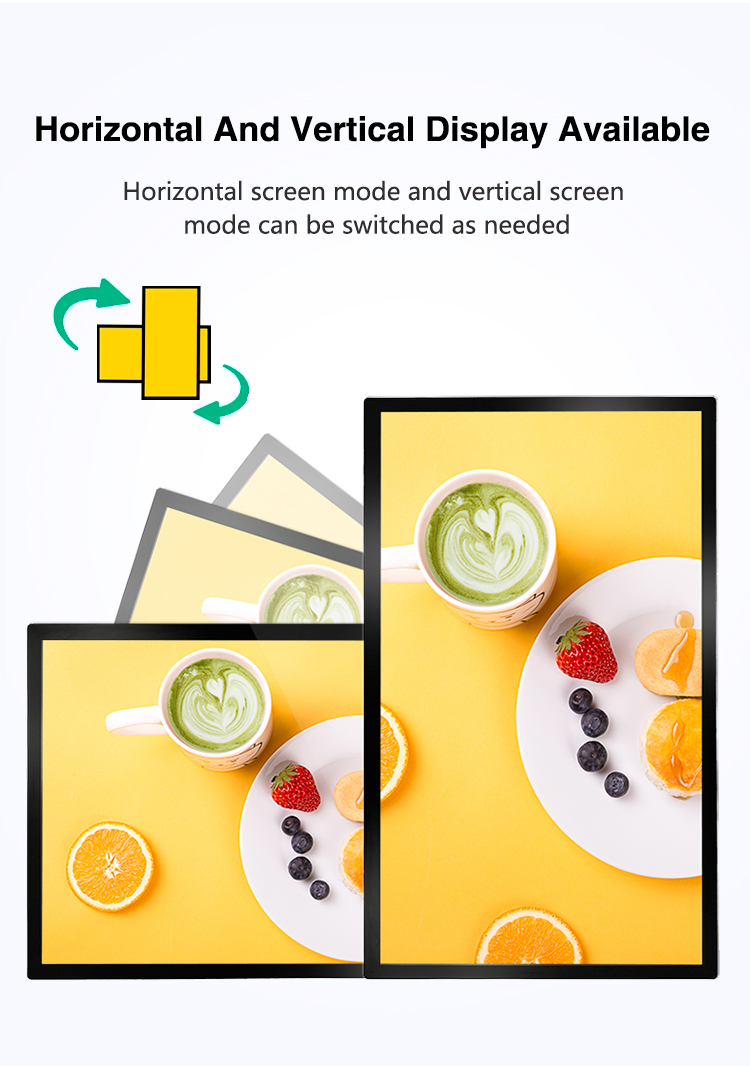
✔ Dual-Orientation Display – Supports both portrait & landscape modes
✔ Ultra-Slim Profile – Minimalist design (≤5cm depth) for confined spaces
✔ High-Brightness LCD Panel – 400–1500 nits (adjustable for indoor lighting)
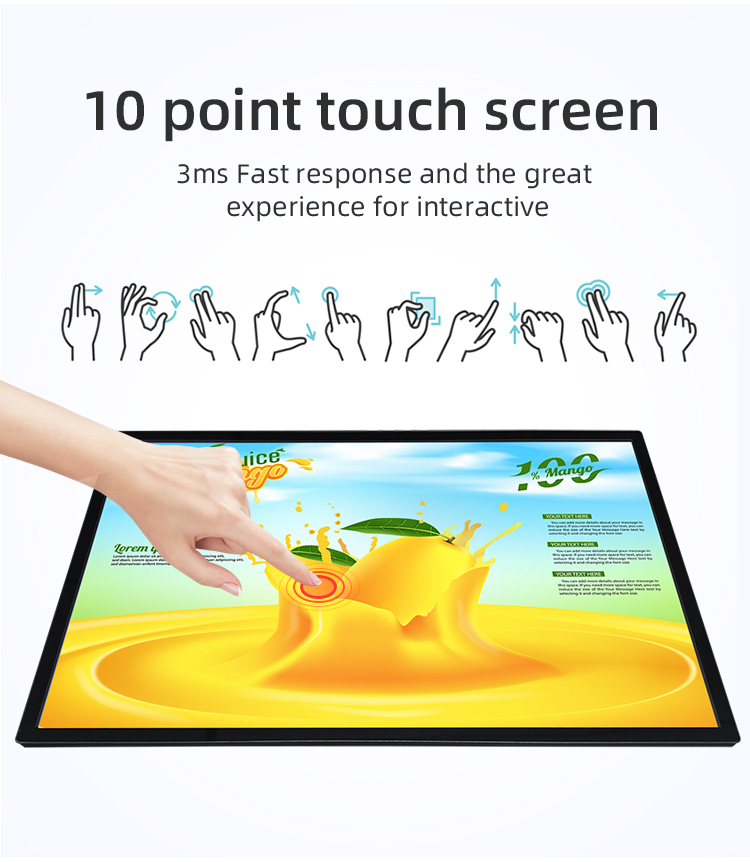
✔ Touchscreen Options – 10-point capacitive or infrared touch
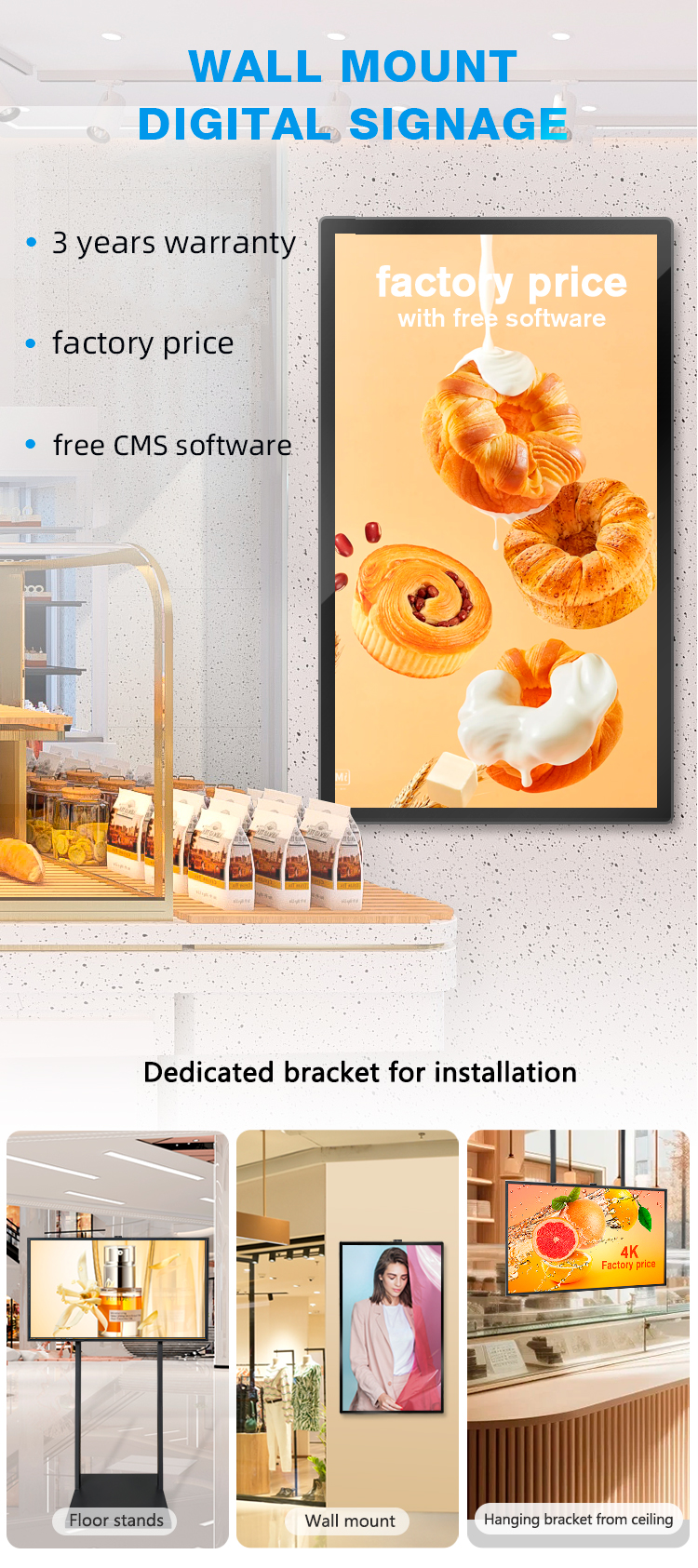
✔ Wall-Mount & Embedded Installation – VESA compatible or flush-mounted
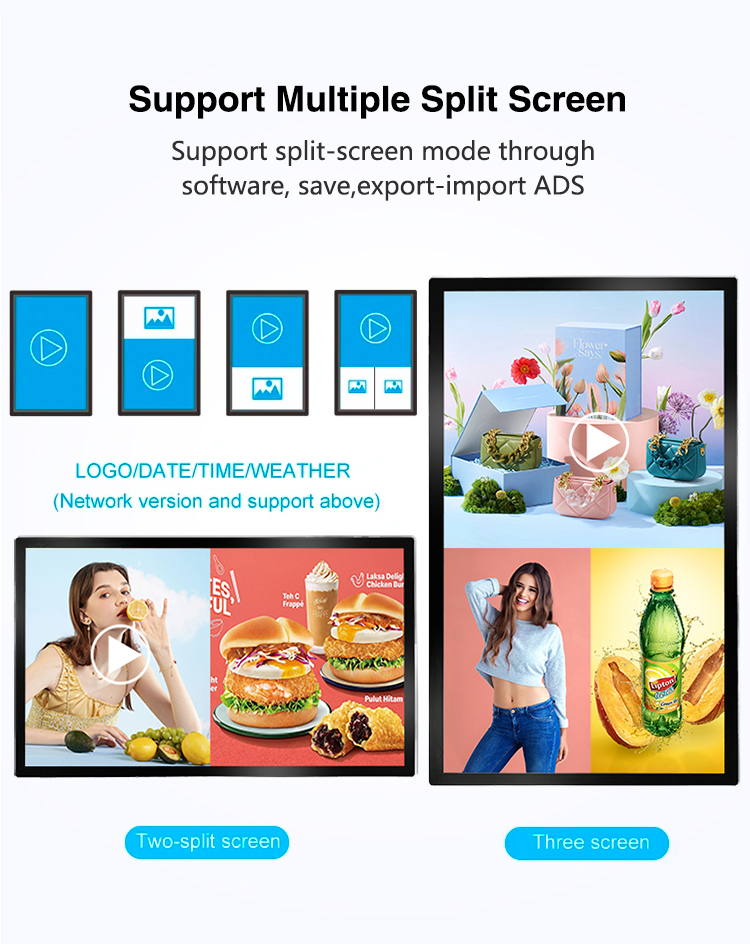
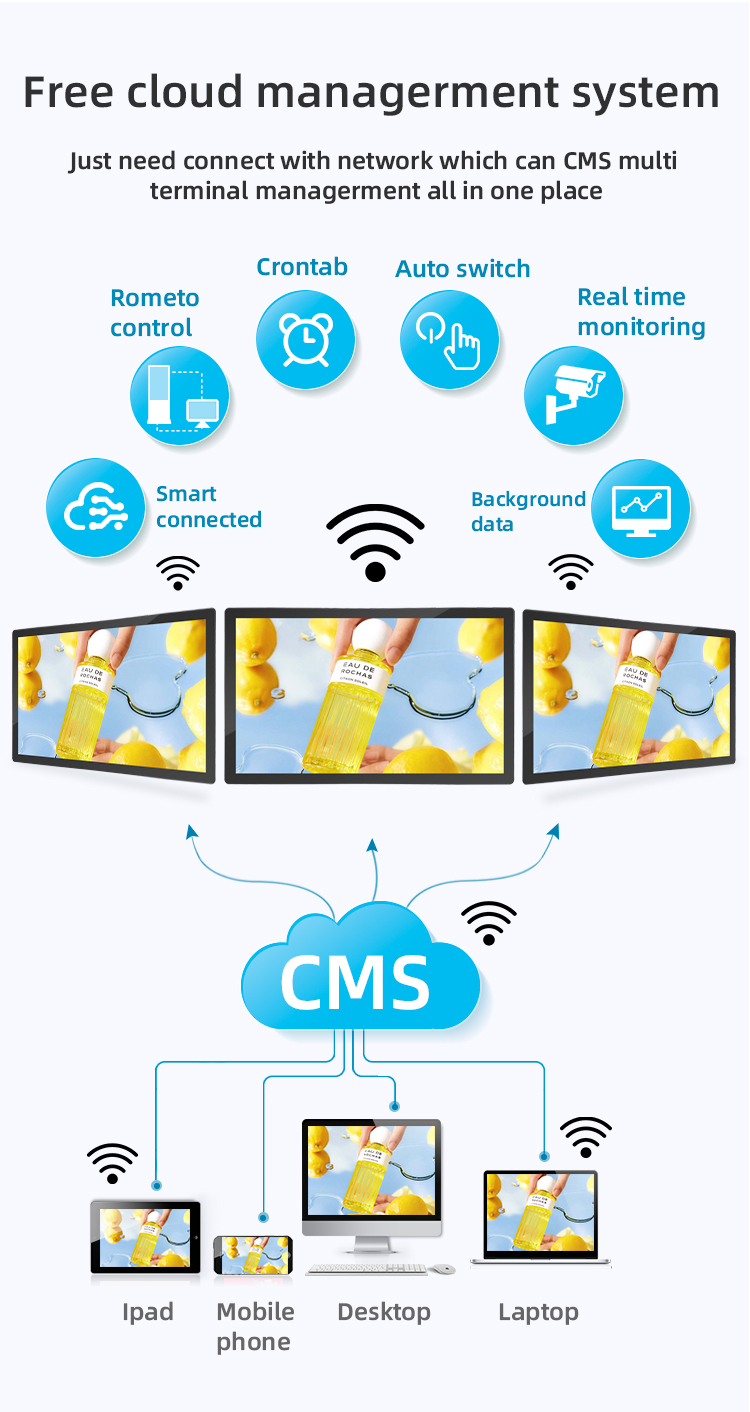
✔ Free CMS Software – Remote content management via cloud/web


✔ Dual-Orientation Display – Supports both portrait & landscape modes
✔ Ultra-Slim Profile – Minimalist design (≤5cm depth) for confined spaces
✔ High-Brightness LCD Panel – 400–1500 nits (adjustable for indoor lighting)
✔ Touchscreen Options – 10-point capacitive or infrared touch
✔ Wall-Mount & Embedded Installation – VESA compatible or flush-mounted
✔ Free CMS Software – Remote content management via cloud/web


| screen panel specification | screen size | 55 inch LCD screen panel | ||||
| display area | 1210.6mm(H)*681.5(V)mm | |||||
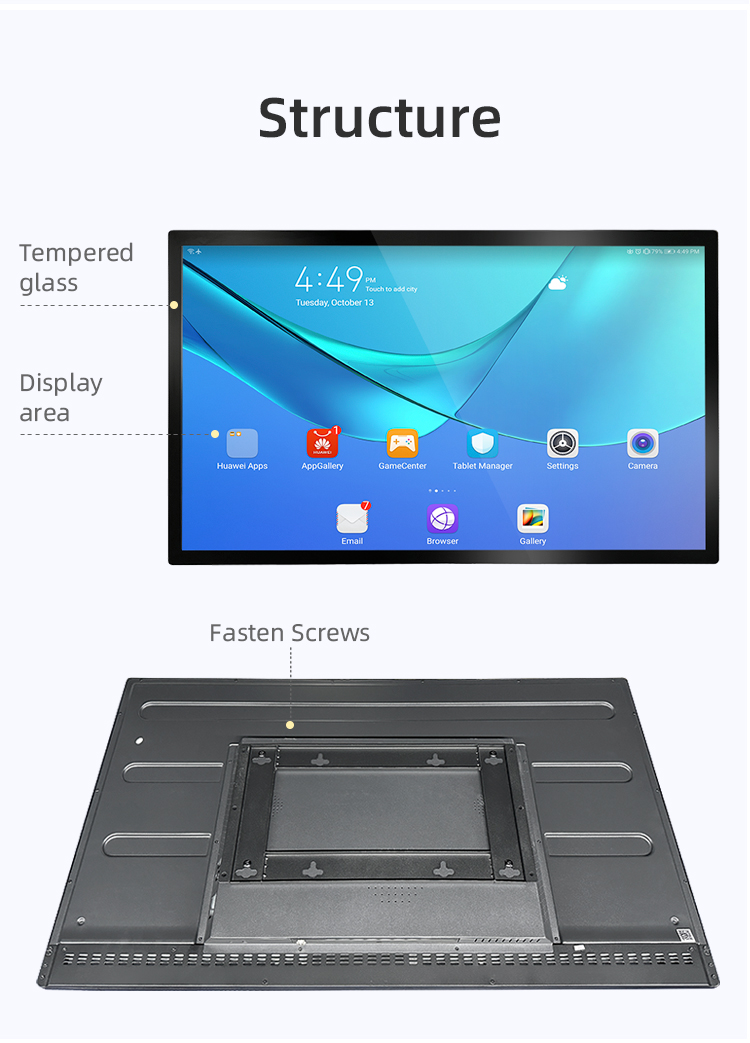
| Tempered glass thickness | 3mm | |||||
| Drive screen voltage | 12V | |||||
| Backlight type | ELED | |||||
| resolution | 1920*1080 | |||||
| view angles | 178° horizon, 178 °vertical | |||||
| Display color | 16.7M | |||||
| Contrast | 1200:1 | |||||
| Brightness | 450nits | |||||
| Response time | 8ms | |||||
| lifespan | 30000(hrs) | |||||
| Display Scale | 16 : 9 | |||||
| product net weight | 26.5KG | |||||
| product dimension | 1255.2mm*726.2mm*58.1mm | |||||
| Wall mount size | 400mm*400mm | |||||
| installation screw specifications | M6*12 4PCS | |||||
| Power | Input Voltage | AC 100V~240V,50/60HZ | ||||
| Case color | black | |||||
| Backlight power consumption | 76W | |||||
| Storage temparature | (-20℃ -- 60 ℃) | |||||
| Operation temparature | (0℃-- 50 ℃) | |||||
| Operation humidity | (10 -- 90﹪ ) | |||||
| screen panel specification | screen size | 55 inch LCD screen panel | ||||
| display area | 1210.6mm(H)*681.5(V)mm | |||||
| Tempered glass thickness | 3mm | |||||
| Drive screen voltage | 12V | |||||
| Backlight type | ELED | |||||
| resolution | 1920*1080 | |||||
| view angles | 178° horizon, 178 °vertical | |||||
| Display color | 16.7M | |||||
| Contrast | 1200:1 | |||||
| Brightness | 450nits | |||||
| Response time | 8ms | |||||
| lifespan | 30000(hrs) | |||||
| Display Scale | 16 : 9 | |||||
| product net weight | 26.5KG | |||||
| product dimension | 1255.2mm*726.2mm*58.1mm | |||||
| Wall mount size | 400mm*400mm | |||||
| installation screw specifications | M6*12 4PCS | |||||
| Power | Input Voltage | AC 100V~240V,50/60HZ | ||||
| Case color | black | |||||
| Backlight power consumption | 76W | |||||
| Storage temparature | (-20℃ -- 60 ℃) | |||||
| Operation temparature | (0℃-- 50 ℃) | |||||
| Operation humidity | (10 -- 90﹪ ) | |||||
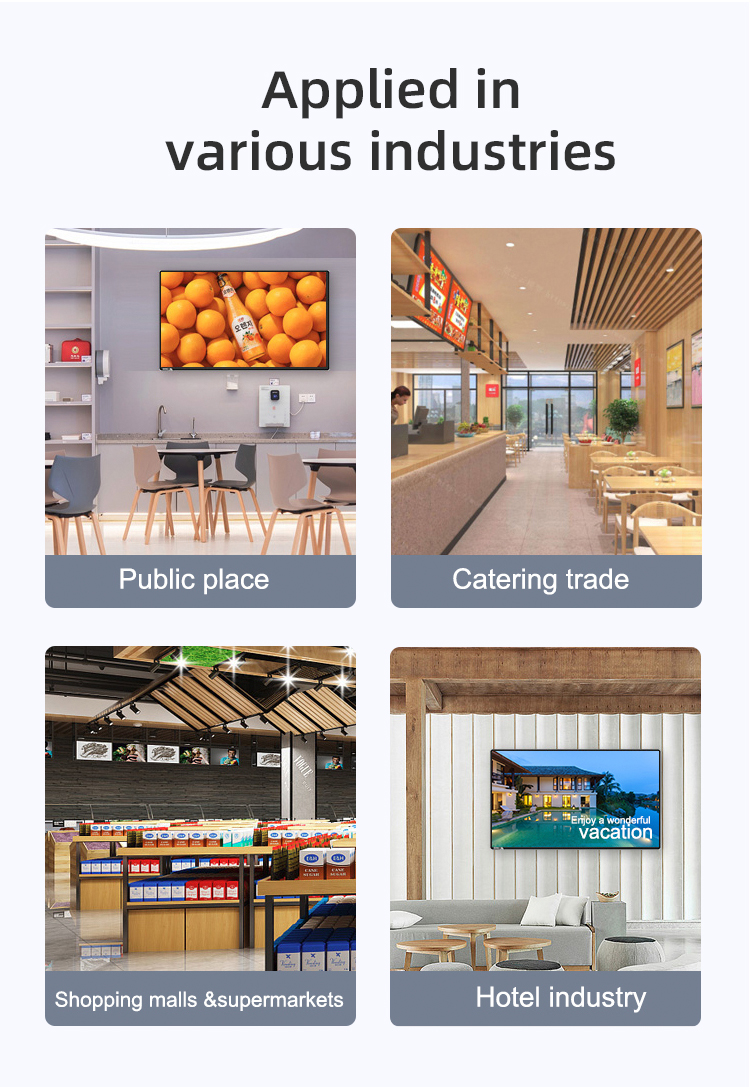
✅ Restaurants & Cafés – Digital menu boards, self-ordering kiosks
✅ Retail Stores – Product promotions, interactive catalogs
✅ Elevators & Lobbies – Advertising, building information
✅ Corporate Spaces – Digital directories, meeting room signs
✅ Hospitality – Hotel information panels, event schedules
✅ Restaurants & Cafés – Digital menu boards, self-ordering kiosks
✅ Retail Stores – Product promotions, interactive catalogs
✅ Elevators & Lobbies – Advertising, building information
✅ Corporate Spaces – Digital directories, meeting room signs
✅ Hospitality – Hotel information panels, event schedules
1. Can the screen orientation be changed from vertical to horizontal?
Yes, absolutely. Our displays support both vertical (portrait) and horizontal (landscape) orientations. You can easily change the setting through the on-screen display (OSD) menu or remotely via the content management software to best suit your content, whether it's a tall menu or a wide promotional video.
2. How thin is the "ultra-thin" display, and what are the benefits?
The display is designed with a slim profile, typically less than 2 inches deep. This ultra-thin design allows for sleek, modern, and space-saving installation in tight areas like elevator cabs, behind counters, or on narrow pillars, enhancing your space without being obtrusive.
3. Is this display suitable for use as an interactive digital menu?
Yes, it is an ideal solution for a digital menu. The high-brightness LCD ensures clarity even in well-lit restaurants, and the responsive touch screen allows customers to browse items, filter by category (e.g., gluten-free, vegan), and even see high-quality images of your dishes.
4. How is the display mounted on a wall or in an elevator?
The display is compatible with standard VESA mount patterns. We offer a variety of optional mounting brackets, including low-profile wall mounts and specialized elevator mounts, to ensure a secure and professional installation in any environment.
5. What kind of content can I show, and how do I update it?
You can display dynamic content like menus, daily specials, promotional videos, social media feeds, and branding images. Updates are made easily through a web-based Content Management System (CMS). Change your menu or promotions from anywhere, and the screens will update automatically.
6. How durable is the touch screen for high-traffic areas like a store or restaurant?
The screen is made with tempered glass and is designed for commercial use. It is scratch-resistant and can withstand frequent interaction from customers, making it perfect for high-traffic environments. We also offer optional protective screen overlays for extra durability.
7. Can the display be seen clearly in brightly lit spaces?
Yes. Our displays feature high-brightness panels and anti-glare coatings to ensure excellent visibility and readability, even in direct sunlight or under strong store lighting, preventing washout and ensuring your content always looks vibrant.
8. How does the interactive feature work in an elevator installation?
In an elevator, the screen can serve as an interactive information point. While it cannot control the elevator mechanics, it can be programmed to show building directories, news, weather, safety information, or advertisements that users can tap through during their ride.
9. Do I need a separate computer to run the display?
No. This is an all-in-one solution with a built-in media player. It connects directly to your network (via Wi-Fi or Ethernet) and pulls content from the cloud, so no external PC or additional hardware is required for basic operation.
10. Is the software user-friendly for someone without technical skills?
Yes. Our Content Management System (CMS) is designed to be intuitive and user-friendly. It features a simple drag-and-drop interface, pre-designed templates, and straightforward scheduling tools, allowing your staff to manage content with minimal training.
1. Can the screen orientation be changed from vertical to horizontal?
Yes, absolutely. Our displays support both vertical (portrait) and horizontal (landscape) orientations. You can easily change the setting through the on-screen display (OSD) menu or remotely via the content management software to best suit your content, whether it's a tall menu or a wide promotional video.
2. How thin is the "ultra-thin" display, and what are the benefits?
The display is designed with a slim profile, typically less than 2 inches deep. This ultra-thin design allows for sleek, modern, and space-saving installation in tight areas like elevator cabs, behind counters, or on narrow pillars, enhancing your space without being obtrusive.
3. Is this display suitable for use as an interactive digital menu?
Yes, it is an ideal solution for a digital menu. The high-brightness LCD ensures clarity even in well-lit restaurants, and the responsive touch screen allows customers to browse items, filter by category (e.g., gluten-free, vegan), and even see high-quality images of your dishes.
4. How is the display mounted on a wall or in an elevator?
The display is compatible with standard VESA mount patterns. We offer a variety of optional mounting brackets, including low-profile wall mounts and specialized elevator mounts, to ensure a secure and professional installation in any environment.
5. What kind of content can I show, and how do I update it?
You can display dynamic content like menus, daily specials, promotional videos, social media feeds, and branding images. Updates are made easily through a web-based Content Management System (CMS). Change your menu or promotions from anywhere, and the screens will update automatically.
6. How durable is the touch screen for high-traffic areas like a store or restaurant?
The screen is made with tempered glass and is designed for commercial use. It is scratch-resistant and can withstand frequent interaction from customers, making it perfect for high-traffic environments. We also offer optional protective screen overlays for extra durability.
7. Can the display be seen clearly in brightly lit spaces?
Yes. Our displays feature high-brightness panels and anti-glare coatings to ensure excellent visibility and readability, even in direct sunlight or under strong store lighting, preventing washout and ensuring your content always looks vibrant.
8. How does the interactive feature work in an elevator installation?
In an elevator, the screen can serve as an interactive information point. While it cannot control the elevator mechanics, it can be programmed to show building directories, news, weather, safety information, or advertisements that users can tap through during their ride.
9. Do I need a separate computer to run the display?
No. This is an all-in-one solution with a built-in media player. It connects directly to your network (via Wi-Fi or Ethernet) and pulls content from the cloud, so no external PC or additional hardware is required for basic operation.
10. Is the software user-friendly for someone without technical skills?
Yes. Our Content Management System (CMS) is designed to be intuitive and user-friendly. It features a simple drag-and-drop interface, pre-designed templates, and straightforward scheduling tools, allowing your staff to manage content with minimal training.