Dinosaur D
| size: | |
|---|---|
| tempered glass thickness: | |
| resolution: | |
| view angles: | |
| display color: | |
| contrast: | |
| lifespan: | |
| Availability: | |
| Quantity: | |
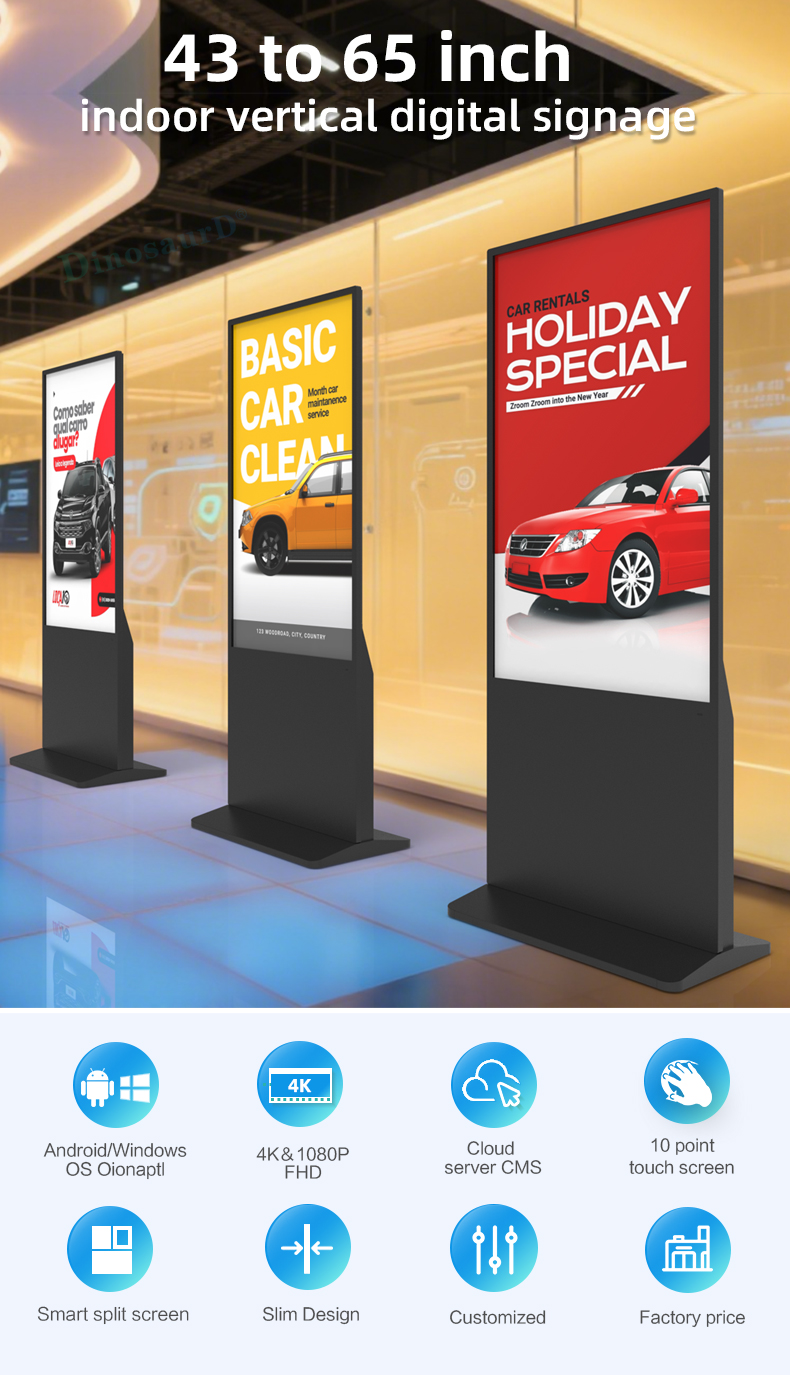
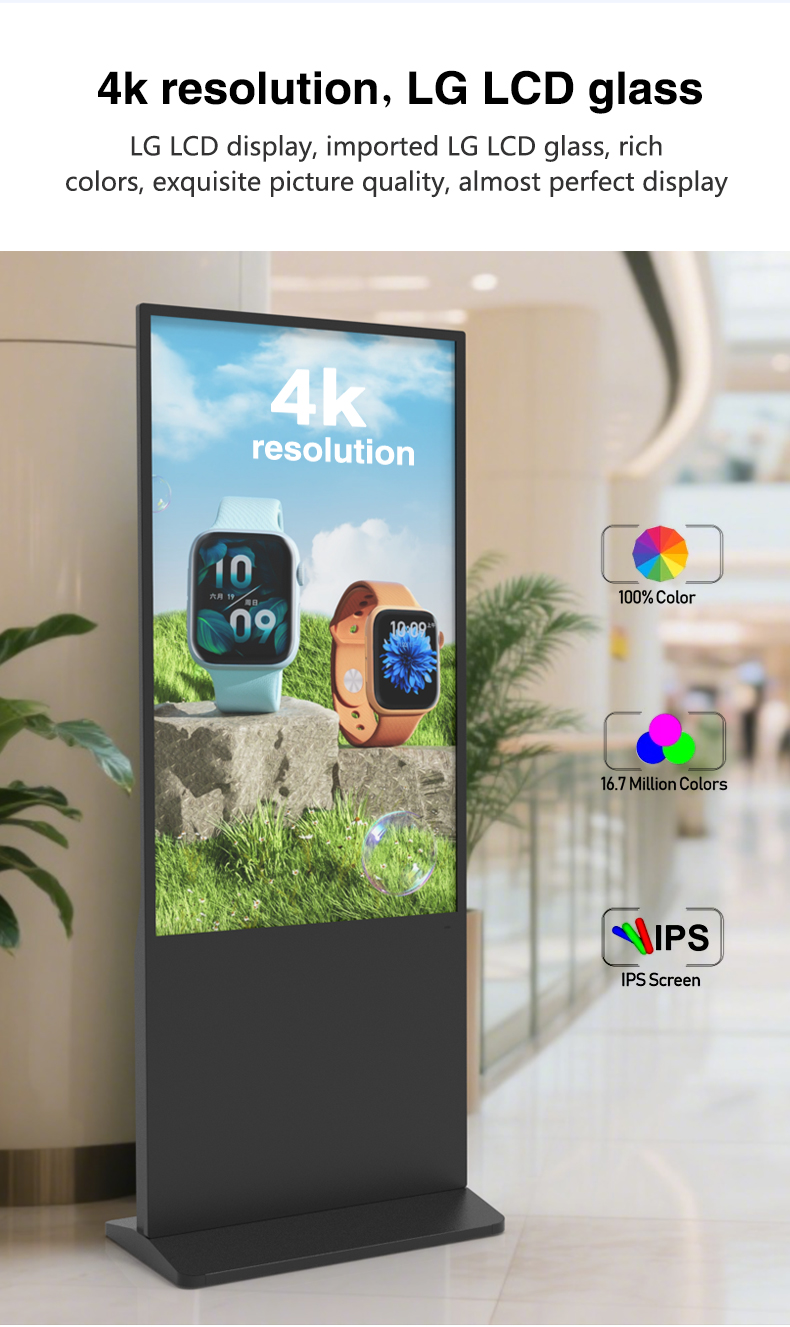
Brilliant 4K Ultra HD Display
Experience stunning visual impact with commercial-grade LCD screens that deliver 4K resolution (3840 x 2160 pixels). This ensures razor-sharp clarity for videos, high-resolution pictures, and detailed graphics, captivating audiences from any distance.
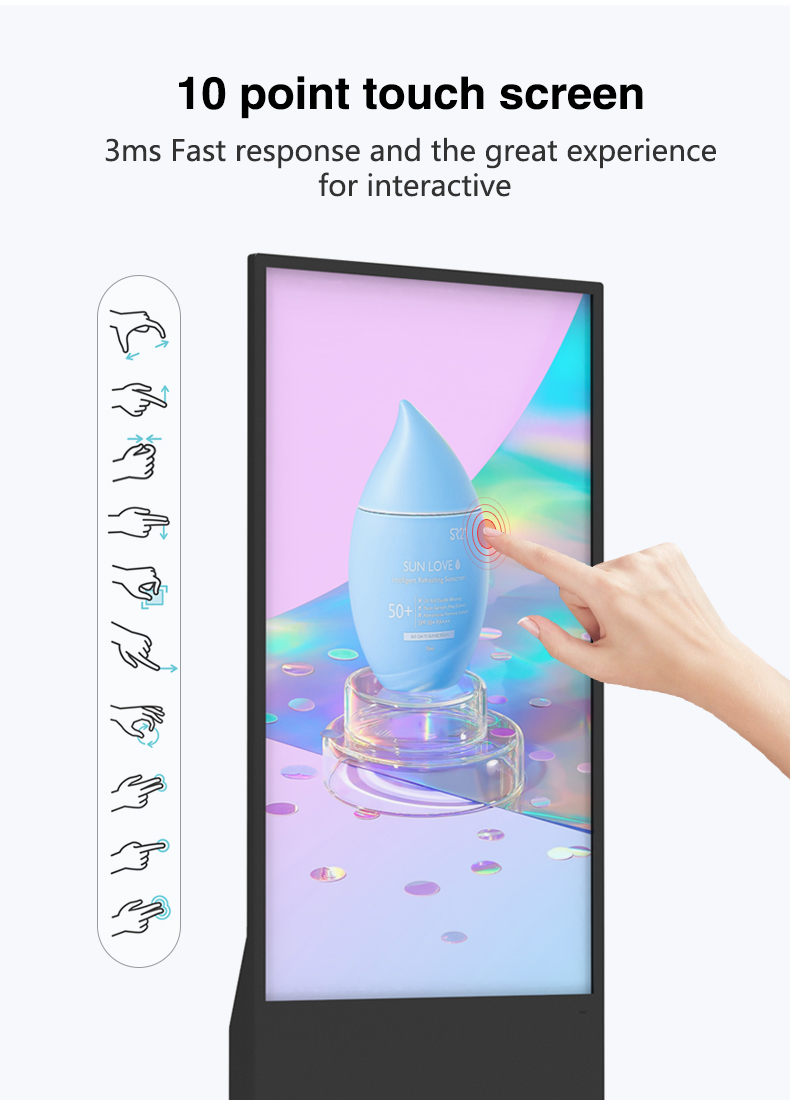
Immersive Interactive Touch Experience
Engage your audience with advanced multi-touch technology. The responsive touchscreen enables intuitive user interaction—perfect for browsing catalogs, navigating maps, playing games, or exploring interactive product demos.
All-in-One Smart Media Player
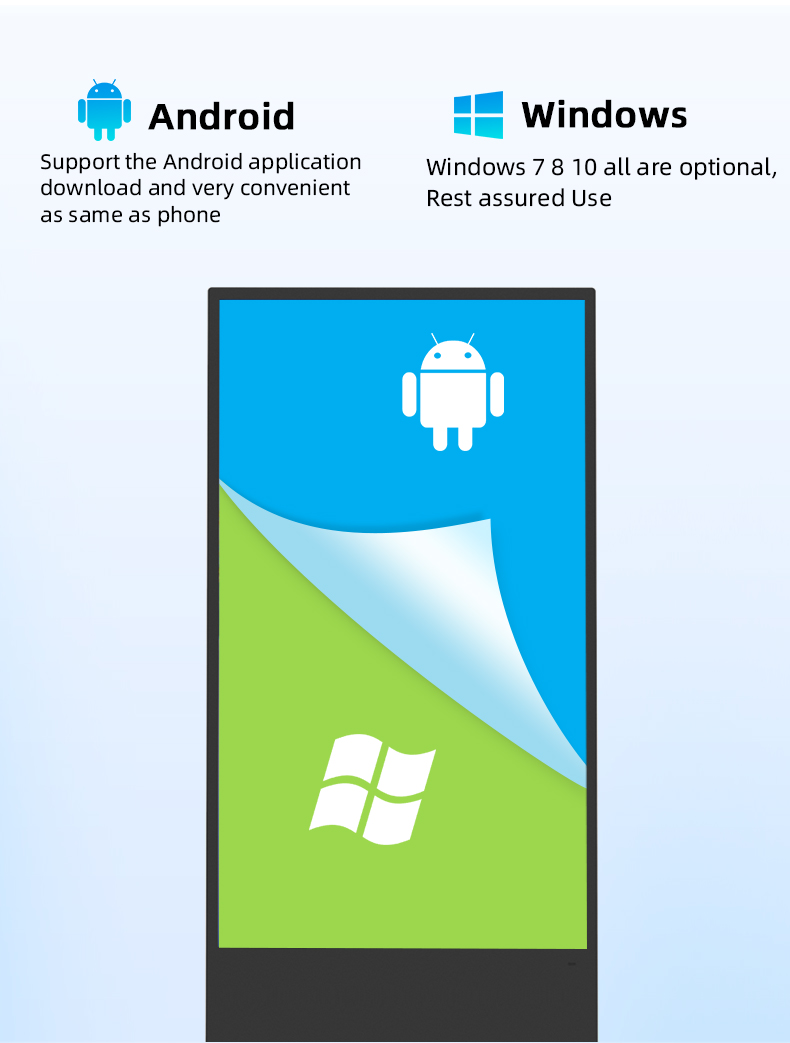
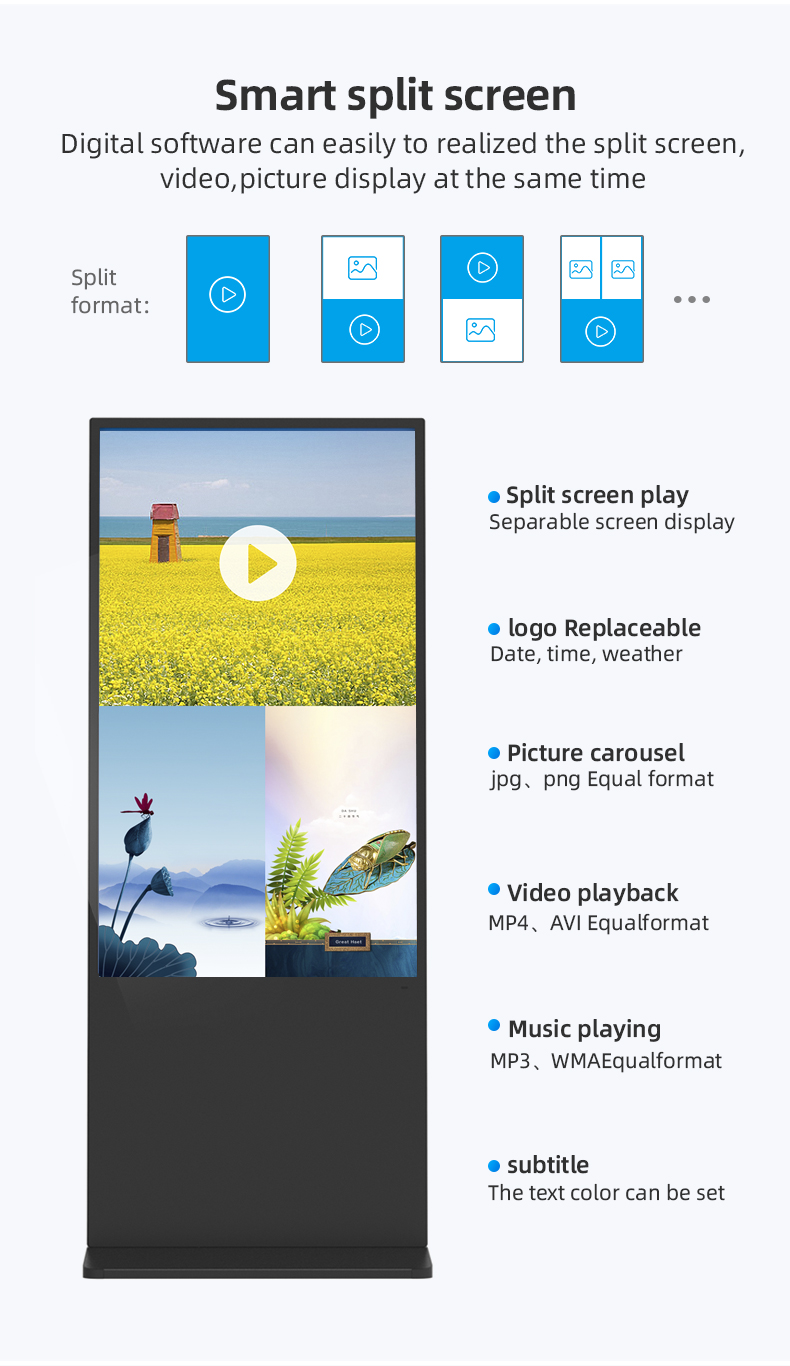
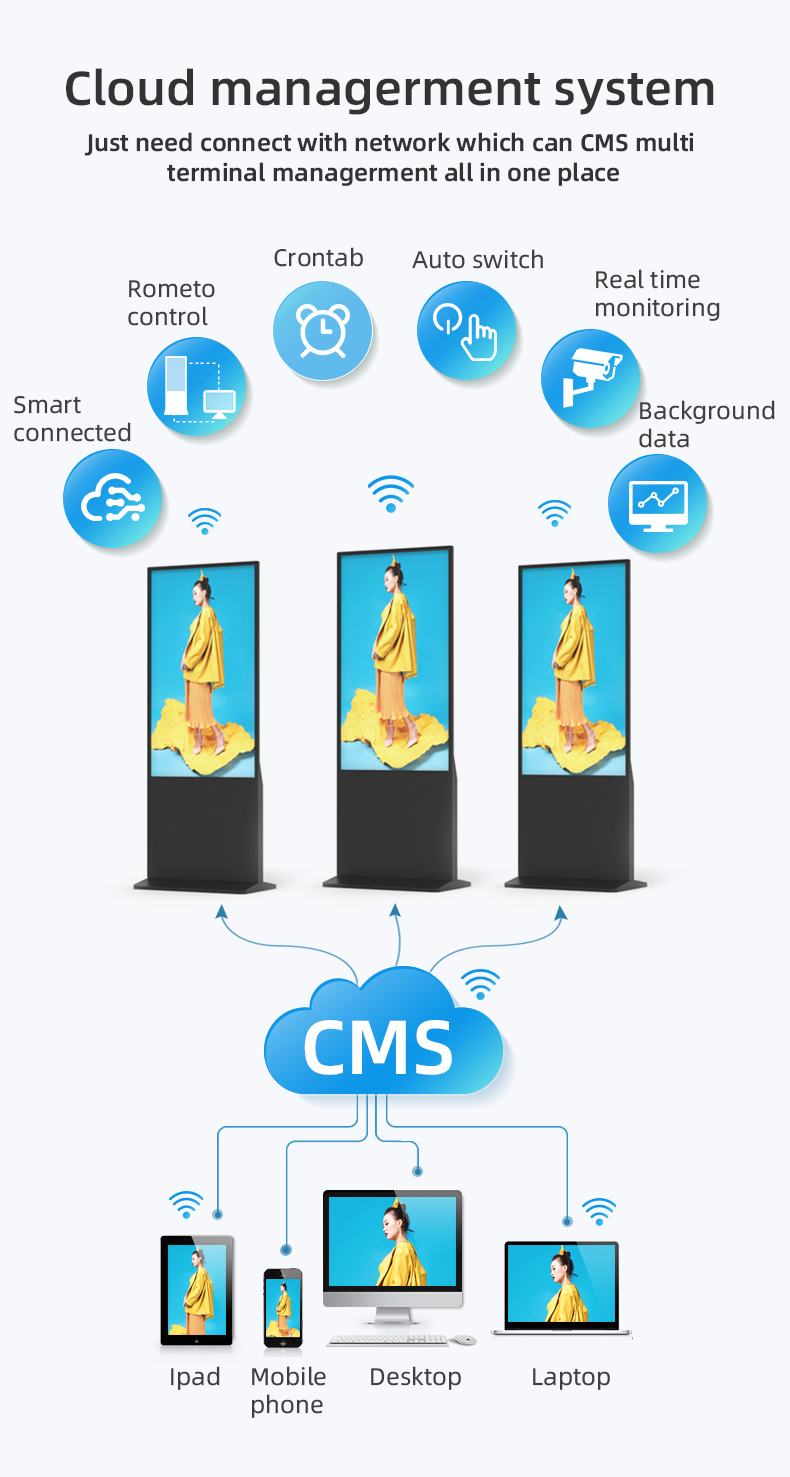
A powerful, integrated Android-based smart player is built directly into the display. It supports a wide range of media formats (video, images, HTML5, etc.) and allows for easy content updates via USB, Wi-Fi, or Ethernet, eliminating the need for external PCs or devices.
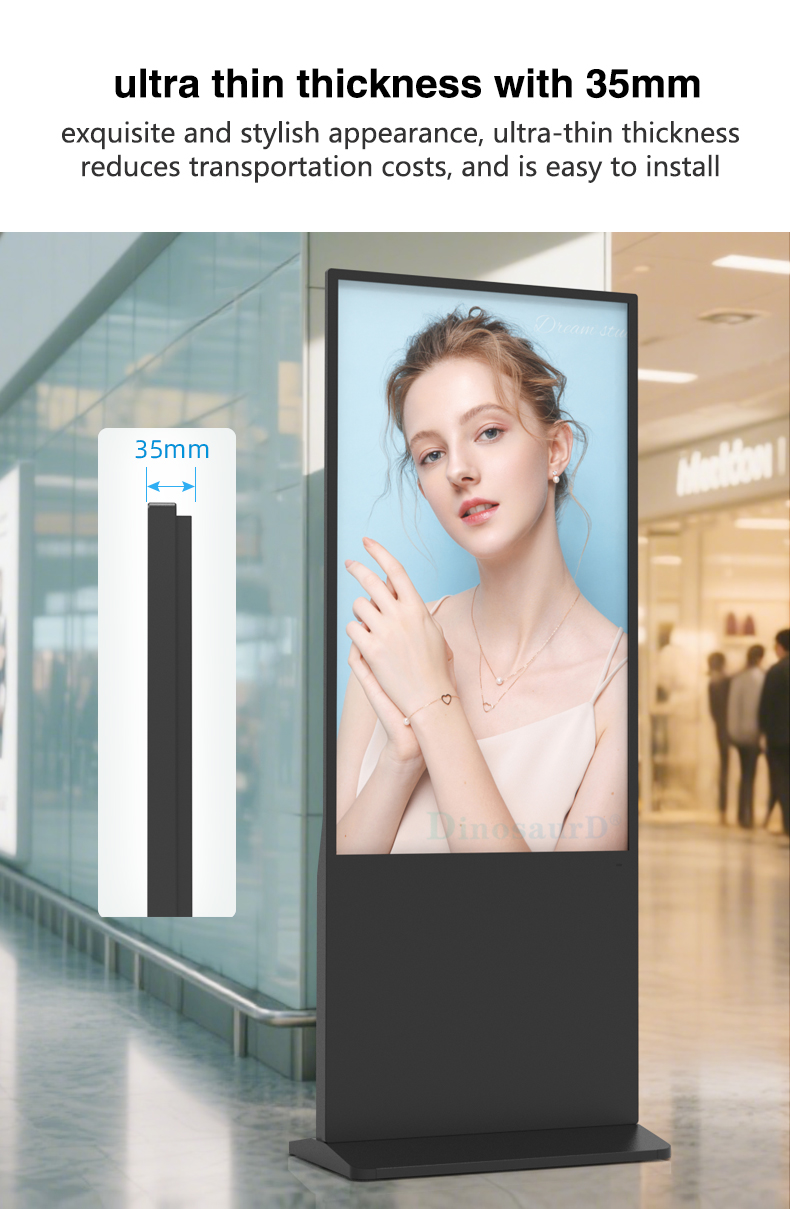
Space-Optimized Vertical Design & Sturdy Stand
The portrait orientation maximizes visibility for content like digital posters, menus, lookbooks, and vertical videos. It comes with a robust, adjustable floor stand designed for stability in high-traffic areas, offering a plug-and-play setup right out of the box.
Versatile Advertising & Information Hub
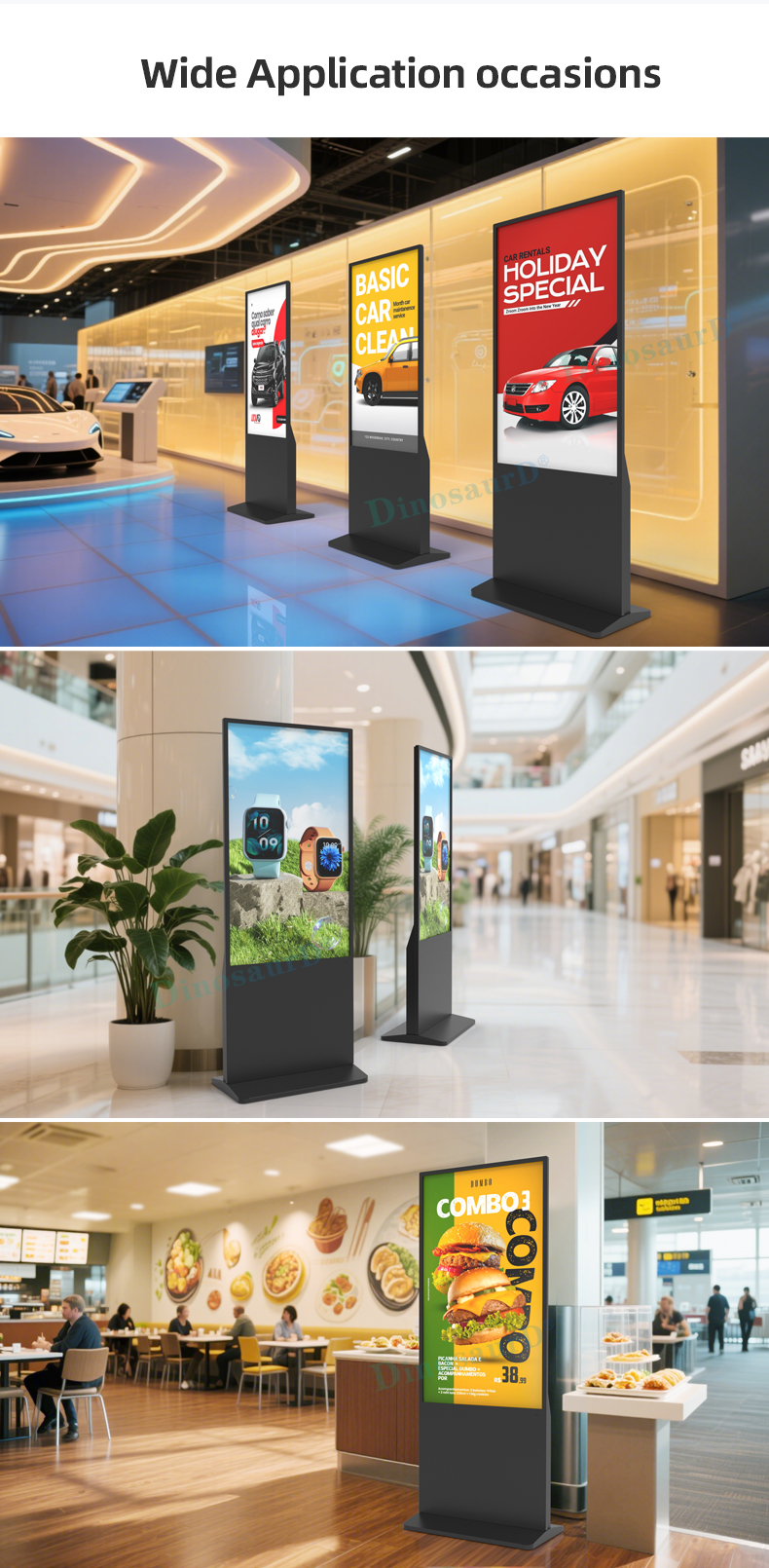
This kiosk serves multiple roles: a dynamic advertising screen for promotions, a self-service kiosk for customers, or an informational directory. Its flexibility makes it ideal for retail stores, hotel lobbies, corporate offices, museums, and event spaces.
Brilliant 4K Ultra HD Display
Experience stunning visual impact with commercial-grade LCD screens that deliver 4K resolution (3840 x 2160 pixels). This ensures razor-sharp clarity for videos, high-resolution pictures, and detailed graphics, captivating audiences from any distance.
Immersive Interactive Touch Experience
Engage your audience with advanced multi-touch technology. The responsive touchscreen enables intuitive user interaction—perfect for browsing catalogs, navigating maps, playing games, or exploring interactive product demos.
All-in-One Smart Media Player
A powerful, integrated Android-based smart player is built directly into the display. It supports a wide range of media formats (video, images, HTML5, etc.) and allows for easy content updates via USB, Wi-Fi, or Ethernet, eliminating the need for external PCs or devices.
Space-Optimized Vertical Design & Sturdy Stand
The portrait orientation maximizes visibility for content like digital posters, menus, lookbooks, and vertical videos. It comes with a robust, adjustable floor stand designed for stability in high-traffic areas, offering a plug-and-play setup right out of the box.
Versatile Advertising & Information Hub
This kiosk serves multiple roles: a dynamic advertising screen for promotions, a self-service kiosk for customers, or an informational directory. Its flexibility makes it ideal for retail stores, hotel lobbies, corporate offices, museums, and event spaces.
| screen panel | screen size | 43 inch LCD screen panel | |||||||
| display area | 941.18mm(H)*529.42mm(V) | ||||||||
| product net weight | 40.5KG | ||||||||
| resolution | 1920*1080 | ||||||||
| view angles | 178° horizon, 178 °vertical | ||||||||
| Color | 8-bit | ||||||||
| Contrast | 1200:1 | ||||||||
| Brightness | 350nits | ||||||||
| lifespan | 30000(hrs) | ||||||||
| Display Scale | 16 : 9 | ||||||||
| capacitive touch | Touch mode | Capacitive touch (USB driverless) | |||||||
| Glass surface hardness | Greater than or equal to 6H | ||||||||
| Tempered glass thickness | 4mm tempered | ||||||||
| writing mode | Fingers, touch pens | ||||||||
| Theoretical clicks | More than 600 million single touches | ||||||||
| Touch points are supported | 10 point touch | ||||||||
| Touch precision | 95% of the area positioning error is less than 2mm, and the edge positioning error is less than 5mm | ||||||||
| Power | Input Voltage | AC 100V~240V,50/60HZ | |||||||
| Case color | black | ||||||||
| Storage temparature | (-20℃ -- 60 ℃) | ||||||||
| Operation temparature | (0℃-- 50 ℃) | ||||||||
| Operation humidity | (10 -- 90﹪ ) | ||||||||
| screen panel | screen size | 43 inch LCD screen panel | |||||||
| display area | 941.18mm(H)*529.42mm(V) | ||||||||
| product net weight | 40.5KG | ||||||||
| resolution | 1920*1080 | ||||||||
| view angles | 178° horizon, 178 °vertical | ||||||||
| Color | 8-bit | ||||||||
| Contrast | 1200:1 | ||||||||
| Brightness | 350nits | ||||||||
| lifespan | 30000(hrs) | ||||||||
| Display Scale | 16 : 9 | ||||||||
| capacitive touch | Touch mode | Capacitive touch (USB driverless) | |||||||
| Glass surface hardness | Greater than or equal to 6H | ||||||||
| Tempered glass thickness | 4mm tempered | ||||||||
| writing mode | Fingers, touch pens | ||||||||
| Theoretical clicks | More than 600 million single touches | ||||||||
| Touch points are supported | 10 point touch | ||||||||
| Touch precision | 95% of the area positioning error is less than 2mm, and the edge positioning error is less than 5mm | ||||||||
| Power | Input Voltage | AC 100V~240V,50/60HZ | |||||||
| Case color | black | ||||||||
| Storage temparature | (-20℃ -- 60 ℃) | ||||||||
| Operation temparature | (0℃-- 50 ℃) | ||||||||
| Operation humidity | (10 -- 90﹪ ) | ||||||||
1. Retail & Fashion Stores
Interactive Product Catalogs: Allow customers to browse entire collections, view details, check inventory, and see styling ideas on the vertical touch screen.
Virtual Fitting Rooms: Integrate with software to let customers "try on" clothing or accessories digitally.
In-Store Promotion & Advertising: Dynamically display high-resolution video campaigns, seasonal promotions, or brand stories near entrances or key aisles.
2. Shopping Malls & Department Stores
Interactive Directory & Wayfinding: Help shoppers locate stores, facilities, or events with a touch-enabled mall map.
Central Advertising Hub: Display ads from multiple tenants in a rotating playlist on high-traffic floors or atriums.
Gift Registry or Loyalty Program Kiosk: Enable self-service sign-ups and browsing.
3. Hotels & Hospitality
Digital Concierge / Self-Service Kiosk: Guests can check in/out, explore amenities, book services, or get local area guides.
Event & Conference Signage: Display meeting schedules, floor plans, or welcome messages in lobbies or outside ballrooms.
Restaurant & Bar Menu Boards: Showcase food and drinks with vivid 4K imagery and video in portrait format.
4. Corporate Offices & Lobbies
Visitor Check-in & Badge Printing: A professional, interactive first point of contact for guests.
Employee & Company Communication: Share news, KPIs, announcements, or social feeds in common areas.
Interactive Office Directory: Help visitors or new employees locate departments and meeting rooms.
5. Museums, Galleries & Cultural Centers
Digital Exhibit Guides: Provide deep-dive information, artist bios, or multimedia content related to nearby exhibits.
Interactive Timeline or Map: Allow exploration of historical events or exhibition layouts through touch.
Educational Kiosks for Children: Offer engaging, game-like learning activities.
6. Banks & Financial Institutions
Self-Service Banking Kiosk: Facilitate account inquiries, brochure downloads, or appointment booking.
Product & Service Advertising: Promote loan offers, credit cards, or investment plans with dynamic video content.
7. Healthcare Facilities
Patient Check-in & Registration: Streamline the front-desk process in clinics or hospitals.
Health Education & Awareness: Display informational videos about services, wellness tips, or wayfinding in waiting areas.
8. Transportation Hubs (Airports, Train Stations)
Self-Service Ticketing / Check-in: Provide a quick option for travelers.
Interactive Flight/Train Information Display: Supplement traditional departure boards with touch-enabled status details and alerts.
Advertising & Sponsorship Platform: Monetize high-footfall locations with premium 4K ad space.
9. Universities & Educational Campuses
Campus Wayfinding & Event Directory: Help students and visitors navigate large campuses and find events.
Digital Bulletin Board: Show club activities, emergency alerts, or achievement highlights.
Interactive Learning Station: Deploy in libraries or common areas for educational content access.
10. Showrooms & Trade Shows
Interactive Product Demonstrations: Let prospects explore features, specs, and case studies at their own pace.
Lead Capture Station: Integrate forms or QR codes to collect visitor information.
Brand Experience Hub: Create an immersive audio-visual brand story presentation.
1. Retail & Fashion Stores
Interactive Product Catalogs: Allow customers to browse entire collections, view details, check inventory, and see styling ideas on the vertical touch screen.
Virtual Fitting Rooms: Integrate with software to let customers "try on" clothing or accessories digitally.
In-Store Promotion & Advertising: Dynamically display high-resolution video campaigns, seasonal promotions, or brand stories near entrances or key aisles.
2. Shopping Malls & Department Stores
Interactive Directory & Wayfinding: Help shoppers locate stores, facilities, or events with a touch-enabled mall map.
Central Advertising Hub: Display ads from multiple tenants in a rotating playlist on high-traffic floors or atriums.
Gift Registry or Loyalty Program Kiosk: Enable self-service sign-ups and browsing.
3. Hotels & Hospitality
Digital Concierge / Self-Service Kiosk: Guests can check in/out, explore amenities, book services, or get local area guides.
Event & Conference Signage: Display meeting schedules, floor plans, or welcome messages in lobbies or outside ballrooms.
Restaurant & Bar Menu Boards: Showcase food and drinks with vivid 4K imagery and video in portrait format.
4. Corporate Offices & Lobbies
Visitor Check-in & Badge Printing: A professional, interactive first point of contact for guests.
Employee & Company Communication: Share news, KPIs, announcements, or social feeds in common areas.
Interactive Office Directory: Help visitors or new employees locate departments and meeting rooms.
5. Museums, Galleries & Cultural Centers
Digital Exhibit Guides: Provide deep-dive information, artist bios, or multimedia content related to nearby exhibits.
Interactive Timeline or Map: Allow exploration of historical events or exhibition layouts through touch.
Educational Kiosks for Children: Offer engaging, game-like learning activities.
6. Banks & Financial Institutions
Self-Service Banking Kiosk: Facilitate account inquiries, brochure downloads, or appointment booking.
Product & Service Advertising: Promote loan offers, credit cards, or investment plans with dynamic video content.
7. Healthcare Facilities
Patient Check-in & Registration: Streamline the front-desk process in clinics or hospitals.
Health Education & Awareness: Display informational videos about services, wellness tips, or wayfinding in waiting areas.
8. Transportation Hubs (Airports, Train Stations)
Self-Service Ticketing / Check-in: Provide a quick option for travelers.
Interactive Flight/Train Information Display: Supplement traditional departure boards with touch-enabled status details and alerts.
Advertising & Sponsorship Platform: Monetize high-footfall locations with premium 4K ad space.
9. Universities & Educational Campuses
Campus Wayfinding & Event Directory: Help students and visitors navigate large campuses and find events.
Digital Bulletin Board: Show club activities, emergency alerts, or achievement highlights.
Interactive Learning Station: Deploy in libraries or common areas for educational content access.
10. Showrooms & Trade Shows
Interactive Product Demonstrations: Let prospects explore features, specs, and case studies at their own pace.
Lead Capture Station: Integrate forms or QR codes to collect visitor information.
Brand Experience Hub: Create an immersive audio-visual brand story presentation.
Q1: What sizes are available and which one is right for my space?
A1: We offer four standard commercial sizes: 43-inch, 50-inch, 55-inch, and 65-inch (diagonal measurement). For guidance:
43" & 50": Ideal for countertops, reception desks, and spaces with closer viewing distances.
55" & 65": Perfect for floor-standing applications in open areas like mall atriums, retail store entrances, or corporate lobbies where visibility from a distance is key.
Q2: Is the 4K resolution standard on all sizes, and why is it important?
A2: Yes, 4K Ultra HD (3840 x 2160) resolution is standard across all four sizes. This high pixel density ensures text, images, and videos appear incredibly sharp and detailed, even when viewers are close to the screen. It is essential for showcasing high-quality product visuals, interactive graphics, and professional advertising content.
Q3: What type of touch technology is used, and is it suitable for public use?
A3: The kiosk features Projected Capacitive (PCAP) touch screen technology, the same used in modern smartphones and tablets. It supports 10-point multi-touch for intuitive gestures (pinch, zoom, swipe). The screen is covered with tempered, anti-glare glass that is highly durable, scratch-resistant, and easy to clean, making it ideal for high-traffic public environments.
Q4: What is included in the "all-in-one" package?
A4: Your purchase includes a complete, ready-to-deploy system:
1x Vertical LCD Touch Display (in your chosen size)
1x Integrated Android Smart Media Player (built-in)
1x Sturdy, Adjustable Floor Stand (designed for portrait orientation)
1x Power Cable & Basic Remote Control
Optional: Basic content management software access.
Q5: How do I update and manage the content on the screen?
A5: Content management is flexible:
USB Drive: Simply load videos/images onto a USB stick and plug it in.
Network (Wi-Fi/Ethernet): Use our free basic CMS (Content Management System) or install popular third-party digital signage apps (e.g., Yodeck, Screenly) from the Google Play Store to schedule and update content remotely from any web browser.
Q6: Can the kiosk be used as a regular display with an external computer?
A6: Yes. While it has a built-in smart player, it also functions as a standard monitor. You can connect an external laptop, PC, or media player via its HDMI input port for mirroring or extended desktop use.
Q7: Is the floor stand sturdy and secure for public areas?
A7: Absolutely. The included professional floor stand is constructed from heavy-gauge steel with a low center of gravity and a wide base for maximum stability. It includes integrated cable management and options for security anchor points to bolt it to the floor, preventing tipping or theft.
Q8: What is the power consumption, and can it run 24/7?
A8: Power consumption varies by size but is optimized for commercial use:
43": ~60-80W
55": ~100-130W
65": ~150-200W
The system is engineered for 24/7 continuous operation with commercial-grade components and efficient thermal management to ensure reliability.
Q9: What software/operating system does the built-in player use?
A9: The integrated media player runs a stable, commercial version of Android, providing access to the Google Play Store. This allows you to download and install a wide variety of apps, including digital signage software, custom kiosk applications, web browsers, and utility tools.
Q10: What warranty and support do you offer?
A10: We provide a comprehensive commercial warranty:
3 Years on the LCD panel.
1 Year on all other components (player, touch panel, power supply).
We offer technical support via email and phone. Extended warranty plans and on-site service options are available for purchase.
Q1: What sizes are available and which one is right for my space?
A1: We offer four standard commercial sizes: 43-inch, 50-inch, 55-inch, and 65-inch (diagonal measurement). For guidance:
43" & 50": Ideal for countertops, reception desks, and spaces with closer viewing distances.
55" & 65": Perfect for floor-standing applications in open areas like mall atriums, retail store entrances, or corporate lobbies where visibility from a distance is key.
Q2: Is the 4K resolution standard on all sizes, and why is it important?
A2: Yes, 4K Ultra HD (3840 x 2160) resolution is standard across all four sizes. This high pixel density ensures text, images, and videos appear incredibly sharp and detailed, even when viewers are close to the screen. It is essential for showcasing high-quality product visuals, interactive graphics, and professional advertising content.
Q3: What type of touch technology is used, and is it suitable for public use?
A3: The kiosk features Projected Capacitive (PCAP) touch screen technology, the same used in modern smartphones and tablets. It supports 10-point multi-touch for intuitive gestures (pinch, zoom, swipe). The screen is covered with tempered, anti-glare glass that is highly durable, scratch-resistant, and easy to clean, making it ideal for high-traffic public environments.
Q4: What is included in the "all-in-one" package?
A4: Your purchase includes a complete, ready-to-deploy system:
1x Vertical LCD Touch Display (in your chosen size)
1x Integrated Android Smart Media Player (built-in)
1x Sturdy, Adjustable Floor Stand (designed for portrait orientation)
1x Power Cable & Basic Remote Control
Optional: Basic content management software access.
Q5: How do I update and manage the content on the screen?
A5: Content management is flexible:
USB Drive: Simply load videos/images onto a USB stick and plug it in.
Network (Wi-Fi/Ethernet): Use our free basic CMS (Content Management System) or install popular third-party digital signage apps (e.g., Yodeck, Screenly) from the Google Play Store to schedule and update content remotely from any web browser.
Q6: Can the kiosk be used as a regular display with an external computer?
A6: Yes. While it has a built-in smart player, it also functions as a standard monitor. You can connect an external laptop, PC, or media player via its HDMI input port for mirroring or extended desktop use.
Q7: Is the floor stand sturdy and secure for public areas?
A7: Absolutely. The included professional floor stand is constructed from heavy-gauge steel with a low center of gravity and a wide base for maximum stability. It includes integrated cable management and options for security anchor points to bolt it to the floor, preventing tipping or theft.
Q8: What is the power consumption, and can it run 24/7?
A8: Power consumption varies by size but is optimized for commercial use:
43": ~60-80W
55": ~100-130W
65": ~150-200W
The system is engineered for 24/7 continuous operation with commercial-grade components and efficient thermal management to ensure reliability.
Q9: What software/operating system does the built-in player use?
A9: The integrated media player runs a stable, commercial version of Android, providing access to the Google Play Store. This allows you to download and install a wide variety of apps, including digital signage software, custom kiosk applications, web browsers, and utility tools.
Q10: What warranty and support do you offer?
A10: We provide a comprehensive commercial warranty:
3 Years on the LCD panel.
1 Year on all other components (player, touch panel, power supply).
We offer technical support via email and phone. Extended warranty plans and on-site service options are available for purchase.