Dinosaur D
| size: | |
|---|---|
| tempered glass thickness: | |
| resolution: | |
| view angles: | |
| display color: | |
| contrast: | |
| lifespan: | |
| Availability: | |
| Quantity: | |
Key Features:
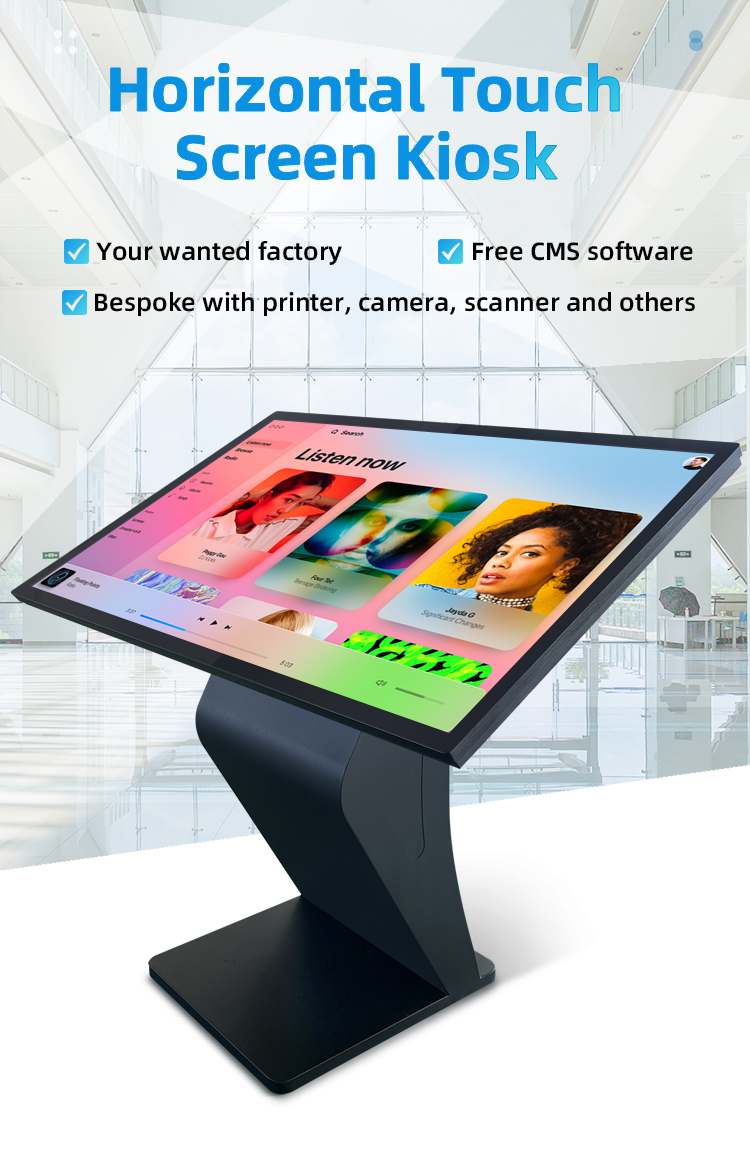
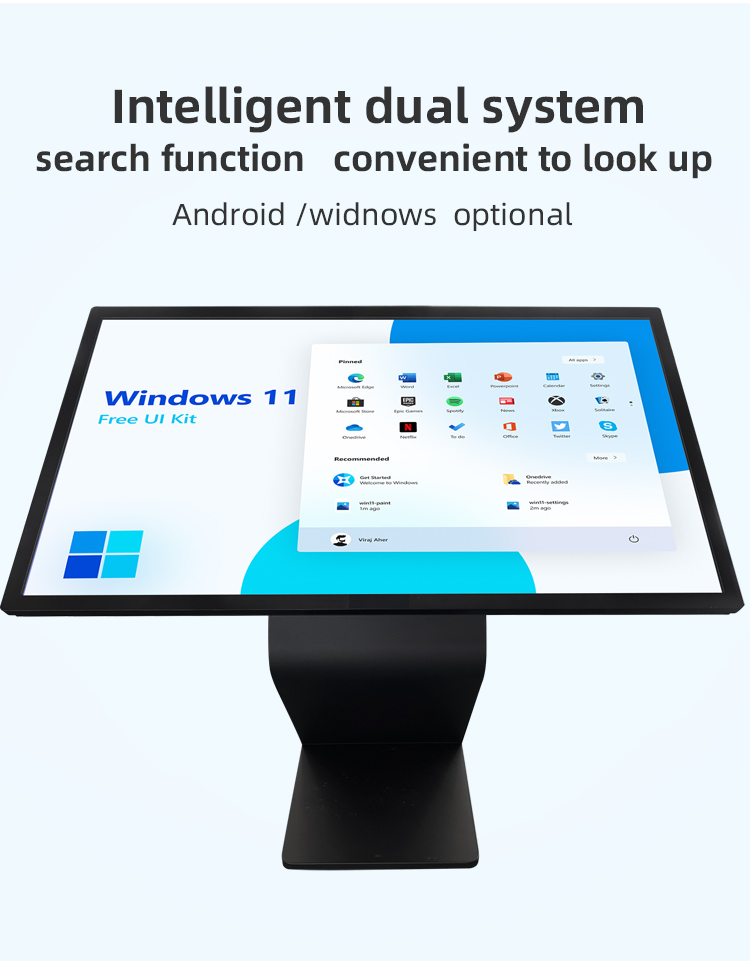
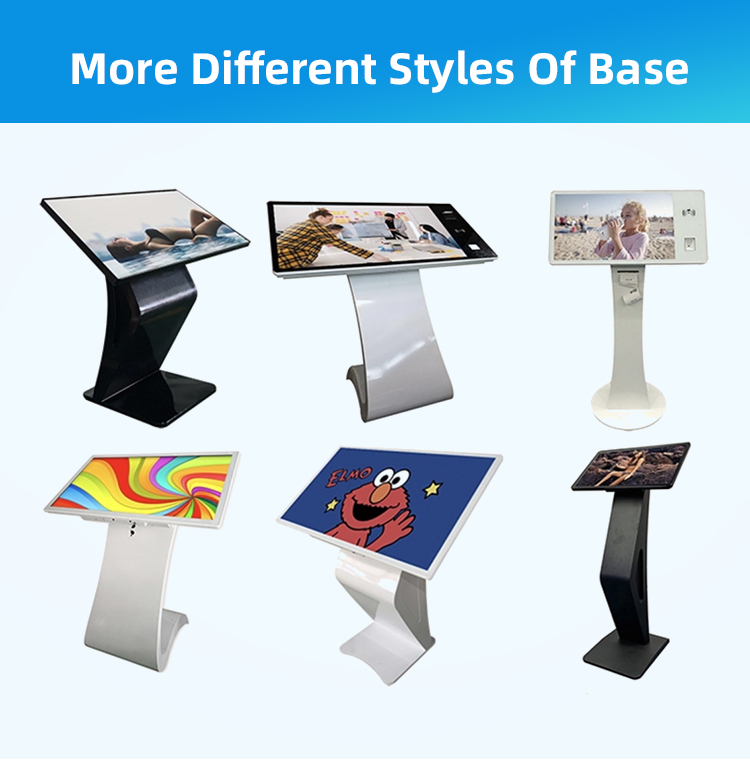
✔ Ergonomic K-base Design - Stable, space-saving horizontal installation
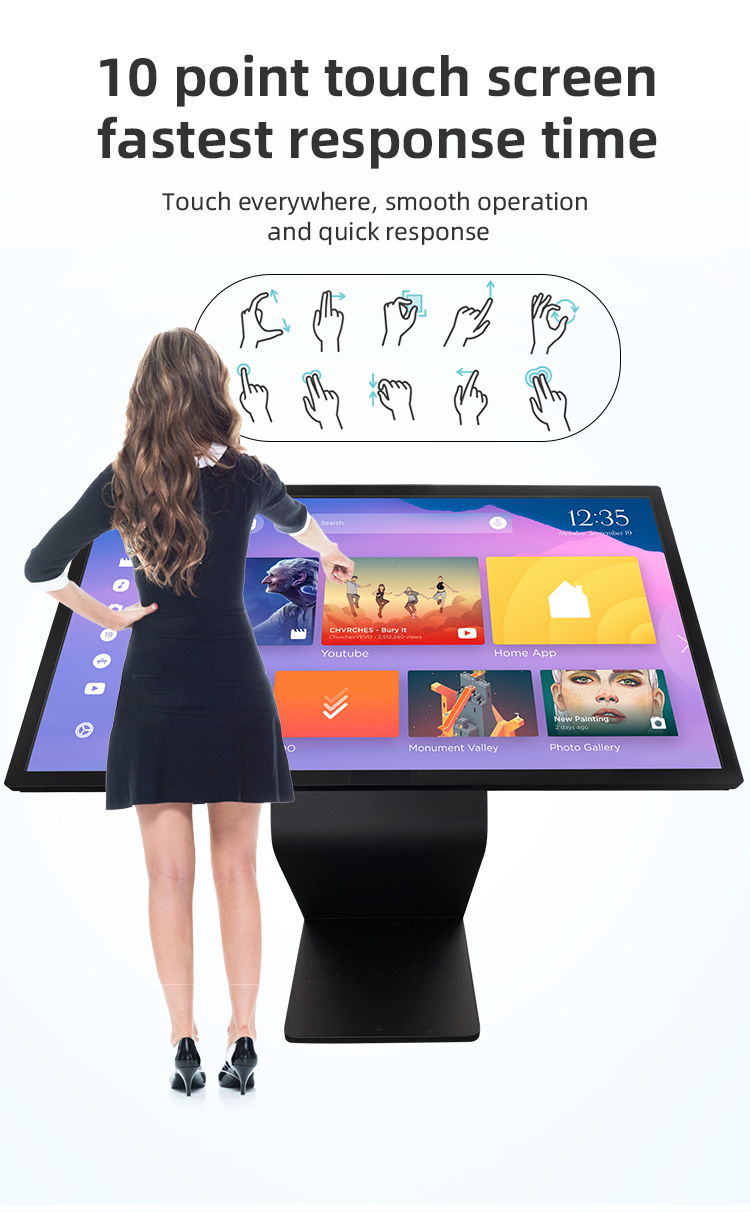
✔ High-Sensitivity Touchscreen - Multi-touch capacitive panel with gesture support
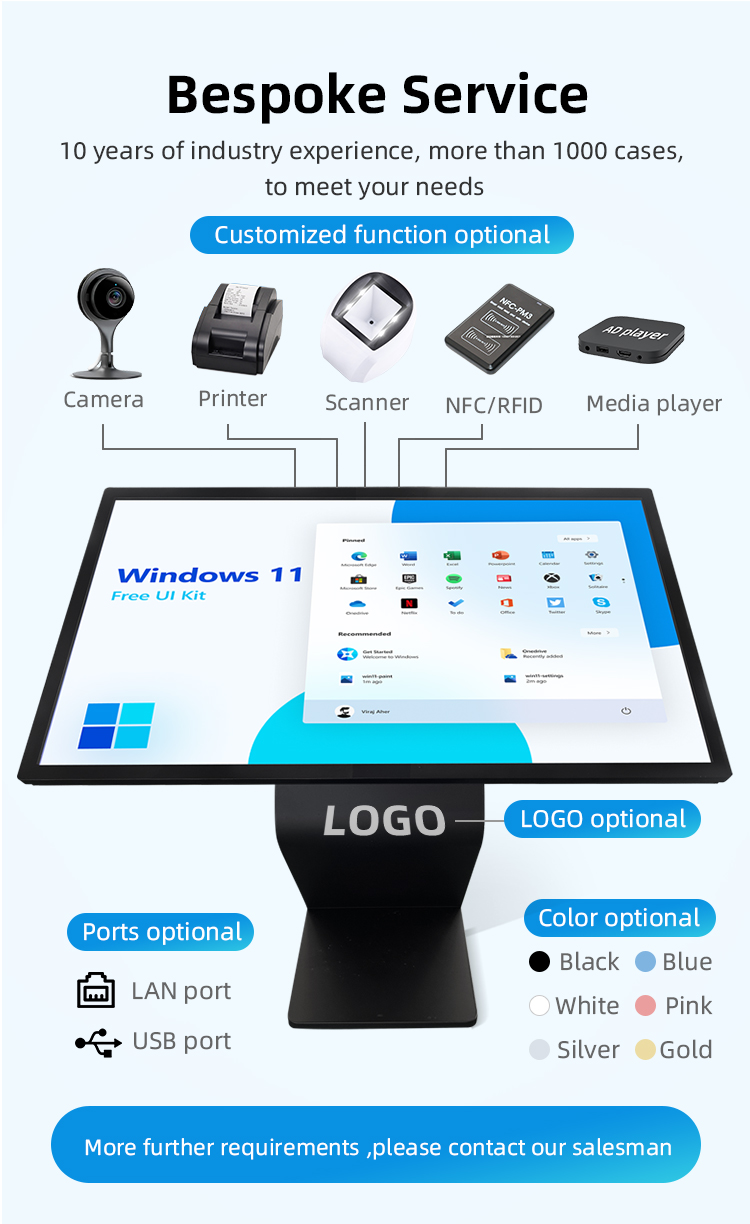
✔ Modular Expandability - Optional payment, printing, and ID recognition functions
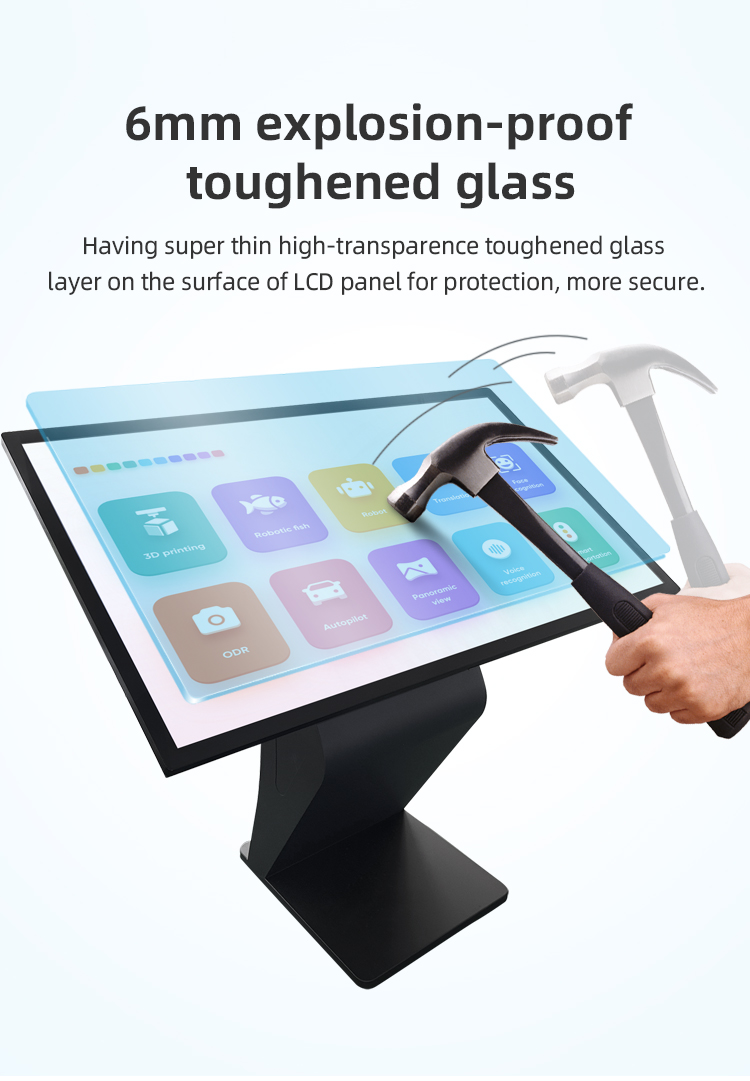
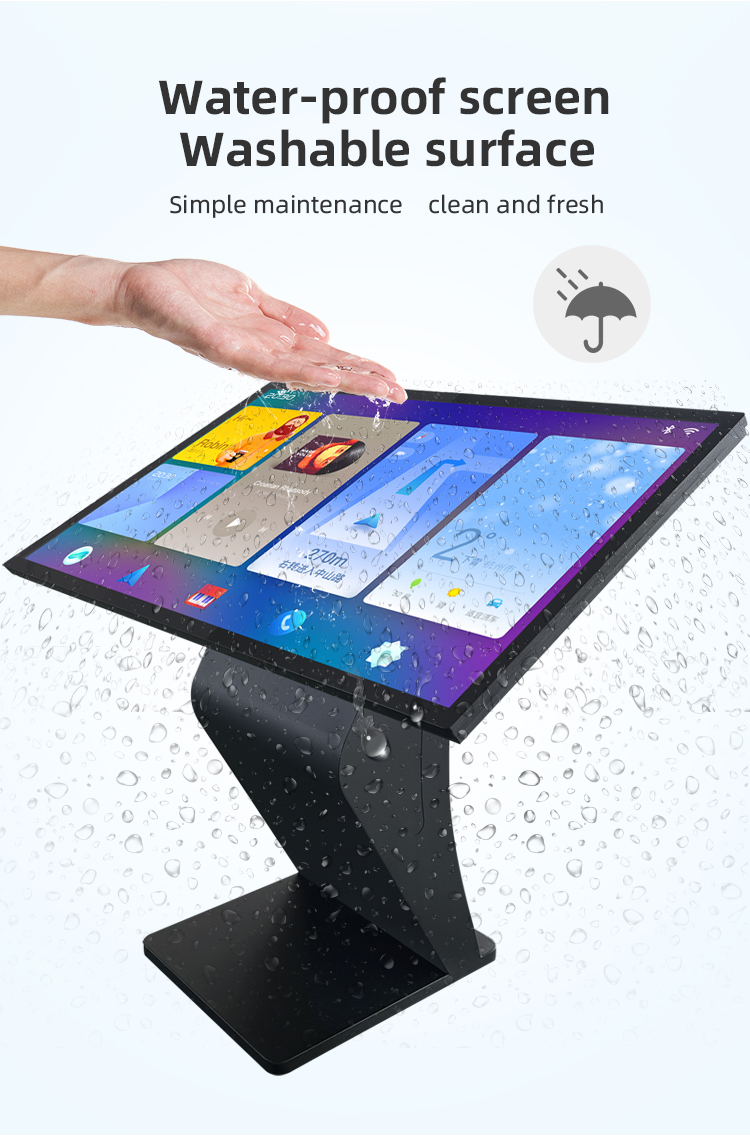
✔ Vandal-Proof Construction - Tempered glass with IP65 rating for 24/7 operation
✔ Customizable Interface - Brand-tailored UI for seamless user experience
Applications:


Key Features:
✔ Ergonomic K-base Design - Stable, space-saving horizontal installation
✔ High-Sensitivity Touchscreen - Multi-touch capacitive panel with gesture support
✔ Modular Expandability - Optional payment, printing, and ID recognition functions
✔ Vandal-Proof Construction - Tempered glass with IP65 rating for 24/7 operation
✔ Customizable Interface - Brand-tailored UI for seamless user experience
Applications:


| screen panel specification | screen size | 55 inch LCD screen panel | ||||
| display area | 1210.6mm(H)*681.5(V)mm | |||||
| Tempered glass thickness | 3mm | |||||
| Drive screen voltage | 12V | |||||
| Backlight type | ELED | |||||
| resolution | 1920*1080 | |||||
| view angles | 178° horizon, 178 °vertical | |||||
| Display color | 16.7M | |||||
| Contrast | 1200:1 | |||||
| Brightness | 450nits | |||||
| Response time | 8ms | |||||
| lifespan | 30000(hrs) | |||||
| Display Scale | 16 : 9 | |||||
| product net weight | 26.5KG | |||||
| product dimension | 1255.2mm*726.2mm*58.1mm | |||||
| Wall mount size | 400mm*400mm | |||||
| installation screw specifications | M6*12 4PCS | |||||
| Power | Input Voltage | AC 100V~240V,50/60HZ | ||||
| Case color | black | |||||
| Backlight power consumption | 76W | |||||
| Storage temparature | (-20℃ -- 60 ℃) | |||||
| Operation temparature | (0℃-- 50 ℃) | |||||
| Operation humidity | (10 -- 90﹪ ) | |||||
| screen panel specification | screen size | 55 inch LCD screen panel | ||||
| display area | 1210.6mm(H)*681.5(V)mm | |||||
| Tempered glass thickness | 3mm | |||||
| Drive screen voltage | 12V | |||||
| Backlight type | ELED | |||||
| resolution | 1920*1080 | |||||
| view angles | 178° horizon, 178 °vertical | |||||
| Display color | 16.7M | |||||
| Contrast | 1200:1 | |||||
| Brightness | 450nits | |||||
| Response time | 8ms | |||||
| lifespan | 30000(hrs) | |||||
| Display Scale | 16 : 9 | |||||
| product net weight | 26.5KG | |||||
| product dimension | 1255.2mm*726.2mm*58.1mm | |||||
| Wall mount size | 400mm*400mm | |||||
| installation screw specifications | M6*12 4PCS | |||||
| Power | Input Voltage | AC 100V~240V,50/60HZ | ||||
| Case color | black | |||||
| Backlight power consumption | 76W | |||||
| Storage temparature | (-20℃ -- 60 ℃) | |||||
| Operation temparature | (0℃-- 50 ℃) | |||||
| Operation humidity | (10 -- 90﹪ ) | |||||
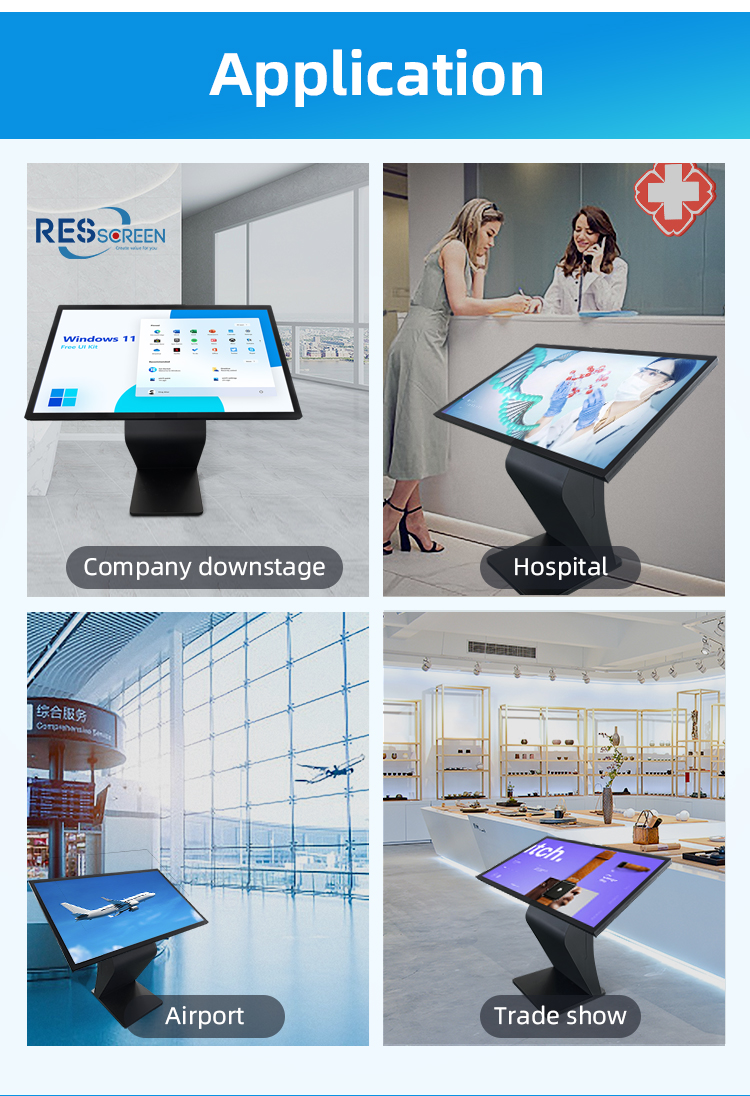
1. Government Hall Applications:
Digital service counters for license/permit applications
Public information portals with multilingual support
Automated queue management systems
Citizen feedback collection stations
Emergency alert broadcasting points
Municipal service directories (tax payments, utilities, etc.)
2. Hotel/Lobby Implementations:
24/7 self check-in/check-out terminals
Interactive concierge service directories
Meeting room booking and wayfinding systems
Local attraction guides with AR previews
Restaurant reservation and menu displays
Loyalty program enrollment stations
3. Shopping Mall Deployments:
3D interactive mall navigation with store locator
Digital advertising and promotion displays
Virtual product showcase stations
Gift card/voucher redemption points
Event information and ticket purchase hubs
Customer satisfaction survey terminals
4. Marketing & Advertising Functions:
Brand experience zones with product demos
Interactive coupon/voucher printers
Social media integration stations
Augmented reality marketing displays
Personalized recommendation engines
Digital signage networks with centralized control
5. Smart City Integration:
Public transportation information hubs
Tourism information centers
Campus/corporate directory systems
Convention center wayfinding solutions
Hospital/healthcare facility navigation
Smart parking guidance systems
Technical Implementation Examples:
"Our 55" horizontal kiosk in government lobbies reduces service wait times by 60% through automated form processing"
"Hotel guests complete check-in 3x faster using our facial recognition-enabled kiosks"
"Malls using our interactive displays report 45% higher engagement with promotional content"
"The K-base design allows wheelchair-accessible installation in all public spaces"
Would you like me to elaborate on any specific application area or provide implementation case studies?
1. Government Hall Applications:
Digital service counters for license/permit applications
Public information portals with multilingual support
Automated queue management systems
Citizen feedback collection stations
Emergency alert broadcasting points
Municipal service directories (tax payments, utilities, etc.)
2. Hotel/Lobby Implementations:
24/7 self check-in/check-out terminals
Interactive concierge service directories
Meeting room booking and wayfinding systems
Local attraction guides with AR previews
Restaurant reservation and menu displays
Loyalty program enrollment stations
3. Shopping Mall Deployments:
3D interactive mall navigation with store locator
Digital advertising and promotion displays
Virtual product showcase stations
Gift card/voucher redemption points
Event information and ticket purchase hubs
Customer satisfaction survey terminals
4. Marketing & Advertising Functions:
Brand experience zones with product demos
Interactive coupon/voucher printers
Social media integration stations
Augmented reality marketing displays
Personalized recommendation engines
Digital signage networks with centralized control
5. Smart City Integration:
Public transportation information hubs
Tourism information centers
Campus/corporate directory systems
Convention center wayfinding solutions
Hospital/healthcare facility navigation
Smart parking guidance systems
Technical Implementation Examples:
"Our 55" horizontal kiosk in government lobbies reduces service wait times by 60% through automated form processing"
"Hotel guests complete check-in 3x faster using our facial recognition-enabled kiosks"
"Malls using our interactive displays report 45% higher engagement with promotional content"
"The K-base design allows wheelchair-accessible installation in all public spaces"
Would you like me to elaborate on any specific application area or provide implementation case studies?
1. Q: What is the main purpose of this kiosk?
A: This kiosk serves as an all-in-one self-service station for information and interactive marketing. It provides wayfinding, service details, and promotional content, enhancing the visitor experience in government halls, hotels, and shopping malls.
2. Q: Where is this kiosk typically installed?
A: It is designed for high-traffic indoor public areas such as the lobbies of government halls (for form downloads and queue management), hotel lobbies (for check-in and local guides), and shopping malls (for store directories and promotions).
3. Q: How do I use the kiosk? Is it user-friendly?
A: Yes, it is designed for intuitive use. Simply approach the kiosk and interact with the large, responsive touch screen by tapping on icons and menus to navigate through the information you need.
4. Q: What kind of information can I access?
A: You can access a wide range of information, including:
* Government Hall: Department directories, form downloads, service wait times.
* Hotel: Digital check-in/check-out, amenity guides, local attraction maps.
* Shopping Mall: Interactive store directories, current sales and promotions, event schedules.
5. Q: What is "interactive marketing" on this kiosk?
A: Interactive marketing allows you to engage with promotions directly. Instead of just seeing a static ad, you can tap to watch videos about a product, get a digital coupon, or sign up for a loyalty program, creating a more engaging experience.
6. Q: Why does the kiosk have a horizontal screen and a K-type base?
A: The horizontal screen is ideal for displaying wide-format content like maps and promotional videos. The K-type base provides a compact yet extremely stable footprint, ensuring safety and durability in busy public spaces.
7. Q: Is my privacy protected when using the kiosk?
A: Yes. The kiosk is designed with privacy in mind. It does not store personal data after your session ends. For any interactions that may require personal information (like a hotel check-in), the session is secured and encrypted.
8. Q: Can the content on the kiosk be updated?
A: Absolutely. The kiosk's content is fully dynamic and can be updated remotely and in real-time via a central Content Management System (CMS). This allows venues to instantly change promotions, update maps, or post new information.
9. Q: What are the benefits of this kiosk for a venue?
A: The kiosk reduces the workload on staff, improves visitor satisfaction with instant information, provides a modern digital interface, and creates a new revenue stream or marketing channel through interactive advertising.
10. Q: What should I do if the kiosk is out of order or I need more help?
A: If the kiosk is not functioning, or if you require assistance beyond what the kiosk provides, please proceed to the main information desk, reception, or locate a staff member for direct help.
1. Q: What is the main purpose of this kiosk?
A: This kiosk serves as an all-in-one self-service station for information and interactive marketing. It provides wayfinding, service details, and promotional content, enhancing the visitor experience in government halls, hotels, and shopping malls.
2. Q: Where is this kiosk typically installed?
A: It is designed for high-traffic indoor public areas such as the lobbies of government halls (for form downloads and queue management), hotel lobbies (for check-in and local guides), and shopping malls (for store directories and promotions).
3. Q: How do I use the kiosk? Is it user-friendly?
A: Yes, it is designed for intuitive use. Simply approach the kiosk and interact with the large, responsive touch screen by tapping on icons and menus to navigate through the information you need.
4. Q: What kind of information can I access?
A: You can access a wide range of information, including:
* Government Hall: Department directories, form downloads, service wait times.
* Hotel: Digital check-in/check-out, amenity guides, local attraction maps.
* Shopping Mall: Interactive store directories, current sales and promotions, event schedules.
5. Q: What is "interactive marketing" on this kiosk?
A: Interactive marketing allows you to engage with promotions directly. Instead of just seeing a static ad, you can tap to watch videos about a product, get a digital coupon, or sign up for a loyalty program, creating a more engaging experience.
6. Q: Why does the kiosk have a horizontal screen and a K-type base?
A: The horizontal screen is ideal for displaying wide-format content like maps and promotional videos. The K-type base provides a compact yet extremely stable footprint, ensuring safety and durability in busy public spaces.
7. Q: Is my privacy protected when using the kiosk?
A: Yes. The kiosk is designed with privacy in mind. It does not store personal data after your session ends. For any interactions that may require personal information (like a hotel check-in), the session is secured and encrypted.
8. Q: Can the content on the kiosk be updated?
A: Absolutely. The kiosk's content is fully dynamic and can be updated remotely and in real-time via a central Content Management System (CMS). This allows venues to instantly change promotions, update maps, or post new information.
9. Q: What are the benefits of this kiosk for a venue?
A: The kiosk reduces the workload on staff, improves visitor satisfaction with instant information, provides a modern digital interface, and creates a new revenue stream or marketing channel through interactive advertising.
10. Q: What should I do if the kiosk is out of order or I need more help?
A: If the kiosk is not functioning, or if you require assistance beyond what the kiosk provides, please proceed to the main information desk, reception, or locate a staff member for direct help.