Dinosaur D
| size: | |
|---|---|
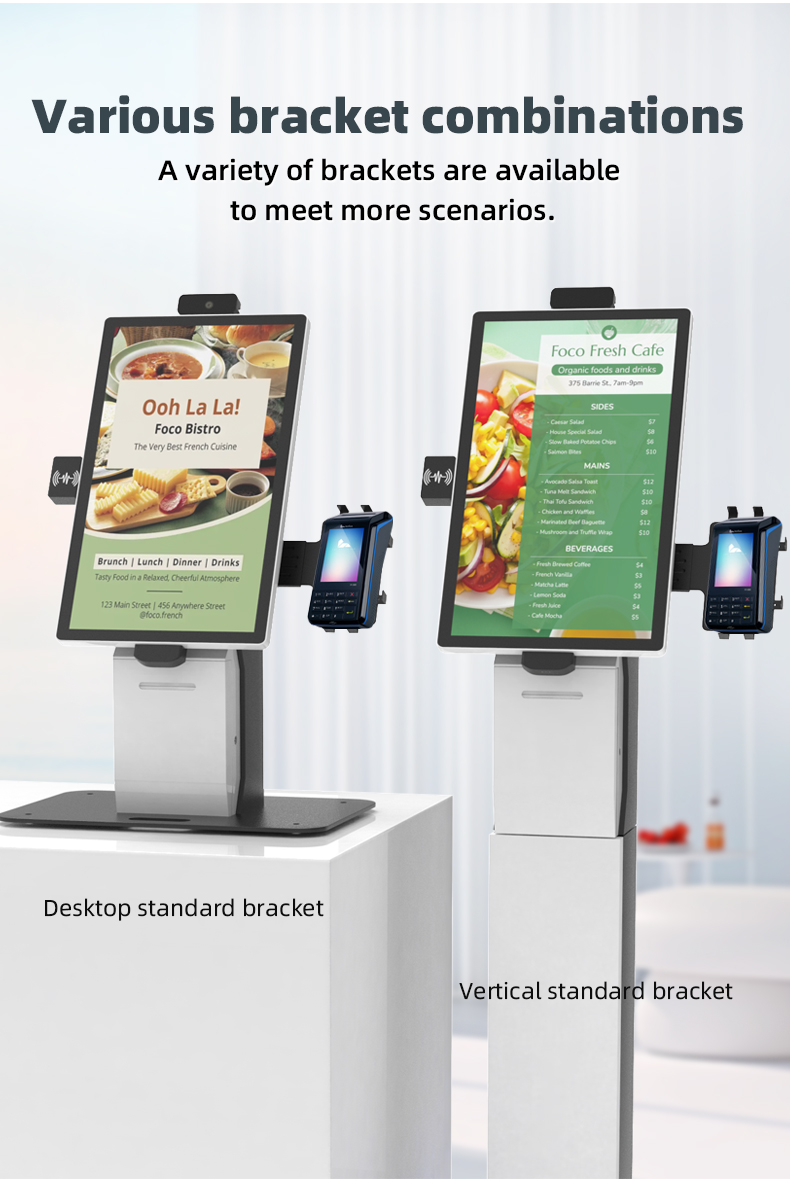
| installation method: | |
| resolution: | |
| cusomization: | |
| viewing angle: | |
| lifespan: | |
| response time: | |
| Availability: | |
| Quantity: | |
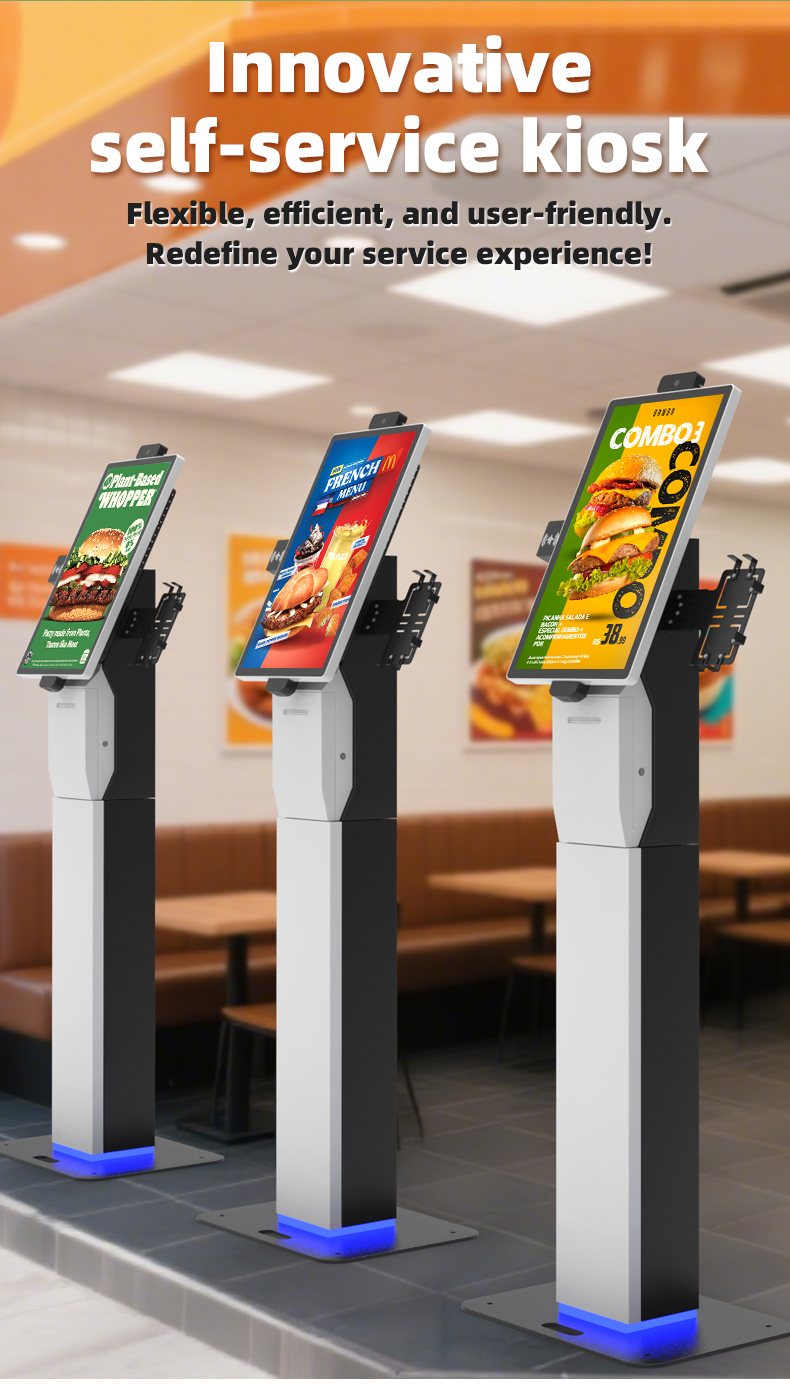
Our state-of-the-art capacitive touch screen kiosk is an all-in-one solution designed to streamline operations across hospitality, retail, and food service industries. This intelligent terminal integrates advanced check-in, ordering, payment, and printing functionalities into a single robust unit.
Key Features:
21.5" to 32" high-sensitivity capacitive touch display with anti-glare coating
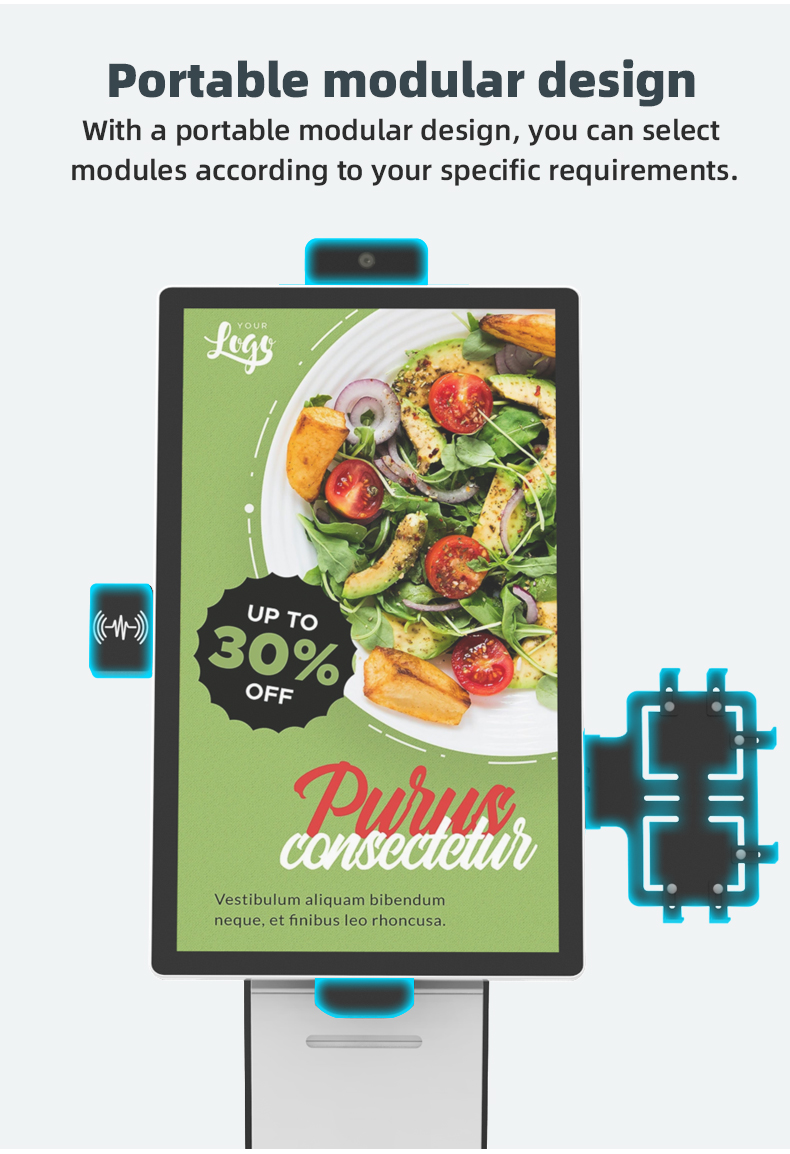
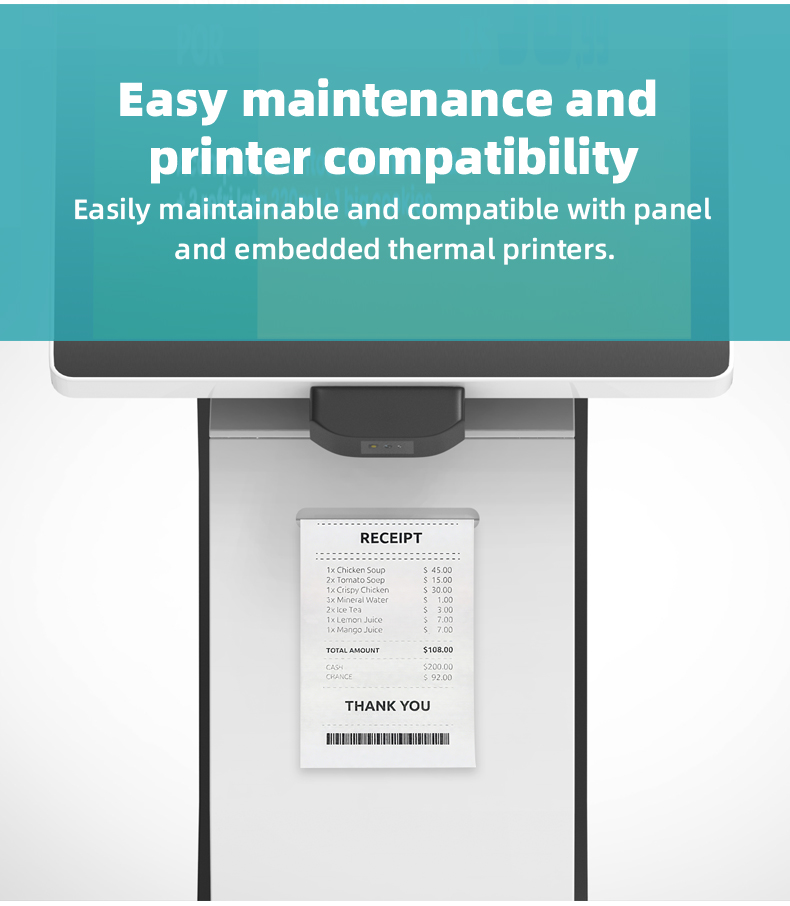
Built-in 80mm thermal printer for instant receipt/ticket issuance
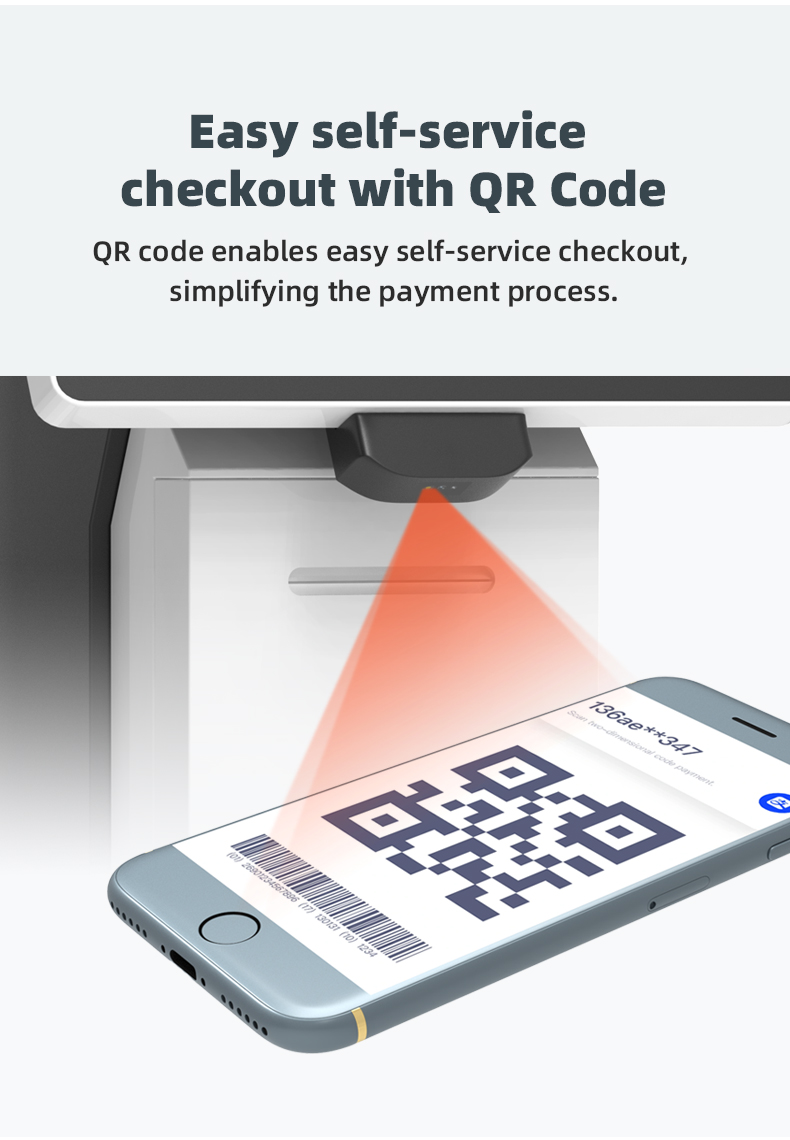
Integrated barcode/QR code scanner for payments and inventory
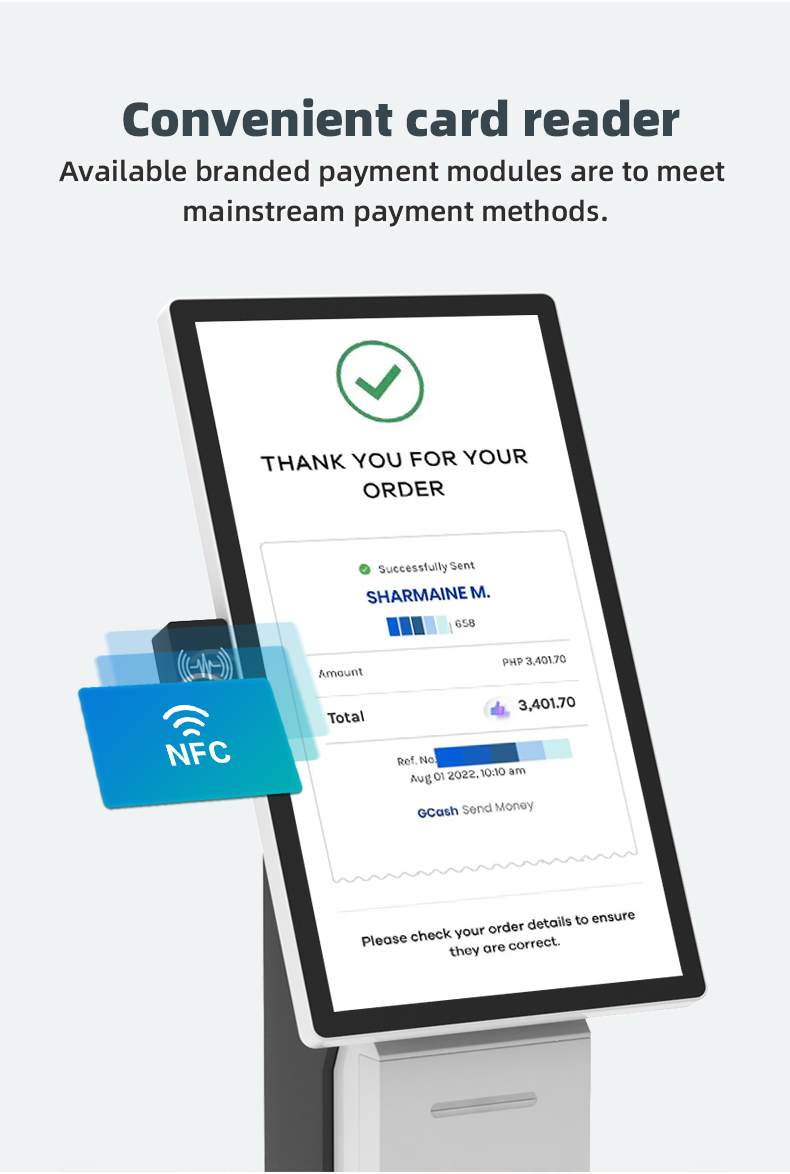
NFC/contactless payment processing (PCI PTS 6.0 certified)


Our state-of-the-art capacitive touch screen kiosk is an all-in-one solution designed to streamline operations across hospitality, retail, and food service industries. This intelligent terminal integrates advanced check-in, ordering, payment, and printing functionalities into a single robust unit.
Key Features:
21.5" to 32" high-sensitivity capacitive touch display with anti-glare coating
Built-in 80mm thermal printer for instant receipt/ticket issuance
Integrated barcode/QR code scanner for payments and inventory
NFC/contactless payment processing (PCI PTS 6.0 certified)


| printer | Printing method | thermal line dot printing | ||||
| Print speed | Max:180mm/s | |||||
| Resolution | 203dpi(8dots/mm) | |||||
| Print width | 72mm | |||||
| Cutter | both full cut and partial cut are supported | |||||
| Qr scanner | Image sensor | 640(H) X 480(V)CMOS | ||||
| Light source | white fill light / colored light indicator | |||||
| Readable Code System | QR Code: QR Code, PDF417, DataMatrix (ECC200) | |||||
| EAN13, EAN UPC-E0, UPC-E1, Code128, Code39, Code93, CodaBar, Interleaved 2 of 5, Industrial 25, Matrix 2 of 5, Code11, MSI, RSS-14, Limited RSS, Expanded RSS | ||||||
| Reading perspective | rotate 360°, tilt ±60°, deflect ±60° | |||||
| Understanding depth of field | EAN-132~11.0cm 13mil、Code-128 2.5 ~ 13.0cm (15mil ) | |||||
| Recognition accuracy | 1D barcode: ≥5 mil, 2D barcode: ≥10 mil | |||||
| NFC | External Interface | serial port (TTL level/RS232 level selectable) | ||||
| Support card | contactless Card: Mifare One S50/S70, Mifare UltraLight NTAG213/215/216 | |||||
| Sensing distance | type A Card: 0 ~ 5.0 cm Test Conditions: 1) Use a standard size card of 85.6mm × 54mm; 2) Use an integrated antenna. | |||||
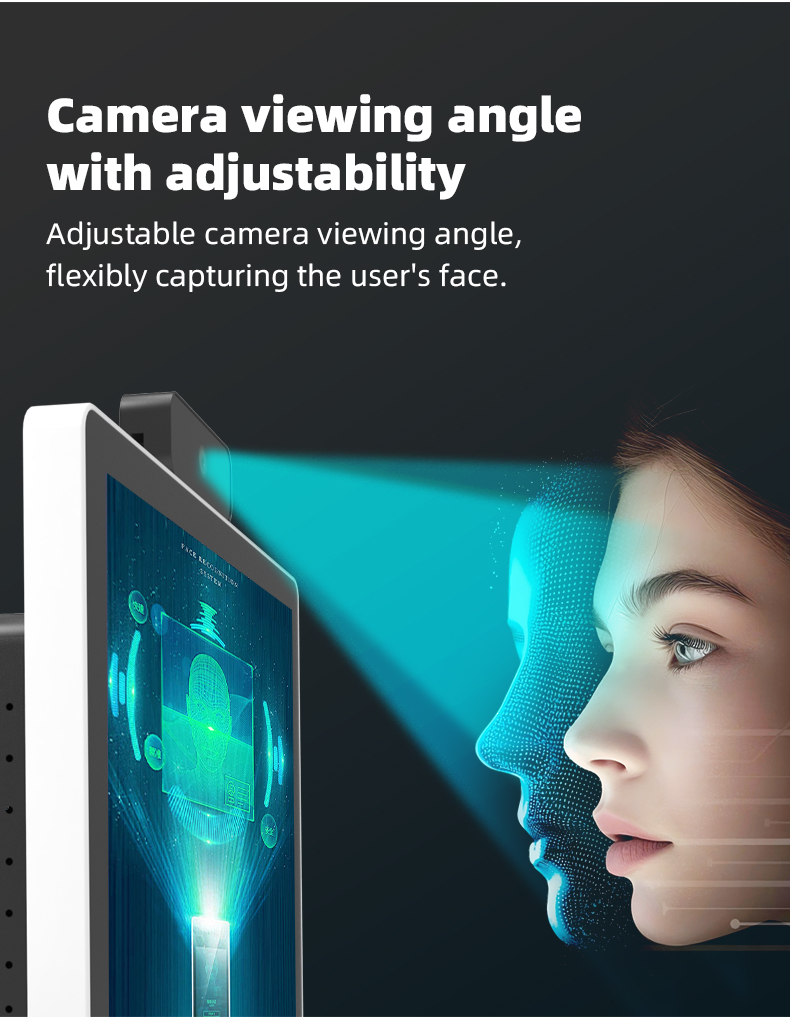
| Camera | Optical dimensions | 1/2.7”inch COMS sensor | ||||
| Sensor resolution | 1920 (H) x 1080 (V) | |||||
| Maximum frame rate | 30fps@1080P | |||||
| screen panel specification | Screen size | 24 inch BOE or Star A new full lcd screen | ||||
| Resolution | 1920*1080(2k) | |||||
| Brightness | 350cd/m2 | |||||
| Number of Color | 16.7M | |||||
| Response time | 6ms | |||||
| Contrast | 2000:1 | |||||
| View angle | 178°/178°(H/V) | |||||
| Life Time | > 50000 (hours) | |||||
| OSD Language | English, Chinese, French, German, Italian, Spanish,Arabic etc. | |||||
| capacitive touch parameter | Touch technology | 10 point capacitive touch | ||||
| Sensing object | fingers, stylus | |||||
| Response time | 3ms | |||||
| Sensing accuracy | ±1.5mm | |||||
| Touch lifespan | over 60 million times, the touch cursor does not drift | |||||
| Touch resolution | 4096*4096 | |||||
| Power | Input Voltage | AC100-240v 50/60HZ | ||||
| Horn | 2×2W(8Ω) | |||||
| Standby power | ≤1W | |||||
| Power Consumption | ≤50W | |||||
| Storage temparature | (-20℃ -- 60 ℃) | |||||
| Operation temparature | (0℃-- 50 ℃) | |||||
| Operation humidity | (10 -- 90% ) | |||||
| Appearance design | aluminum alloy frame, high-quality sheet metal | |||||
| Casing color | black | |||||
| printer | Printing method | thermal line dot printing | ||||
| Print speed | Max:180mm/s | |||||
| Resolution | 203dpi(8dots/mm) | |||||
| Print width | 72mm | |||||
| Cutter | both full cut and partial cut are supported | |||||
| Qr scanner | Image sensor | 640(H) X 480(V)CMOS | ||||
| Light source | white fill light / colored light indicator | |||||
| Readable Code System | QR Code: QR Code, PDF417, DataMatrix (ECC200) | |||||
| EAN13, EAN UPC-E0, UPC-E1, Code128, Code39, Code93, CodaBar, Interleaved 2 of 5, Industrial 25, Matrix 2 of 5, Code11, MSI, RSS-14, Limited RSS, Expanded RSS | ||||||
| Reading perspective | rotate 360°, tilt ±60°, deflect ±60° | |||||
| Understanding depth of field | EAN-132~11.0cm 13mil、Code-128 2.5 ~ 13.0cm (15mil ) | |||||
| Recognition accuracy | 1D barcode: ≥5 mil, 2D barcode: ≥10 mil | |||||
| NFC | External Interface | serial port (TTL level/RS232 level selectable) | ||||
| Support card | contactless Card: Mifare One S50/S70, Mifare UltraLight NTAG213/215/216 | |||||
| Sensing distance | type A Card: 0 ~ 5.0 cm Test Conditions: 1) Use a standard size card of 85.6mm × 54mm; 2) Use an integrated antenna. | |||||
| Camera | Optical dimensions | 1/2.7”inch COMS sensor | ||||
| Sensor resolution | 1920 (H) x 1080 (V) | |||||
| Maximum frame rate | 30fps@1080P | |||||
| screen panel specification | Screen size | 24 inch BOE or Star A new full lcd screen | ||||
| Resolution | 1920*1080(2k) | |||||
| Brightness | 350cd/m2 | |||||
| Number of Color | 16.7M | |||||
| Response time | 6ms | |||||
| Contrast | 2000:1 | |||||
| View angle | 178°/178°(H/V) | |||||
| Life Time | > 50000 (hours) | |||||
| OSD Language | English, Chinese, French, German, Italian, Spanish,Arabic etc. | |||||
| capacitive touch parameter | Touch technology | 10 point capacitive touch | ||||
| Sensing object | fingers, stylus | |||||
| Response time | 3ms | |||||
| Sensing accuracy | ±1.5mm | |||||
| Touch lifespan | over 60 million times, the touch cursor does not drift | |||||
| Touch resolution | 4096*4096 | |||||
| Power | Input Voltage | AC100-240v 50/60HZ | ||||
| Horn | 2×2W(8Ω) | |||||
| Standby power | ≤1W | |||||
| Power Consumption | ≤50W | |||||
| Storage temparature | (-20℃ -- 60 ℃) | |||||
| Operation temparature | (0℃-- 50 ℃) | |||||
| Operation humidity | (10 -- 90% ) | |||||
| Appearance design | aluminum alloy frame, high-quality sheet metal | |||||
| Casing color | black | |||||
Hospitality Industry
Hotel Lobby Applications: • 24/7 self-service check-in/check-out stations • Digital key card issuance terminals • Concierge service request points • Bill settlement and receipt printing
Food Service Sector
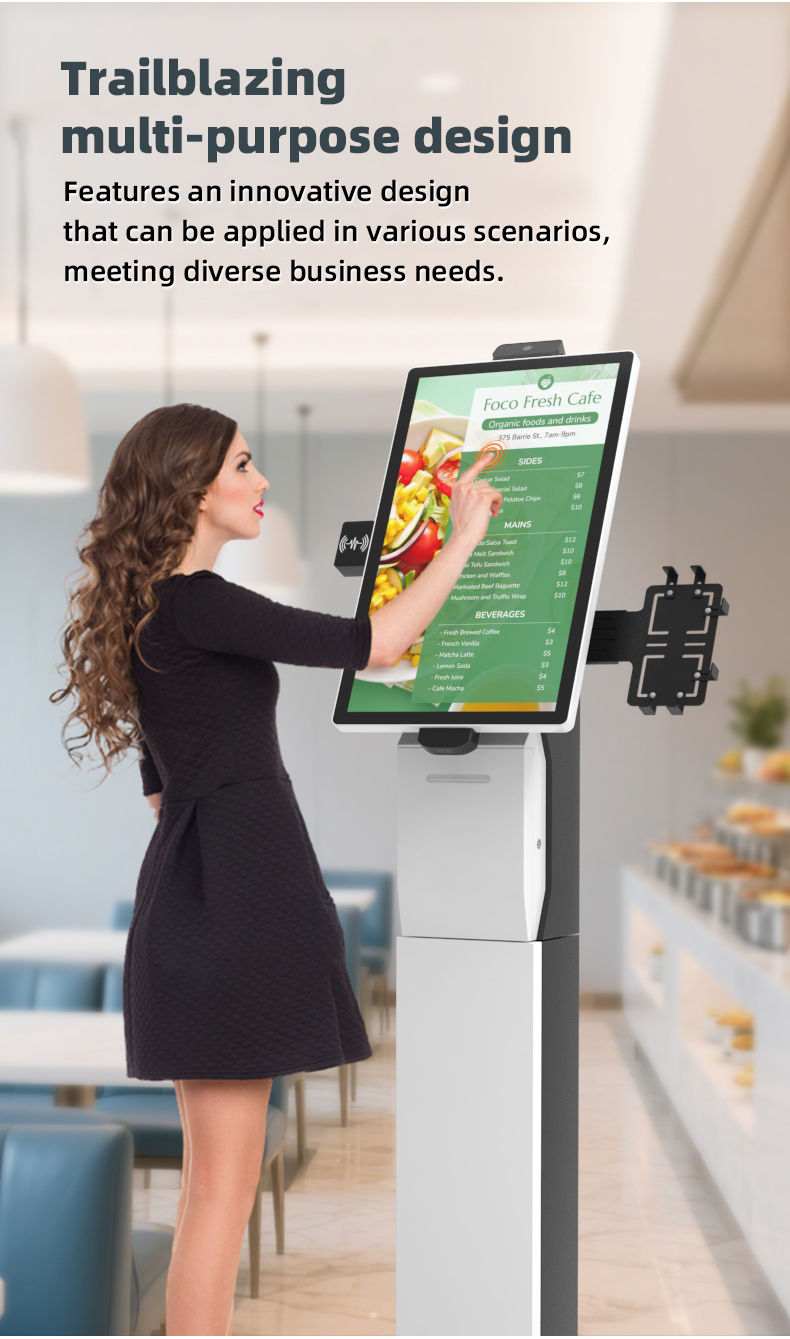
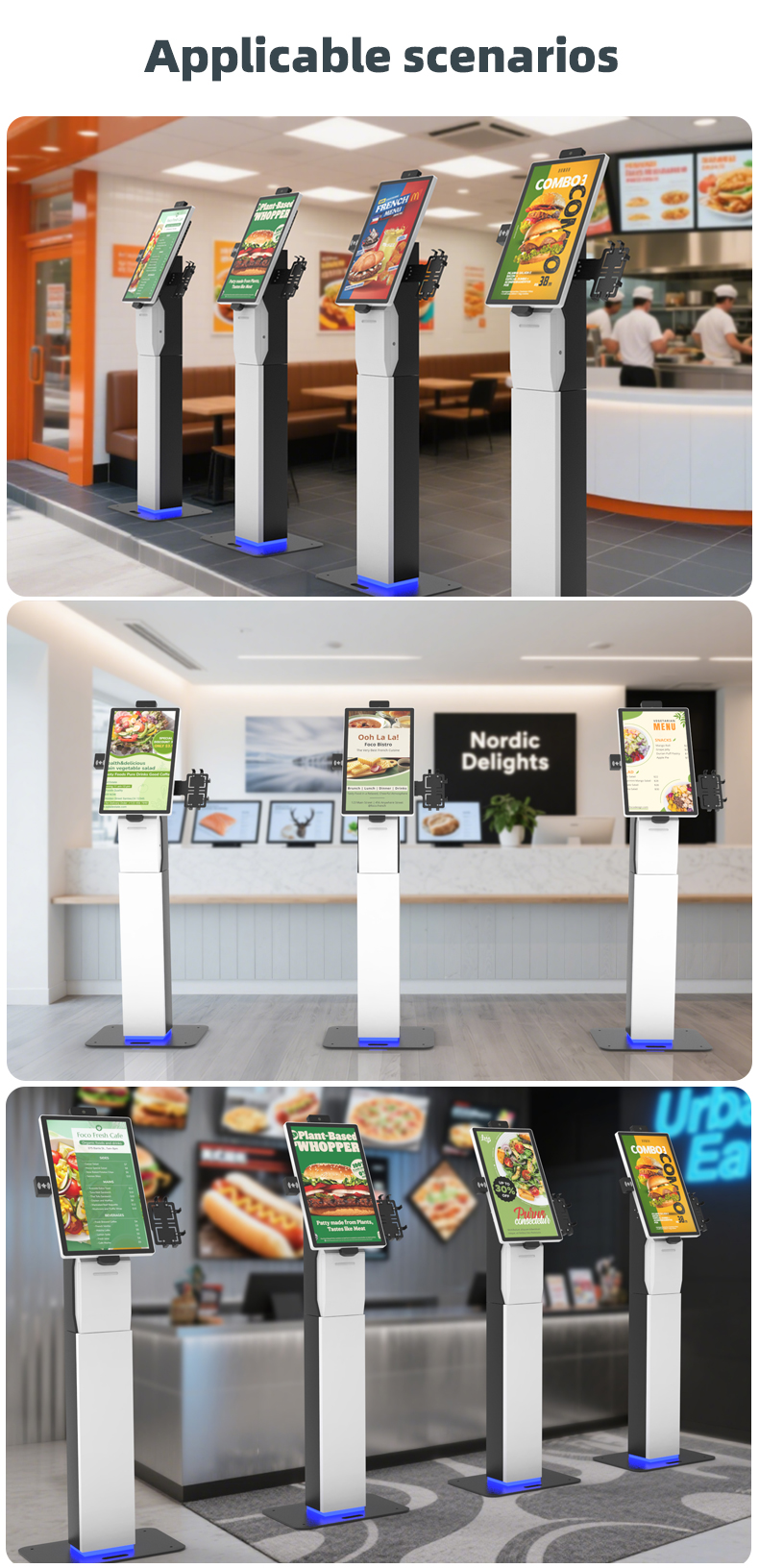
Restaurant Solutions: • Self-ordering kiosks with menu display • Tableside payment stations • Takeaway order processing • Kitchen ticket printing systems
Retail Environments
Supermarket Implementations: • Self-checkout stations with barcode scanning • Price verification terminals • Electronic coupon redemption points • Loyalty program enrollment kiosks
Entertainment Venues
Ticketing Applications: • Event ticket purchase and printing • Membership card renewal stations • Concession stand ordering points • VIP service check-in terminals
Transportation Hubs
Travel Applications: • Airport self-service baggage check-in • Train/bus ticket vending machines • Parking payment kiosks • Rental car check-out stations
Healthcare Facilities
Medical Applications: • Patient self-check-in terminals • Prescription payment stations • Visitor management systems • Wayfinding information points
Financial Services
Banking Applications: • Self-service account terminals • Bill payment stations • Document printing kiosks • ATM alternative services
Hospitality Industry
Hotel Lobby Applications: • 24/7 self-service check-in/check-out stations • Digital key card issuance terminals • Concierge service request points • Bill settlement and receipt printing
Food Service Sector
Restaurant Solutions: • Self-ordering kiosks with menu display • Tableside payment stations • Takeaway order processing • Kitchen ticket printing systems
Retail Environments
Supermarket Implementations: • Self-checkout stations with barcode scanning • Price verification terminals • Electronic coupon redemption points • Loyalty program enrollment kiosks
Entertainment Venues
Ticketing Applications: • Event ticket purchase and printing • Membership card renewal stations • Concession stand ordering points • VIP service check-in terminals
Transportation Hubs
Travel Applications: • Airport self-service baggage check-in • Train/bus ticket vending machines • Parking payment kiosks • Rental car check-out stations
Healthcare Facilities
Medical Applications: • Patient self-check-in terminals • Prescription payment stations • Visitor management systems • Wayfinding information points
Financial Services
Banking Applications: • Self-service account terminals • Bill payment stations • Document printing kiosks • ATM alternative services
1. Q: What types of payment do your self-service kiosks and POS systems support?
A: Our systems are designed for maximum flexibility. We support all major payment methods, including QR code payments (like Alipay, WeChat Pay), credit/debit cards, contactless payments (NFC), and mobile wallets, ensuring a seamless checkout experience for your customers.
2. Q: Can the kiosk be customized for our specific business needs, such as a restaurant menu or a hotel check-in process?
A: Absolutely. Our touch screen software and user interface are highly customizable. Whether you need it for restaurant ordering, hotel check-in, supermarket self-checkout, or ticket printing, we can tailor the workflow, display, and branding to match your exact requirements.
3. Q: How durable are the touch screens, especially in high-traffic areas like a fast-food restaurant or supermarket?
A: Our kiosks are built for commercial use. They feature robust, industrial-grade capacitive touch screens that are resistant to scratches, smudges, and frequent use. Many models also come with anti-vandalism features to withstand demanding environments.
4. Q: Is it possible to integrate a barcode scanner or a printer into the kiosk?
A: Yes, integration is a key strength. Our kiosk solutions can be equipped with a variety of peripherals, including high-speed scanner for items or QR codes, thermal printer for receipts, tickets, or order slips, creating a fully integrated self-service station.
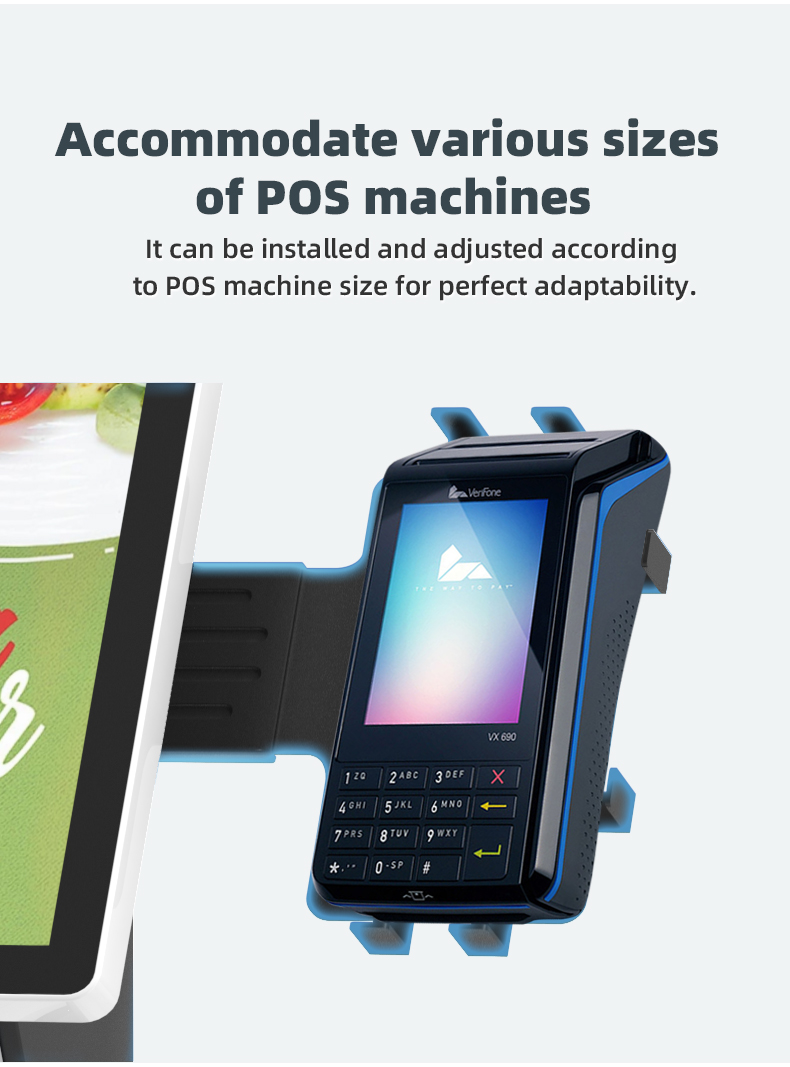
5. Q: How does the self-service kiosk connect to our existing POS (Point of Sale) and backend management system?
A: Our kiosks are designed with integration in mind. They use standard APIs (Application Programming Interfaces) to seamlessly connect with most existing POS systems, kitchen display systems (KDS), and property management systems (PMS) for hotels, ensuring real-time data synchronization on orders, payments, and inventory.
6. Q: What are the main benefits of implementing self-service kiosks in my restaurant or store?
A: The benefits are significant: they increase order accuracy, reduce customer wait times, boost average order value through smart menu displays, lower labor costs, and free up your staff to focus on higher-value tasks like customer service.
7. Q: How user-friendly is the interface for first-time customers?
A: The touch screen interface is intuitively designed with clear graphics, simple navigation, and a minimal number of steps to complete an order or check-in. We prioritize a user experience that is easy for all customers to understand and use without assistance.
8. Q: Can customers complete the entire process, from ordering to payment, on a single kiosk?
A: Yes, that's the core function of our self-service kiosks. Customers can browse the menu or services, make their selections, customize their order, and complete the payment all in one place, creating a fast and efficient experience.
9. Q: What kind of after-sales support and maintenance do you offer?
A: We provide comprehensive support, including remote troubleshooting, on-site service if needed, and easy access to spare parts like printer paper rolls. Our goal is to ensure your kiosks operate smoothly and minimize any downtime.
10. Q: Are these kiosks suitable for both indoor and outdoor use?
A: We offer models designed for specific environments. Our standard kiosks are perfect for indoor use in restaurants, hotel lobbies, and supermarkets. For outdoor applications (e.g., poolside ordering at a hotel), we can provide specialized units with weatherproofing and enhanced brightness for sunlight readability.
1. Q: What types of payment do your self-service kiosks and POS systems support?
A: Our systems are designed for maximum flexibility. We support all major payment methods, including QR code payments (like Alipay, WeChat Pay), credit/debit cards, contactless payments (NFC), and mobile wallets, ensuring a seamless checkout experience for your customers.
2. Q: Can the kiosk be customized for our specific business needs, such as a restaurant menu or a hotel check-in process?
A: Absolutely. Our touch screen software and user interface are highly customizable. Whether you need it for restaurant ordering, hotel check-in, supermarket self-checkout, or ticket printing, we can tailor the workflow, display, and branding to match your exact requirements.
3. Q: How durable are the touch screens, especially in high-traffic areas like a fast-food restaurant or supermarket?
A: Our kiosks are built for commercial use. They feature robust, industrial-grade capacitive touch screens that are resistant to scratches, smudges, and frequent use. Many models also come with anti-vandalism features to withstand demanding environments.
4. Q: Is it possible to integrate a barcode scanner or a printer into the kiosk?
A: Yes, integration is a key strength. Our kiosk solutions can be equipped with a variety of peripherals, including high-speed scanner for items or QR codes, thermal printer for receipts, tickets, or order slips, creating a fully integrated self-service station.
5. Q: How does the self-service kiosk connect to our existing POS (Point of Sale) and backend management system?
A: Our kiosks are designed with integration in mind. They use standard APIs (Application Programming Interfaces) to seamlessly connect with most existing POS systems, kitchen display systems (KDS), and property management systems (PMS) for hotels, ensuring real-time data synchronization on orders, payments, and inventory.
6. Q: What are the main benefits of implementing self-service kiosks in my restaurant or store?
A: The benefits are significant: they increase order accuracy, reduce customer wait times, boost average order value through smart menu displays, lower labor costs, and free up your staff to focus on higher-value tasks like customer service.
7. Q: How user-friendly is the interface for first-time customers?
A: The touch screen interface is intuitively designed with clear graphics, simple navigation, and a minimal number of steps to complete an order or check-in. We prioritize a user experience that is easy for all customers to understand and use without assistance.
8. Q: Can customers complete the entire process, from ordering to payment, on a single kiosk?
A: Yes, that's the core function of our self-service kiosks. Customers can browse the menu or services, make their selections, customize their order, and complete the payment all in one place, creating a fast and efficient experience.
9. Q: What kind of after-sales support and maintenance do you offer?
A: We provide comprehensive support, including remote troubleshooting, on-site service if needed, and easy access to spare parts like printer paper rolls. Our goal is to ensure your kiosks operate smoothly and minimize any downtime.
10. Q: Are these kiosks suitable for both indoor and outdoor use?
A: We offer models designed for specific environments. Our standard kiosks are perfect for indoor use in restaurants, hotel lobbies, and supermarkets. For outdoor applications (e.g., poolside ordering at a hotel), we can provide specialized units with weatherproofing and enhanced brightness for sunlight readability.